I created a custom editor window with scrollview. I try to change scrollbars styles, but nothing happens. I tried to do it by this code:
public class MyEditor : EditorWindow
{

    Vector2 scrollPosition;

    GUISkin customGUIskin;

    [MenuItem("Window/MyWindow")]
    new static void Show()
    {
        GetWindow<MyEditor>();
    }

    void OnEnable()
    {
        customGUIskin = (GUISkin)Resources.Load("Editor/CustomGUISkin");
    }

    void OnGUI()
    {
        GUIStyle horizontalScrollbarStyle = customGUIskin.FindStyle("horizontalScrollbar");
        GUIStyle verticalScrollbarStyle = customGUIskin.FindStyle("verticalScrollbar");


        GUILayout.BeginArea(new Rect(0, 0, 100, 200));
        scrollPosition = GUILayout.BeginScrollView(scrollPosition, true, true, horizontalScrollbarStyle, verticalScrollbarStyle);
        for(int i = 0; i < 30; i++)
        {
            EditorGUILayout.LabelField("Some text");
        }
        GUILayout.EndScrollView();
        GUILayout.EndArea();
    }
}
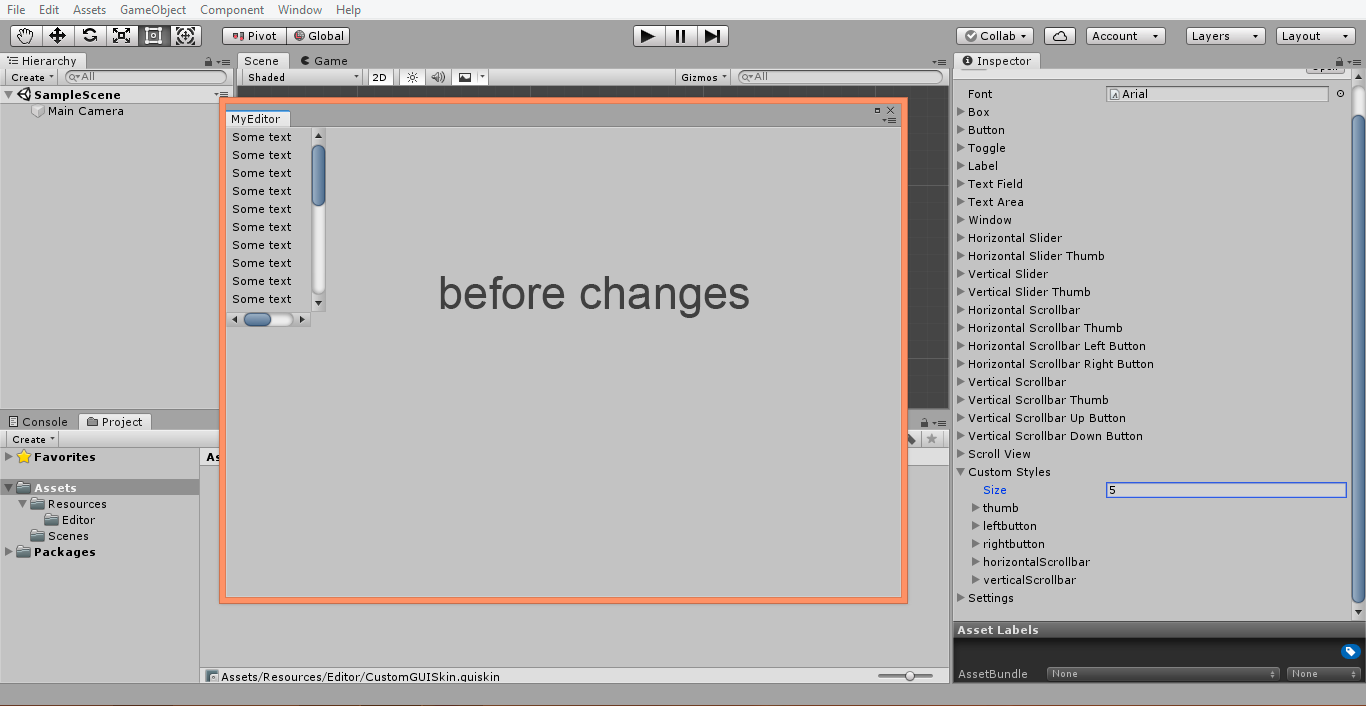

I created custom GUI skin with my own styles. Scrollbars disappears in editor after I set styles as parameters in scrollview.
Is it Unity bug or I do something wrong?
[EDIT] Solution: Use GUI.skin to set global GUI skin for all draw calls and change styles: “Vertical Scrollbar”, “Vertical Scrollbar Thumb”, “Vertical Scrollbar Up Button” and “Vertical Scrollbar Down Button” in your custom GUI skin. Also reboot Unity editor, because GUI skin has very stange behaviour and sometimes do not save changes.