[Solved] Is there a way to force Unity to regenerate csproj files?

Is there a api or some thing that I can force unity to regenerate .csproj and .sln? including package .csproj for Entitiies or Collections

The default behavior of csproj generation is like it only update thoese csproj that has change, adding or removing source file. But if I delete the csproj itself for some reason, it is not considered dirty. so even if all .csproj and .sln is deleted. by double clicking a source Unity wont make new ones. By using Open in c# Project from context menue It generates only .csproj for assembly define in Asset folder, no including package assembly. My Preferences->External Tools-> Generate all .csproj files is Checked.

And the reason, I remove .csproj files is a TestRuner+Burst bug keep corrupting my .csproj. I am trying to figure out why.

But I really want to know if I can force unity to regenerate ALL .csproj by some UnityEditor Api or so.

1 Like

5713549--598288--upload_2020-4-15_12-20-50.png

Under Preferences/External Tools

Shouldn’t be too hard to reverse it and call it from from a script if API doesn’t already exist.

14 Likes

:frowning: I don’t have it as I am on 2019.3.2f1
Are you on 2020?

And case update is here
https://discussions.unity.com/t/785668
I don’t know if 2020 fixed this

This screenshot was 2019.3.9f1

So either it was added in a later 19.3 version or I guess rider might inject it in

Where is that?..
On my Unities…
2020.1.0
5713792--598324--upload_2020-4-15_12-3-9.png
2019.3.2
5713792--598327--upload_2020-4-15_12-3-47.png

Must be a rider feature.

Rider master race.

8 Likes

Thanks for the hint.
5714068--598363--upload_2020-4-15_14-12-26.png
I got it now.
It’s nether UnityEditor version nor Rider Inject.
But Rider/VSCode Editor package version 1.2.0 up would have this

4 Likes

Truth truth

Is it possible to do something similar in 2018.4 LTS? Kinda stuck on this release for our project.

I simple question:
Why it shows: Generate all .csproj files,
sometimes, it shows individually:
Generate .csproj for:
Embedded Packages…
…
…

Thanks

It depends on which IDE you are using and Unity’s package version of your IDE’s supporter tools.

It be like this I dont know obvious version but how i set external tool for this version?

2 Likes

This saved me a lot of trouble. Thanks!
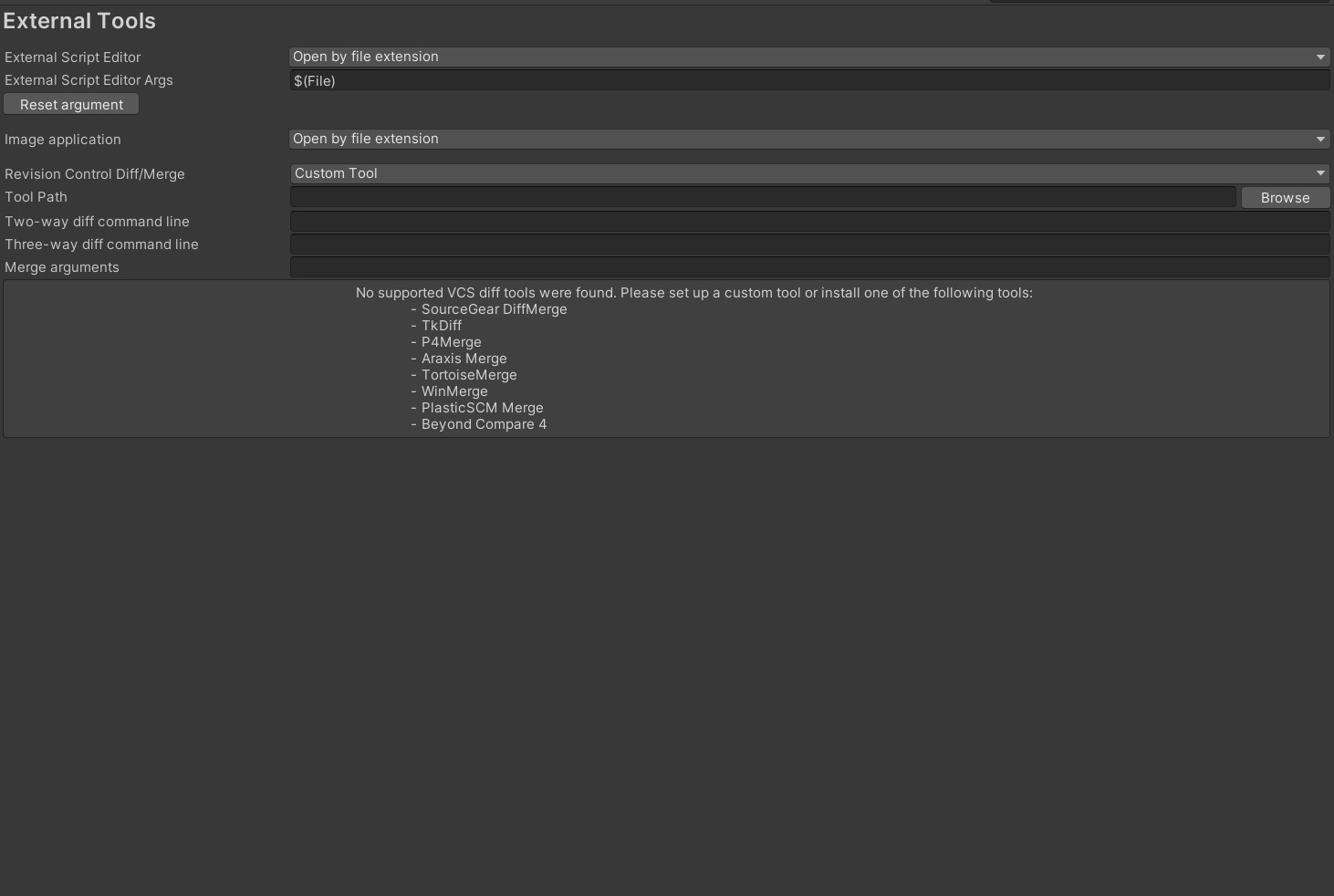
Turns out I had the Visual Studio Editor package instead of the Visual Studio Code one.

Thanks! This was the info I needed. After upgrading from 2020.3 to 2021.3 I couldn’t see generate csproj button/settings. In the package manager I already had ‘Visual Studio Code Editor’ installed but I did not have ‘Visual Studio Editor’. Installing both packages resolved the issue for me.

4 Likes

Thanks
Installing Visual Studio Editor from Package manager helped.

3 Likes

what do you mean, i’m having the same issue, could you help out

Ahhh, mine was set to “Open by file extension” :frowning: So wasn’t getting the regenerate option.

This fixed it for me, thanks!

yes, install the Visual Studio Editor from Package Manager

after that, all good.

2 Likes