I want to create an object which works like a depth mask for transparent objects. However I want it to mask objects even if they are in front of it. I thought that was what ZTest Always is for, but it does not appear to work for me.
For example, I took the depth mask shader from here:
Shader "Masked/Mask" {
    SubShader {
        // Render the mask after regular geometry, but before masked geometry and
        // transparent things.
        Tags {"Queue" = "Geometry+10" }
        // Don't draw in the RGBA channels; just the depth buffer
        ColorMask 0
        ZWrite On
        // Do nothing specific in the pass:
        Pass {}
    }
}
I want the full circle to be masked from the blue transparent cube. If I add ZTest Always to the shader I get the same result. If I add ZTest GEqual then the shader does nothing at all and nothing is masked from the blue transparent cube.
ZTest controls how the object being rendered with that shader is rendered in respect to the existing depth buffer (aka z buffer). It has no direct affect on objects rendered afterward.
A quick explanation of what the depth buffer is and how it’s generally used.
The depth buffer is a per pixel depth value used to speed up rendering. This works by having each new object being rendered test against the depth buffer to see if it will be closer to the camera than the value stored in the depth buffer. If it’s going to be further away, it skips rendering those pixels, otherwise it renders the pixel as usual. That is ZTest LEqual, the default value for ZTest. If it’s less than (closer) or equal to the distance in the depth buffer it will render. If the shader being rendered is additionally set to ZWrite On (the default) it will update the depth buffer with new depth values.
Using ZTest Always just says ignore what’s in the depth buffer and always render. ZTest GEqual will only render if it’s further away that what’s in the depth buffer.
So, if you were to move that invisible sphere while using ZTest Always or ZTest GEqual behind the red cube, then move your blue cube behind the red cube but in front of the sphere, you’ll see the blue cube “through” the red cube as the sphere will have written its depth value to the depth buffer replacing the depth of the red cube. The blue cube is just using whatever values are in the depth buffer and has no knowledge of what or why.
To do what you’re looking to do there are two main options. If you want to prevent everything transparent from rendering then the depth buffer manipulation is still a good option. However you’d need to have a slightly more complicated shader for that as you’d need to have the shader move the object’s depth to as close to the camera’s near plane as possible. The alternative and more traditional approach would be to use stencils.
Thanks bgolus! That’s great information. I thought I might have been barking up the wrong tree. Stencils were the way to go, I didn’t know about them before.
In the end I added this to my mask shader:
Stencil {
    Ref 2
    Comp Greater
    Pass Replace
}
As well as setting colormask 0 to make it hollow.
And also I added this to my transparent shader:
Stencil {
    Ref 2
    Comp NotEqual
    Pass Zero
}
And wound up with this (note it’s a different transparent shader to the one from before, which was the standard shader):
This post helped me understand stencil better! I was hoping to achieve the same thing.
That said. I wanted to check out the link @theFongz shared, as I agree that the official documentation doesn’t give much to go on, but the link isn’t working. Do you know where to find the information @theFongz , or learn more about stencil buffer in general?
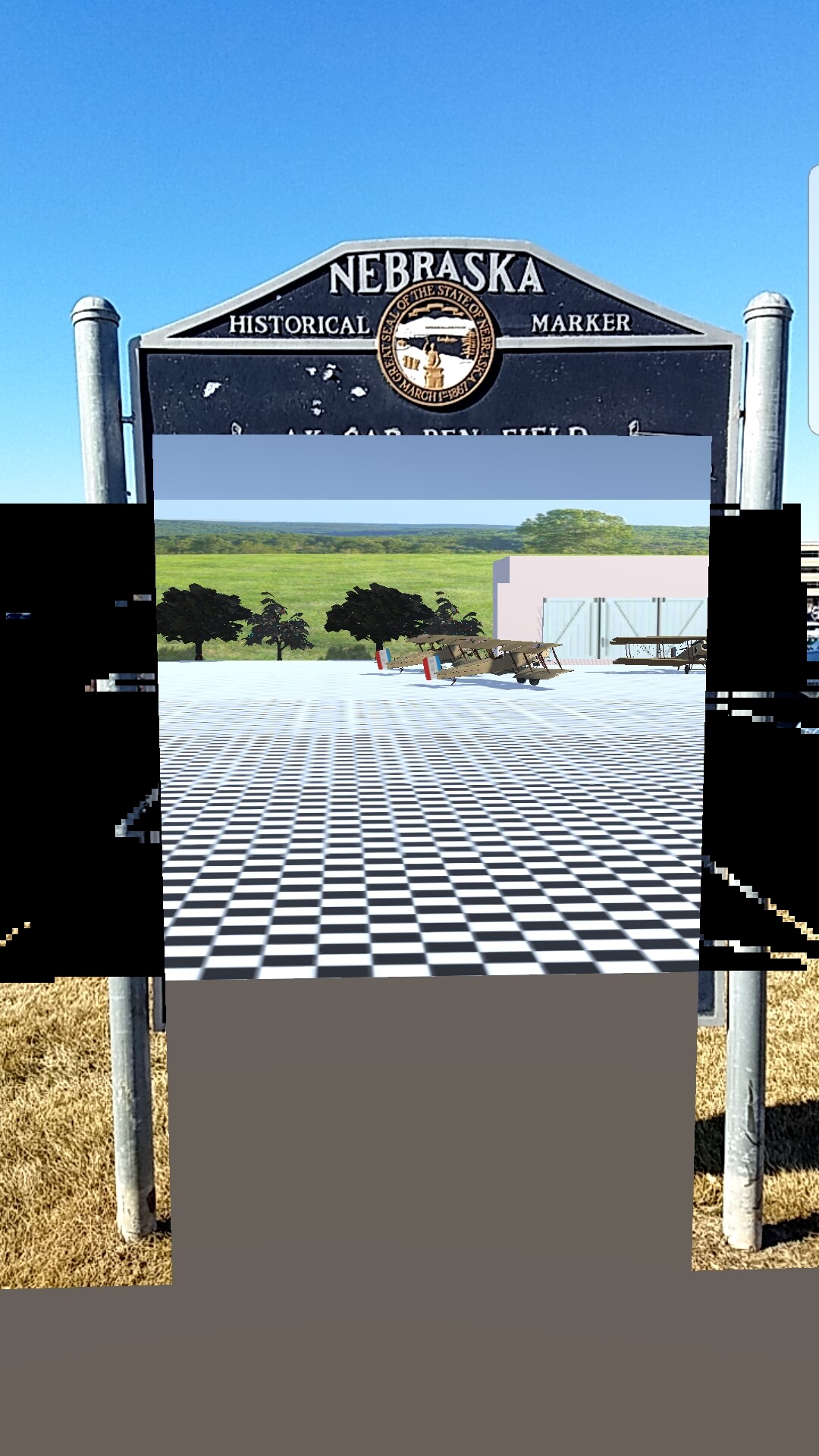
I am having similar issue. I want to create a portal ‘window’ that displays a 3D recreation of Omaha’s old (1920s) - and long-vanished - air mail field when the App is pointed at the historical marker. I am using Samsung Galaxy 7 Edge running Android 8. Below is screen capture of the first iteration of the AR App in action. The lower gray block is an errant skybox setting. It’s the black pixel “ghosts” on the side that I want to get rid of. To be honest, I am so new at this that I haven’t a clue what Ztest is or how to code a new shader.