For various reasons I am having to update some older projects to Unity 2022.1.12f1.
At the time these projects used the Collaboration feature.
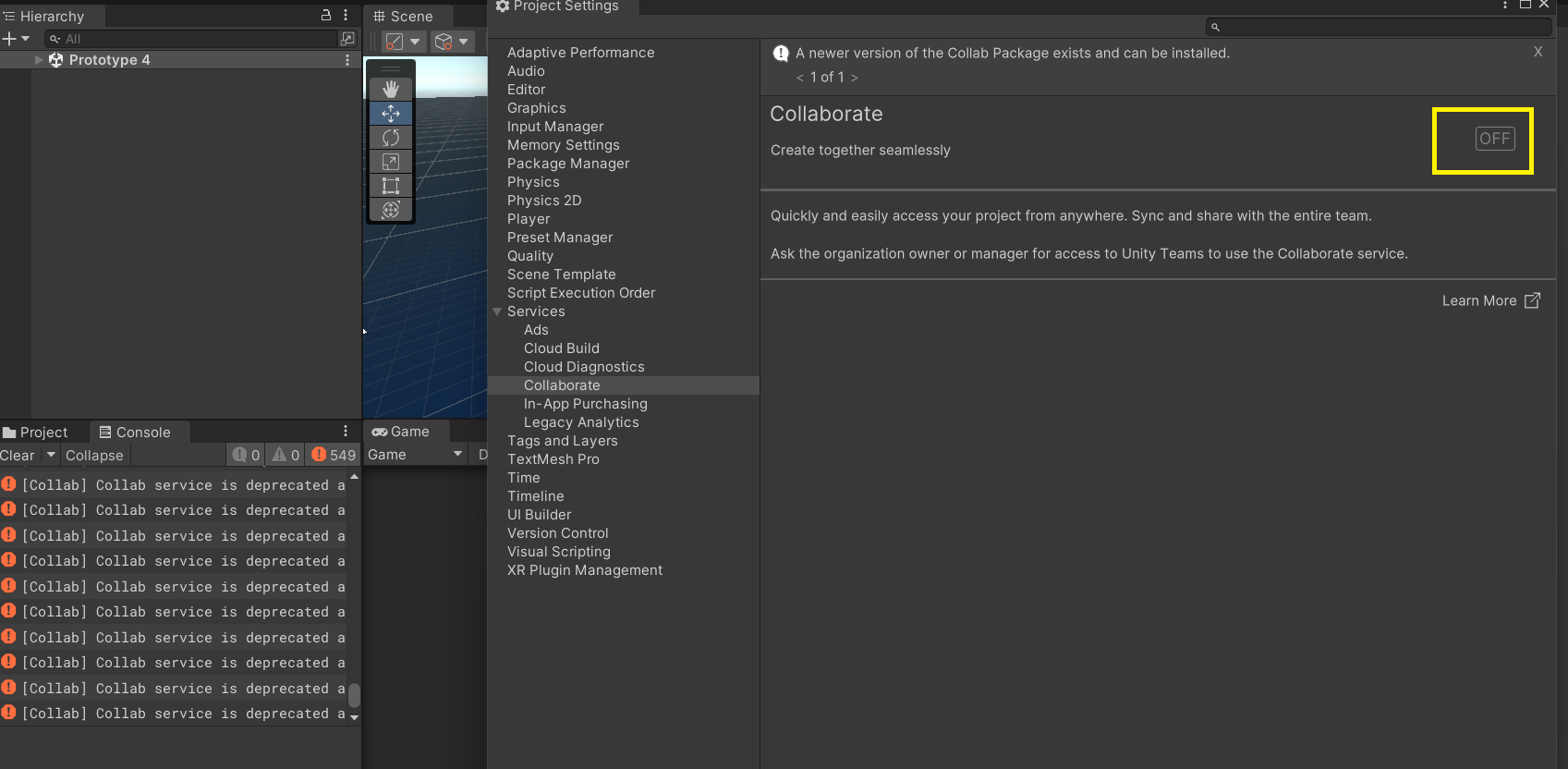
I understand this feature has been deprecated since, but the Console is spamming me with an error every second, non-stop:
[Collab] Collab service is deprecated and has been replaced with PlasticSCM
How to get rid of this constant error message?
In Unity 2022.1.12f1, there is no more access to the Collaborate Window via Services to disable the service, nor any Collaborate package to uninstall, nor any reference to it in the packages manifest.
How to kill this error?
Edit: I will add that I neither need Collab nor PlasticSCM. All I need is a functioning Unity project.
Also, installing the Version Control package did not help, as it Project Settings it is stated that I cannot use it since Collab is enabled, but cannot disable it anywhere.
Deleting the PackageCache folder and any other references to Collab did nothing to sort out the problem.
Extra unwanted packages in new projects (collab, testing, rider and other junk):
About the fastest way I have found to make a project and avoid all this noise is to create the project, then as soon as you see the files appear, FORCE-STOP (hard-kill) Unity (with the Activity Manager or Task Manager), then go hand-edit the Packages/manifest.json file as outlined in the above post, then reopen Unity.
Sometimes the package system gets borked from all this unnecessary churn and requires the package cache to be cleared:
This happend to me suddenly and magical in 2021.3.15f1 (maybe it has to do far away with when your Unity Account get added to a New Organisation)
Editing the file ProjectSettings/ProjectSettings.asset changing Collab from 1 to 0 solved it for me
Fixing this problem go to project settings then projectsettings .asset and open it in a text editor or visual studio and change collab value from 1 to 0 fixes for every unity version no matter which one you are currently using
Apparently you failed to read earlier posts. That’s okay, I’ll post it again for you.
Extra unwanted packages in new projects (collab, testing, rider and other junk):
About the fastest way I have found to make a project and avoid all this noise is to create the project, then as soon as you see the files appear, FORCE-STOP (hard-kill) Unity (with the Activity Manager or Task Manager), then go hand-edit the Packages/manifest.json file as outlined in the above post, then reopen Unity.
Sometimes the package system gets borked from all this unnecessary churn and requires the package cache to be cleared:
If you’re talking to me, I did read the earlier post, and I used the “Editing the file ProjectSettings/ProjectSettings.asset changing Collab from 1 to 0 solve”. Doesn’t invalidate what I said.
I’m just a hobbyist - and I’m trying to follow your steps here. I know where project settings is, but I don’t know how to open “projectsettings.asset” in visual studio.
So you need to open Project Settings folder from the Finder or windows equivalent of that, not from the project’s edit tab. YourProjectFolder > ProjectSettings > ProjectSettings.asset
Editing the Collab from 1 to 0 did indeed solve this issue for me.
It did solve my issue, thank you. It is worth mentioning that this projectsettings.asset is only accessible through the Windows file explorer. Thanks again!