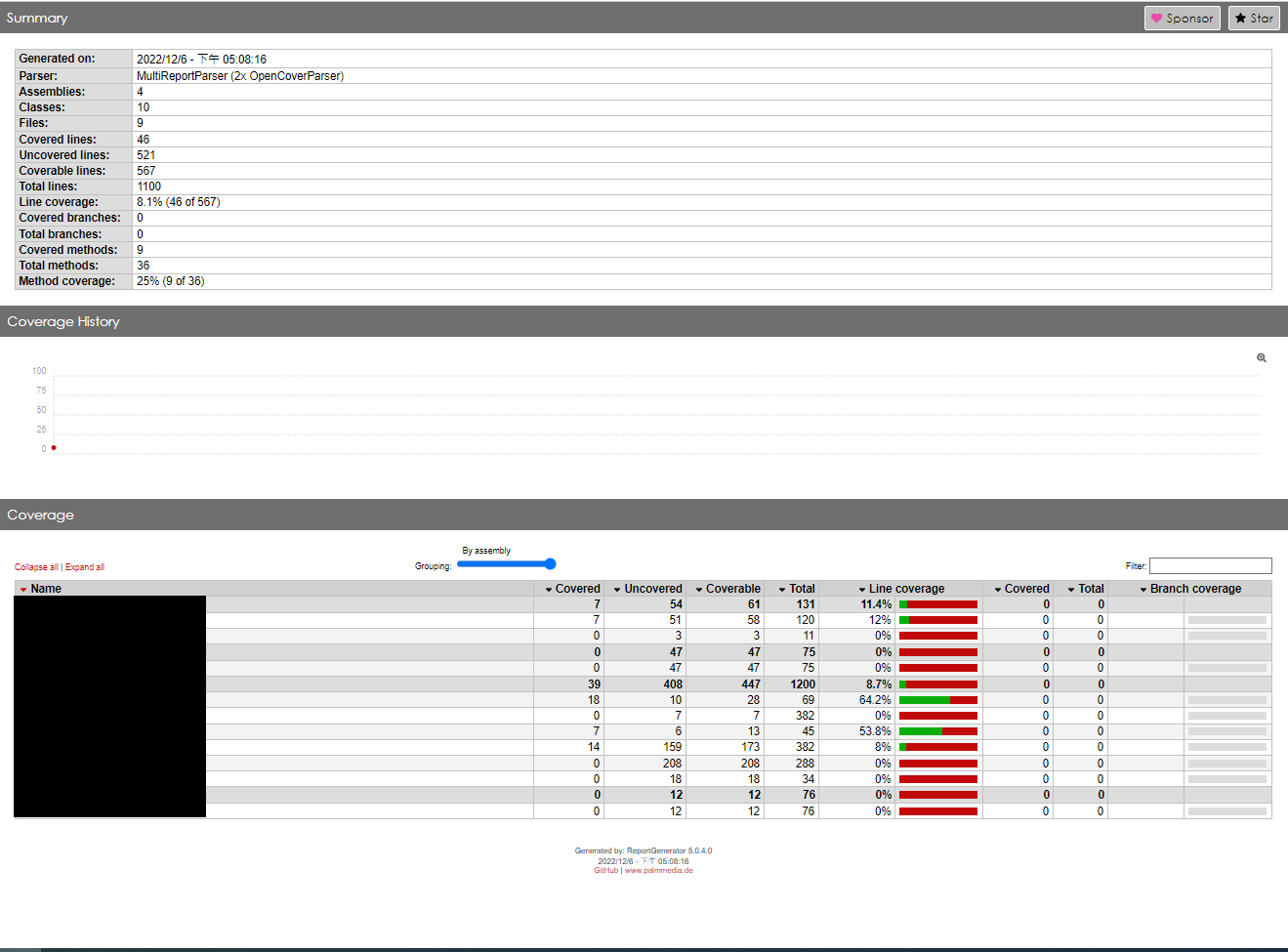
Hi @TCYeh . How do you run the test session and capture the coverage data? Is it just via the Test Runner or you Start/Stop Recording from the Code Coverage window?
Check the report details by clicking on the file with the 8% result. It shows you exactly what it thinks which lines are covered.
In my experience this is not very accurate, for example statics may be considered as always covered, or never. Something along those lines always screwed with my coverage results. And sometimes I had to reset cached results, that was either an option in project settings or merrly deleting the intermediate / previous results folder.
@Unity-Nikos I ran it with the “Run All” button on Test Runner.
@CodeSmile It covered monobehaviour functions also, like starts and updates. I’ve clicked “Clear Result” and deleted the Report folder, but the result keeps the same.
Hi. Can you try deleting the whole CodeCoverage folder? It should be directly in your project root, next to Assets folder. Report folder, which you’ve already tried deleting, just contains generated report, however, source data that was used to generate that report is stored elsewhere in CodeCoverage folder. Normally, clicking “Clear Data” would be enough, but maybe it failed for some reason, in which case we’d like to fix that.
If my suggestion doesn’t solve your issue, could you submit a bug report using Help > Report a Bug… option in the editor? Please attach your project to the report too as it would be difficult to troubleshoot this issue without it. Once you get a confirmation of your report, please share issue ID in this forum thread.
I deleted the Bug Report folder and ran the same test above.
Both the line coverage and method coverage have decreased, but some tests have still been tested.
We have replied on the report itself. There are a few different reasons why you see the coverage:
Scripts are attached to objects in a scene. Before starting tests, test runner does a domain reload, which causes these scripts to execute.
ExecuteAlways attribute causes the Update() method to be executed in edit mode.
It all boils down to the fact that when you run your test, you have the sample scene open.
Opening a new empty scene before running tests will get rid of those instances and will show coverage that is coming only from your tests. You could even add OneTimeSetUp and OneTimeTearDown steps to your tests to open new empty scene before starting tests and then restoring the last scene once all tests are done.
We hope this explains why you’re seeing some unexpected coverage results. If you have any more questions about this issue or code coverage in general do not hesitate to ask.