Thank you for the great information on meshes. I just bought Nimian Legends of iOS and I’m impressed.
Within a few minutes I found my way to the waterfall at Libertesse and the amazing view. Beautifully designed and intuitive game play. Well done.
Thank you for the great information on meshes. I just bought Nimian Legends of iOS and I’m impressed.
Within a few minutes I found my way to the waterfall at Libertesse and the amazing view. Beautifully designed and intuitive game play. Well done.
Thanks Keywise! It’s great to hear the compliment.
I got the name Libertesse as a play on the word Liberty. Officially the statue there is the goddess of freedom, but in actual in game history she is a representation of oppression since her statue has been erected in several locations replacing the original carvings that were there from an earlier nature based religion.
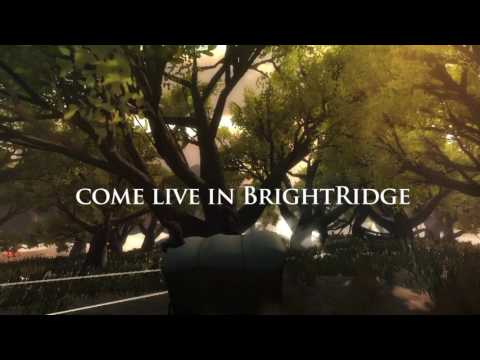
I have an HD version on the way too. Here’s some screenshots:


There’s more detail, time of day, new landmarks and shapechanging and more:) It’s launching in January.
I enjoy making worlds so much and to hear feedback from people like you makes it worth the effort:)
Sent you a PM. 
Hi Protopop, awesome post, very informative. Had a question; you say that you don’t bake meshes, but is it possible to bake meshes after placing them using Terrain Composer? Also, can you elaborate on the mix of static and dynamic lighting? Are shadows still broken? How do you light a tree only for the sole purpose of getting shadows? Is it only a matter of marking it static? Thanks!
You can’t bake tree shadows, that’s why he said he is just going with dynamic shadows and targeting high end devices.
Do you mean combine tree meshes after being placed with Terrain Composer? TC places trees using the terrain system normally, so those aren’t combined in any way. If you have TC place gameobjects that are meshes, you can, in hierarchy, mark them as batching static for sure.
see mbowen89s response for some of the answers (thank you)
Think of terrain composer as just a person who places trees, grass, objects and textures on your terrain for you in the same place each time (as long as you deselect Use random). Once they are placed you can do whatever you want with them like normal (mark them as static, bake them with lightmaps etc). If things get screwed up you can run TC again and everthing will reappear in the same place.
As BowenGames mentioned i use only dynamic lighting. Baking lightmaps works but you have to use a low resolution if you want reasonably short baking times, and i havent been able to get baked tree shadow on terrain to work in conjunction with dynamic shadows - im pretty sure its a bug. If you have a more specific question i didnt answer let me know:)
Thanks for the answers, some of my confusion came from associating Static exclusively with baking lightmaps. Previous to 5 is was possible to get tree shadows to bake on terrain, correct? I’ll probably be back w/ more questions, this is a very informative thread.
Yes, with the different shadow baking system in Unity 4, you could bake lightmaps that included terrain tree shadows. In Unity 5, the trees will not bake shadows onto the lightmap. There is also a separate issue in Unity 5 that I don’t think has been resolved, and that is that if you have baked lightmaps, and then try to have realtime shadows at the same time, the realtime shadows will not appear on the lightmapped objects.
BrightRidge HD version 2.0 is available now:)
Just a cross posting - if you like BrightRidge free you might want to check this out.
NEW
First person view option (thank you Gingerpanderbearfreakguy)
More detailed terrain with realistic erosion and undulation
Interactive Map
Orange Puffids - poisonous bulbous weeds can be cleared out with a hit
Global fog on by default - Global fog and Distace fog density can be independently set
Upgraded Road system to allow more flexible world design
Forest paths
Inn Architecture - the front stairwell
New “Alien” Terrapin Tower in preparation for storyline
Forest Veranda
Arrow size UI option (for quests in v3)
Improved combat animation - Make hit pause momentarily with Particle flash
New Puddle system for more flexible puddles
added terrain quality settings in options
Fairy Circles
Hammer for boy, wrench for girl
added eagle spirit view
Added FXAA3 Antialiasing in effect options
Brightridge Flag
New tree species - Empyrial Dashwood
FIXED and IMPROVED
Bloom filter causing bright white highlights
Map moved to main options
Hero starts embedded in ground
Bow and arrow / first person view too low
Touchpad doesn’t resize with resolution change
Global fog moved to ATMOSPHERE options beside distance fog
Separate global fog settings per time of day
collision in water columns (thanks youtube viewers)
Change to version 2, v3, v4 simplify
moved touchpad option into camera options
Faster deer and fox shapechanges
collider on chandelier
volumes dont affect rain and some sounds
removed joystick in spirit view
moved fast travel to map
Fixed broken animal swimming
shapechnge animal sticks animation on exiting viewdot - sometimes deer shape doesn’t switch to idle from run or walk
Code, content and memory optimization
An iOS review:
As a fellow dev, I feel your pain, I really do.
Thanks mbowen89:) I was LITERALLY just mulling this over.
I try to keep calm about it. I understand some people feel fleeced, but they dont understand it was a technical necessity. Using Metal technology meant i had to submit a new binary and the upgrades i made just wouldnt work on a 32bit device.
What made me feel better is that i had a long discussion in the comments on this page: http://toucharcade.com/2016/03/22/i-think-you-should-revisit-nimian-legends-brightridge-after-the-huge-upcoming-update/ and people seemed understanding about it once i explained things. i think it helped also when people find out im one guy and not a heartless profit machine.
Also nice was someone emailed me and really let the insults fly. I explained things clearly in my reply and he apologized for his tone and was now looking forward to the game.
What would probably have solved a lot of my challenges here is if we could restrict apps to certain devices. As these devices improve exponentially every year the gap between the new ones and what was a few years ago is like the gap between an xbox 360 and xbox one. And we have ti kind of treat it like that because if we make a game that works back to iPhone 3 it will be very limiting.
There’s lots of 5 star reviews too which is nice, and i am making excellent and exciting progress on the next update which adds in quests. Its making it feel like what i had envisioned in the first place. And a love of making games and worlds is really at the heart of why i do his - to get creative release and to make people happy:)
Just make sure the next update doesn’t exclude any of the currently supported platforms, our there might be additional backlash that connects with this justified/required reduction in platforms.
Very nice quality on this release. Great job.
Thank you theANMATOR2b:) Yeah, now that ive transitioned to 64bit i wont have to do that again.
That’s exactly what Apple doesn’t want though, the ability to exclude devices. They want the customer to have the PERFECT EXPERIENCE NO MATTER WHAT!
So you better make that happen, protopop, even if it’s impossible.
Seriously, iOS is a freaking love hate relationship. I only like it because I make more money because of the type of consumers, otherwise it’s terrible in more ways than it’s good, in my opinion.
This is an awesome thread…!!
I am also working on an open world…
Can you please tell me how many Tris and verts you have…?? or what is limit…??
I am targeting mid end to high end devices
Thanks in advance…
Has anyone determined if Grass Textures are substantially more performant than Detail Meshes? I’d assume so, but boy, Detail Meshes sure look better…
Break it down, what’s the difference between a “grass texture” and detail mesh?
A “grass texture” is just a billboarded quad, with alpha. A detail mesh, well it’s as detailed as the mesh given, and still most likely alpha. So at that point, you just need to compare the vert/tri count.
2 tri quad > performance than a mesh with 100 tris.
I’ve not ran a test on this so I’m speculating without hands on exp. Only what I’ve read. Any correction to my info is welcome.
Doesn’t alpha overdraw cause more impact than tri/vert counts? With bill-boarded grass with a lot of alpha overdraw, and overlapping overdraw - I believe that would be more heavy than a high number of tri/verts?
Yes you are right about the overdraw being an issue for sure. BUT, isn’t it just as much an issue on detail meshes? Unless your detail mesh doesn’t have any leaves/foliage, it has tons of non-billboarded quads all over it.
A tree is basically just a very detailed “detail mesh” right? It’s basically the same type of object. Some type of main stem/branches with a bunch of quads for leaves like this:

If that entire thing was a billboard, you’d have a big rectangle of overdraw, but if there’s 100 quads for leaves, that’s 100 quads with alpha and overdraw as well.
If this is something bush size, the billboarded quad is a lot smaller, so it’s not going to overdraw stuff as much as a tree.
I have about 200 000 verts in my scenes:) My advice is to push it and test often. I dont have any specific limit i just add in what i think is needed and hope it works most of the time, but im developing a kind of sixth sense i think that keeps me from making things too complicated:)