High all, I’m recreating my HUD on a worldspace canvas so i can add particle effects
The problem now is its either very blurry or pixelated, I cant have it high res yet sharp and smooth like before
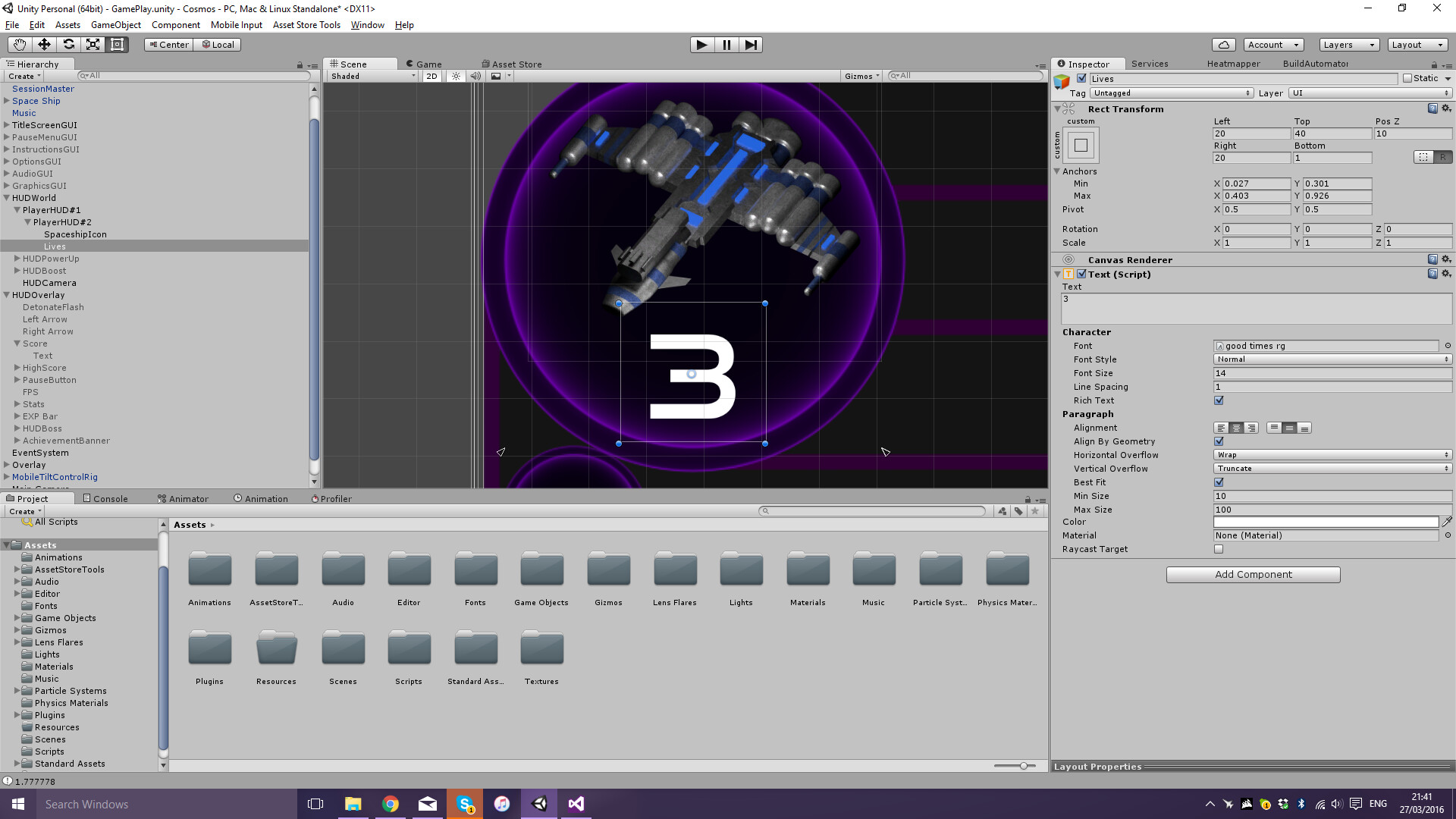

Any solutions?
High all, I’m recreating my HUD on a worldspace canvas so i can add particle effects
The problem now is its either very blurry or pixelated, I cant have it high res yet sharp and smooth like before
Try making your world space canvas bigger (e.g., 1024x1024 or higher) and scaling it down (e.g., 0.001, 0.001, 1.0).
Or use Text Mesh Pro. 
Despite all the great thing’s I’ve heard about it, I cant really justify buying it to fix some text rendering 
this is just a hobby after all
where do input canvas size? sorry
Your font size 14 if i see it right is really really small. I’m using sizes over 30-40 for android apps.
And it should only appear blurry in the Unity Editor. Try a build and see if it’s sharper.
Lastly not sure how worldspace implementation works, but you could also try setting all scale values at and parents of font objects to 1.0. Change the size only from UI objects.
Because of the way world space canvases scale, text is never going to be as crisp as something like Text Mesh Pro. But this may help: Inspect your world space canvas. Set the Width and Height to ~1000 (more or less). Set the Scale to X=0.001, Y=0.001, Z=1. This will make a 1-unit canvas. Then inspect your Text element and bump up the Font Size. This will push you more into the territory of pixelated but crisp, versus blurry but smooth for a lower resolution canvas.
I guess an easier way would be to properly align particle systems to the GUI elements on a screen space canvas
Does anyone know if this is possible with some code trickery?
Sure, use Camera.main.WorldToScreenPoint(yourGameObject.transform.position). Only show it if the returned vector’s z value is greater than 0.
Sorry for the ignorance, but I dont know how to do it
I have a empty parented to the right side of the boost bar, so that it moves as the bar depleted. I then used this as the position for the code you posted, giving that new position to the particle effects
They kinda end up miles away xD
Am I using it wrong?
If i remember right you may need to take into account camera’s Z value.
And don’t you mean doing it other way around, Screen to World point? Since particles use world coords and GUI is screen. And if you have CanvasScaler it might be off a little again.
What i would try is moving the particle system about right position in editor scene. Because UI can scale with screen size it wouldn’t relocate on different resolutions.
The problem is, the way I have my particle system aligned is by parenting it to a UI element that dynamically changes size - I still havn’t managed to get it to work unfortunately. It all works fine on a world space canvas, not on a screen space or overlay
Always remember to check out the Camera’s Anti-aliasing. I’ve struggled for days considering changing resolution, webgl platform, etc. but the solution was simply switch from Fast Approximate Anti-aliasing (FXAA) to Subpixel Morphological Anti-aliasing (SMAA). Of course, every text (TMP’s) and sprites were with good resolution and appropriate canvas scaling.