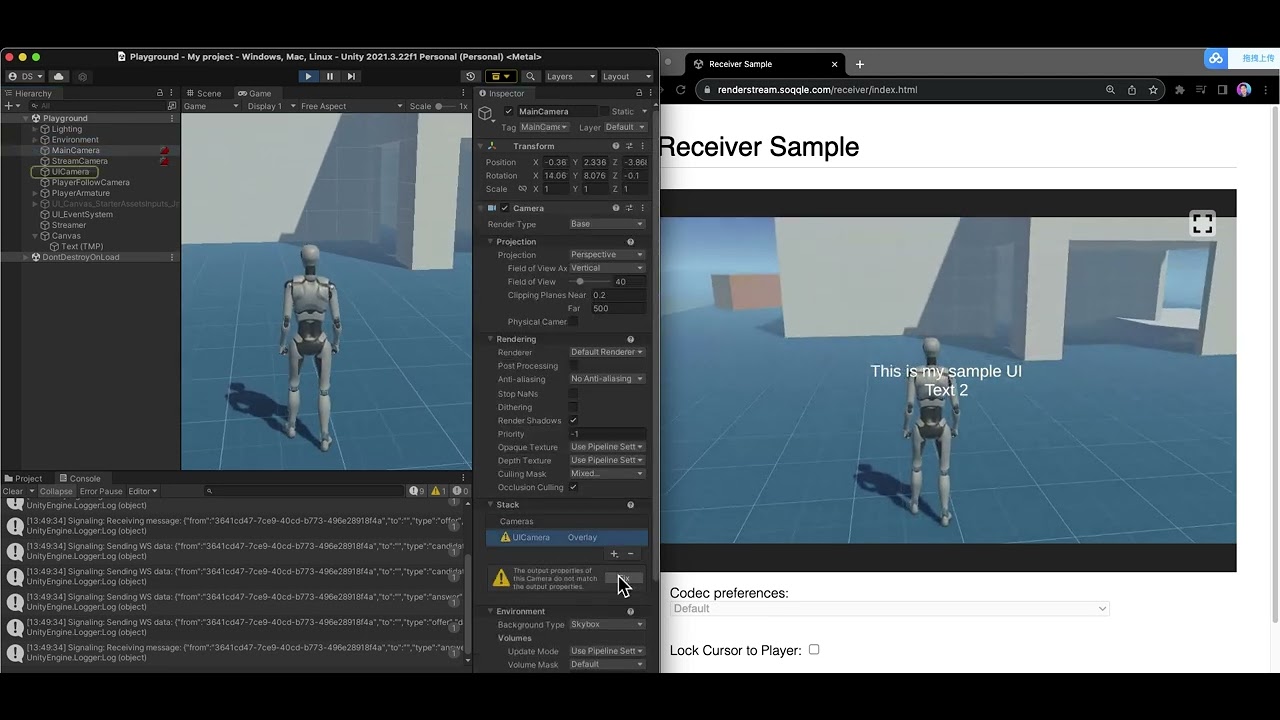
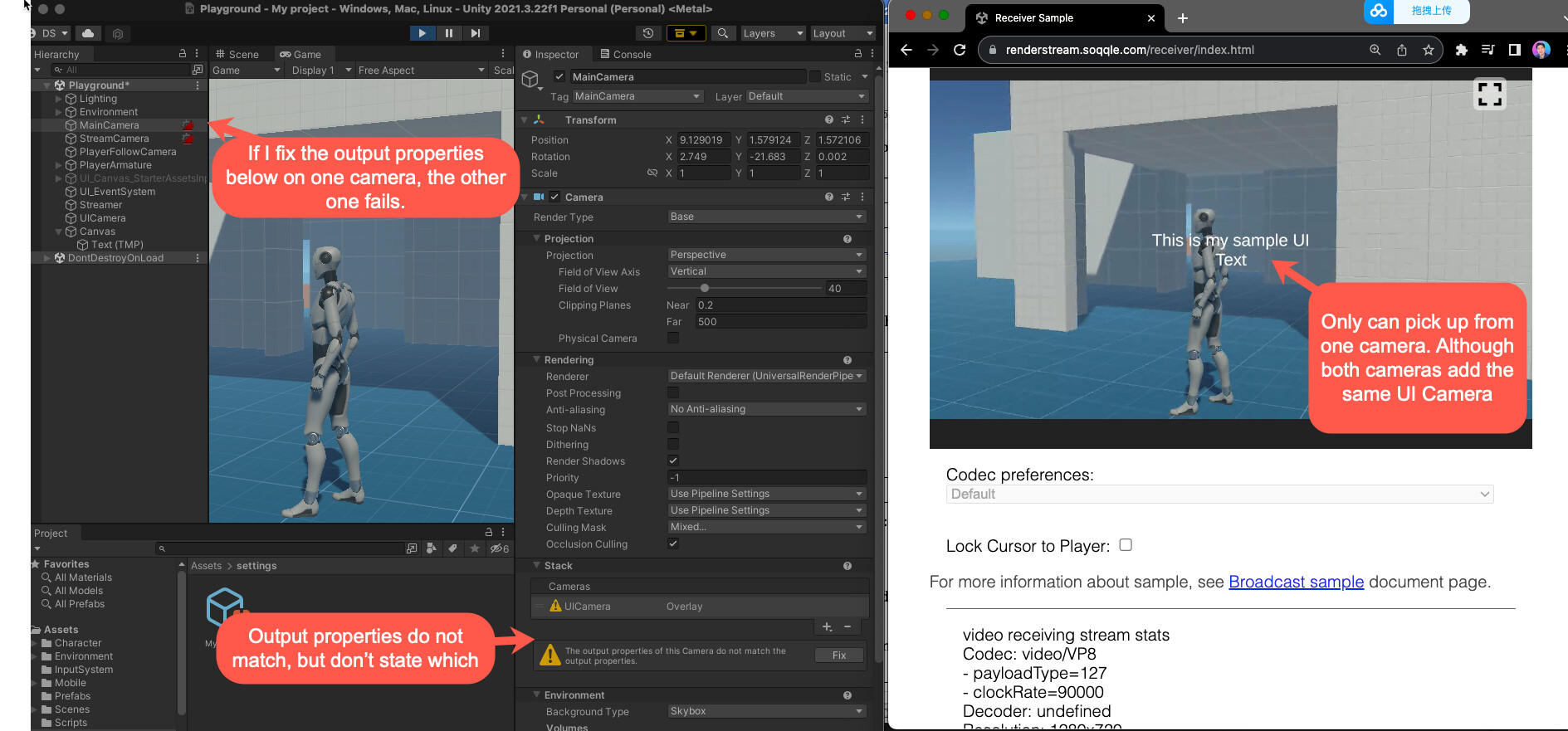
i am have two cameras one for the streamer, and one for the maincamera. Both are exactly the same as i cloned them.
I have a UI Camera that is added as a stack for both cameras. It is mapped to UI that has Screen Overlay - Camera.
However when i do renderstreaming, one of the cameras will consistantly have a weird “Output properties do not match” but does not state which. It allows me to click on ‘Fix’ which does fix it for that camera. but it causes a problem for the other one.
If i fix this canvas on the streamer camera, the main app loses the UI. And vice versa, if i fix it on the main camera, it loses on the streaming camera.
Any idea? or where i can i see the “output properties”?. Also recorded a video to explain the setup as its a bit funky
I’m facing the (mostly) same UI issue, still not get it fixed yet, but found a way to fix the “Output properties do not match” warning message. I compared my UICamera in Debug mode to know which properties was changed after pressing the “Fix” button. In my cases, they’re “Allow MSAA” and “Allow dynamic resolution”, they only visible in Debug view mode, not the “Normal” one. And the warning message was gone. I’m using 2021.3.0f1.
Head to your UI camera, choose Debug view mode
Scroll down to enable the mismatch settings between UI camera and the mainCamera
I am facing the same problem, did you find a solution?
When I press fix, it changes cameras render target, for stream camera fix, UI camera would start rendering to texture. So I don’t understand how can I make UI camera render to both stream and game, unless I set UI canvas to world space canvas