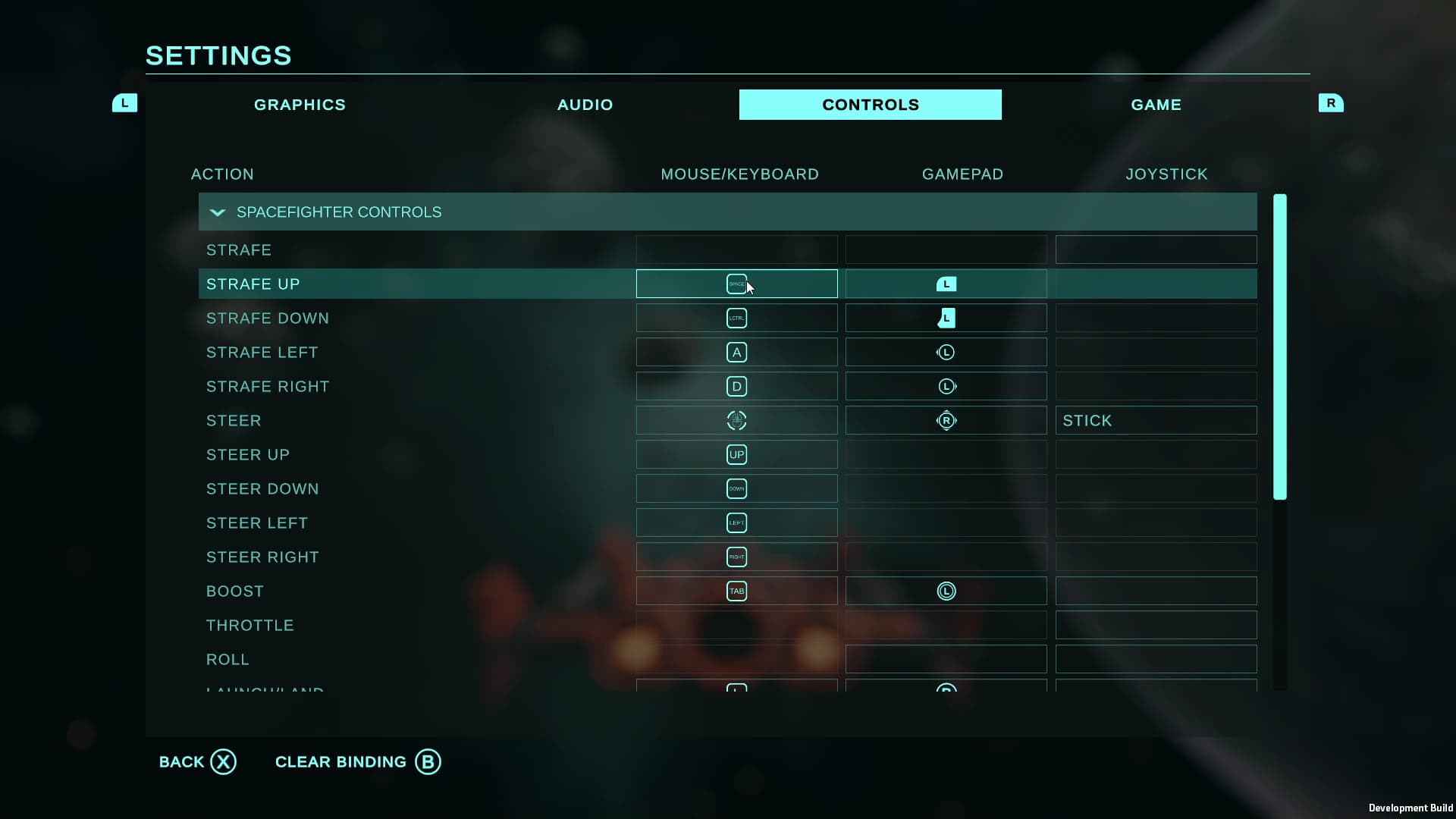
Hi everyone, my new asset Ultimate Game Options is available now on the Asset Store!
Working with Unity’s Input System and setting up UI is often a lot more complex than it seems (or should be!), and this asset is designed to help you easily set up anything you could want in your game options menu, taking a load off and letting you quickly move on to the fun stuff.
Here’s a video showing what this asset can do:

And here’s a Windows demo you can play of the asset integrated with my Space Combat Kit asset.
The key features of this asset are as follows:
Controls Rebinding
- Input rebinding with Unity’s Input System
- Full featured controls menu demo
- Conflict resolution
- Handles composite actions
- Save/load bindings (to file or playerprefs)
- Display bindings as icons or text
- Full set of icons for keys and gamepad controls (XBox and PS4) - add your own easily
- Dropdown sections for Input Action Maps
Game Settings
- Lots of out-of-the-box game settings provided
- Demo game settings menu provided
- Easily add your own settings by extending the GameSetting base class
- Dropdowns, sliders, and checkbox UI provided
- Save/load settings (to file or playerprefs)
- Display a setting description on the UI
Menu System
- Versatile menu system you can use for all types of UI
- Handles menus with submenus, button icons, etc
- Navigable with gamepad/keyboard
Let me know what you think, and I’d love to hear any suggestions you have for what I can add to help you solve your specific obstacles!
Will, VSXGames