Greetings users!
Alpha release Unity 2020.1.0 Alpha 11 is now available.
Installers and release notes available at:
Current documentation (note that this is not necessarily updated in sync with the alpha releases):
Also see the ’ Preview of 2020.1 features ’ post for links to feature documentation available at this time.
Please remember to back up your projects before opening them in an alpha build!
3 Likes
Peter77
November 1, 2019, 10:08am
2
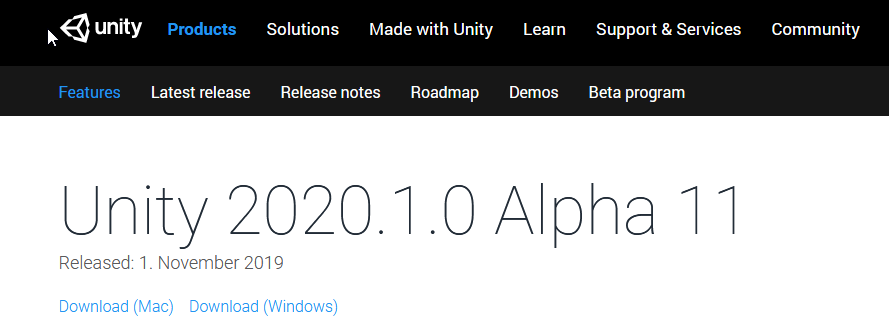
The “Install with Hub” link is missing:
1 Like
system
November 1, 2019, 10:13am
4
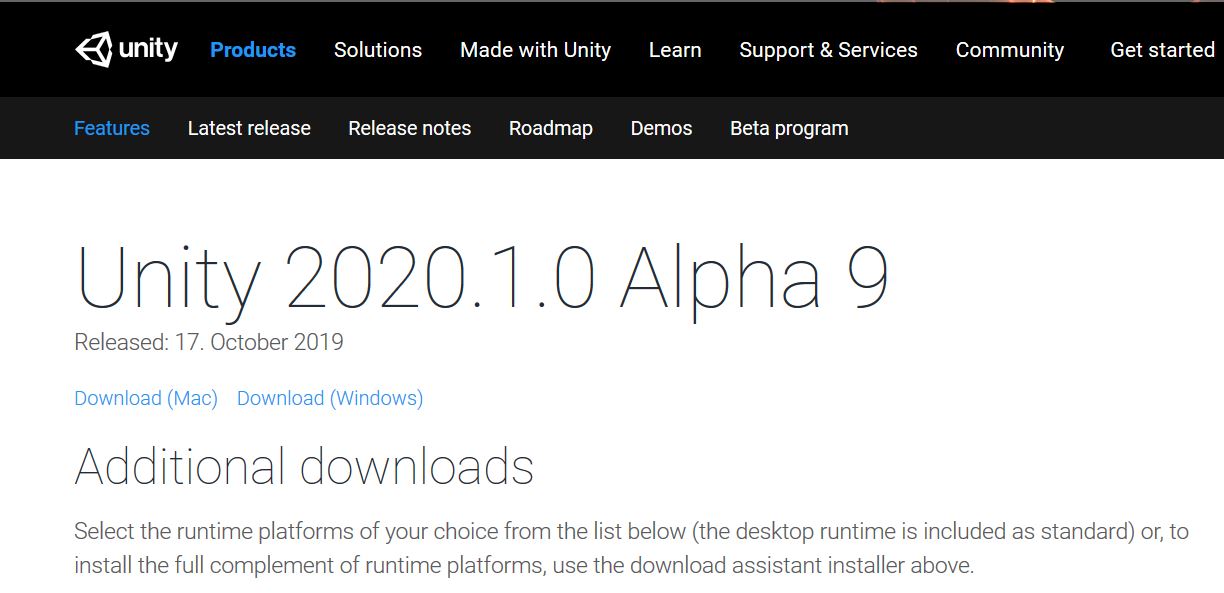
Alpha 9 didn’t have it either:
Neither had the previous versions for that matter: https://unity3d.com/unity/alpha/2020.1.0a3
system
November 1, 2019, 10:37am
5
When will it be in the Hub? It not at the time I write this; I quit and restarted the Hub to make sure of that. @AbrahamDUnity
system
November 1, 2019, 12:50pm
7
I’m getting an error message on creating a new project. The project is a 2D project and this message pops up when I open the Package Manager window. It happened several times.
Message
Trying to read value of type Color while reading a value of type Function
0x0000000141F9848C (Unity) StackWalker::GetCurrentCallstack
0x0000000141F9B991 (Unity) StackWalker::ShowCallstack
0x00000001406B0FC5 (Unity) GetStacktrace
0x0000000142C8C1BE (Unity) DebugStringToFile
0x0000000142010165 (Unity) DebugLogHandler_CUSTOM_Internal_Log
0x00000000670E008B (Mono JIT Code) (wrapper managed-to-native) UnityEngine.DebugLogHandler:Internal_Log (UnityEngine.LogType,UnityEngine.LogOption,string,UnityEngine.Object)
0x00000000670AFF9B (Mono JIT Code) UnityEngine.DebugLogHandler:LogFormat (UnityEngine.LogType,UnityEngine.Object,string,object[])
0x00000000670DFFBD (Mono JIT Code) UnityEngine.Logger:LogFormat (UnityEngine.LogType,string,object[])
0x00000000670DFF16 (Mono JIT Code) UnityEngine.Debug:LogErrorFormat (string,object[])
0x00000000663C6A9B (Mono JIT Code) UnityEngine.UIElements.StyleSheet:CheckAccess<UnityEngine.Color> (UnityEngine.Color[],UnityEngine.UIElements.StyleValueType,UnityEngine.UIElements.StyleValueHandle)
0x00000000663C68FB (Mono JIT Code) UnityEngine.UIElements.StyleSheet:ReadColor (UnityEngine.UIElements.StyleValueHandle)
0x000000006677E103 (Mono JIT Code) UnityEngine.UIElements.StyleSheets.StylePropertyReader:ReadStyleColor (int)
0x000000006677B1A3 (Mono JIT Code) UnityEngine.UIElements.ComputedStyle:ApplyProperties (UnityEngine.UIElements.StyleSheets.StylePropertyReader,UnityEngine.UIElements.ComputedStyle)
0x000000006660F2D3 (Mono JIT Code) UnityEngine.UIElements.VisualTreeStyleUpdaterTraversal:ProcessMatchedRules (UnityEngine.UIElements.VisualElement,System.Collections.Generic.List`1<UnityEngine.UIElements.StyleSheets.SelectorMatchRecord>)
0x000000006660E423 (Mono JIT Code) UnityEngine.UIElements.VisualTreeStyleUpdaterTraversal:TraverseRecursive (UnityEngine.UIElements.VisualElement,int)
0x00000000662A06BE (Mono JIT Code) UnityEngine.UIElements.StyleSheets.HierarchyTraversal:Recurse (UnityEngine.UIElements.VisualElement,int)
0x000000006660E5B3 (Mono JIT Code) UnityEngine.UIElements.VisualTreeStyleUpdaterTraversal:TraverseRecursive (UnityEngine.UIElements.VisualElement,int)
0x00000000662A06BE (Mono JIT Code) UnityEngine.UIElements.StyleSheets.HierarchyTraversal:Recurse (UnityEngine.UIElements.VisualElement,int)
0x000000006660E5B3 (Mono JIT Code) UnityEngine.UIElements.VisualTreeStyleUpdaterTraversal:TraverseRecursive (UnityEngine.UIElements.VisualElement,int)
0x00000000662A06BE (Mono JIT Code) UnityEngine.UIElements.StyleSheets.HierarchyTraversal:Recurse (UnityEngine.UIElements.VisualElement,int)
0x000000006660E5B3 (Mono JIT Code) UnityEngine.UIElements.VisualTreeStyleUpdaterTraversal:TraverseRecursive (UnityEngine.UIElements.VisualElement,int)
0x00000000662A06BE (Mono JIT Code) UnityEngine.UIElements.StyleSheets.HierarchyTraversal:Recurse (UnityEngine.UIElements.VisualElement,int)
0x000000006660E5B3 (Mono JIT Code) UnityEngine.UIElements.VisualTreeStyleUpdaterTraversal:TraverseRecursive (UnityEngine.UIElements.VisualElement,int)
0x00000000662A06BE (Mono JIT Code) UnityEngine.UIElements.StyleSheets.HierarchyTraversal:Recurse (UnityEngine.UIElements.VisualElement,int)
0x000000006660E5B3 (Mono JIT Code) UnityEngine.UIElements.VisualTreeStyleUpdaterTraversal:TraverseRecursive (UnityEngine.UIElements.VisualElement,int)
0x00000000662A06BE (Mono JIT Code) UnityEngine.UIElements.StyleSheets.HierarchyTraversal:Recurse (UnityEngine.UIElements.VisualElement,int)
0x000000006660E5B3 (Mono JIT Code) UnityEngine.UIElements.VisualTreeStyleUpdaterTraversal:TraverseRecursive (UnityEngine.UIElements.VisualElement,int)
0x00000000662A06BE (Mono JIT Code) UnityEngine.UIElements.StyleSheets.HierarchyTraversal:Recurse (UnityEngine.UIElements.VisualElement,int)
0x000000006660E5B3 (Mono JIT Code) UnityEngine.UIElements.VisualTreeStyleUpdaterTraversal:TraverseRecursive (UnityEngine.UIElements.VisualElement,int)
0x00000000662A06BE (Mono JIT Code) UnityEngine.UIElements.StyleSheets.HierarchyTraversal:Recurse (UnityEngine.UIElements.VisualElement,int)
0x000000006660E5B3 (Mono JIT Code) UnityEngine.UIElements.VisualTreeStyleUpdaterTraversal:TraverseRecursive (UnityEngine.UIElements.VisualElement,int)
0x00000000662A06BE (Mono JIT Code) UnityEngine.UIElements.StyleSheets.HierarchyTraversal:Recurse (UnityEngine.UIElements.VisualElement,int)
0x000000006660E5B3 (Mono JIT Code) UnityEngine.UIElements.VisualTreeStyleUpdaterTraversal:TraverseRecursive (UnityEngine.UIElements.VisualElement,int)
0x0000000065CDF74C (Mono JIT Code) UnityEngine.UIElements.StyleSheets.HierarchyTraversal:Traverse (UnityEngine.UIElements.VisualElement)
0x000000006660E1D3 (Mono JIT Code) UnityEngine.UIElements.VisualTreeStyleUpdater:ApplyStyles ()
0x000000006660DFA3 (Mono JIT Code) UnityEngine.UIElements.VisualTreeStyleUpdater:Update ()
0x00000000668E5ECA (Mono JIT Code) UnityEngine.UIElements.VisualTreeUpdater:UpdateVisualTree ()
0x00000000668E5A13 (Mono JIT Code) UnityEngine.UIElements.Panel:Repaint (UnityEngine.Event)
0x000000006660D777 (Mono JIT Code) UnityEngine.UIElements.UIElementsUtility:smile:oDispatch (UnityEngine.UIElements.BaseVisualElementPanel)
0x000000006660D4BB (Mono JIT Code) UnityEngine.UIElements.UIElementsUtility:ProcessEvent (int,intptr)
0x000000006660D21D (Mono JIT Code) UnityEngine.GUIUtility:ProcessEvent (int,intptr)
0x000000006660D2DA (Mono JIT Code) (wrapper runtime-invoke) <Module>:runtime_invoke_bool_int_intptr (object,intptr,intptr,intptr)
0x000007FECAF7CE80 (mono-2.0-bdwgc) [mini-runtime.c:2809] mono_jit_runtime_invoke
0x000007FECAF02142 (mono-2.0-bdwgc) [object.c:2921] do_runtime_invoke
0x000007FECAF0B13F (mono-2.0-bdwgc) [object.c:2968] mono_runtime_invoke
0x0000000141F18D6E (Unity) scripting_method_invoke
0x0000000141F128DD (Unity) ScriptingInvocation::Invoke
0x0000000141F0CACA (Unity) ScriptingInvocation::Invoke<bool>
0x000000013F345315 (Unity) Scripting::UnityEngine::GUIUtilityProxy::ProcessEvent
0x000000013FCB18FC (Unity) GUIView::ProcessRetainedMode
0x00000001406D680D (Unity) GUIView::OnInputEvent
0x000000013FCB180C (Unity) GUIView::ProcessInputEvent
0x00000001406CD70D (Unity) GUIView::smile:oPaint
0x00000001406D91ED (Unity) GUIView::RepaintAll
0x000000013FD89AA4 (Unity) PlayerLoopController::UpdateScene
0x000000013FD8788D (Unity) Application::TickTimer
0x00000001406D56C5 (Unity) MainMessageLoop
0x00000001406DF419 (Unity) WinMain
0x000000014372AD92 (Unity) __scrt_common_main_seh
0x000000007775556D (kernel32) BaseThreadInitThunk
0x00000000779B385D (ntdll) RtlUserThreadStart
system
November 1, 2019, 2:44pm
8
Another message. This one I get when Unity editor is in the background and I make it go back to the foreground. For example, right now, I’m writing this, Firefox is in the foreground and Unity is just behind it. When I’m finished writing this, I’ll click on Unity so that it comes back to the foreground and the error message will pop up in the console. This happens each time.
Message
Asset Packages/com.unity.2d.spriteshape/Editor/Handles has no meta file, but it's in an immutable folder. The asset will be ignored.
0x00000001425B848C (Unity) StackWalker::GetCurrentCallstack
0x00000001425BB991 (Unity) StackWalker::ShowCallstack
0x0000000140CD0FC5 (Unity) GetStacktrace
0x00000001432AC1BE (Unity) DebugStringToFile
0x0000000140E7F39B (Unity) GuidDB::CreateMetaFileMappings
0x0000000140E8B6B9 (Unity) GuidDB::Process
0x0000000140EBD9A8 (Unity) SourceAssetDBWriteTxn::RefreshStage3_SyncDatabase
0x0000000140EA9D46 (Unity) `SourceAssetScanner::Refresh'::`2'::<lambda_1>::operator()
0x0000000140E6421D (Unity) LMDB_Transaction::Run
0x0000000140EBCF92 (Unity) SourceAssetScanner::Refresh
0x0000000140E58343 (Unity) Scan
0x0000000140E55288 (Unity) RefreshInternalV2
0x0000000140E58E93 (Unity) StopAssetImportingV2
0x0000000140E568D2 (Unity) RefreshV2
0x0000000140D98FFE (Unity) AssetDatabase::Refresh
0x000000014038D29A (Unity) Application::AutoRefresh
0x0000000140CEC322 (Unity) ContainerWindow::ContainerWndProc
0x0000000077879A8D (USER32) TranslateMessageEx
0x0000000077877197 (USER32) SetWindowTextW
0x00000000778766D9 (USER32) IsDialogMessageW
0x00000000779CB5CF (ntdll) KiUserCallbackDispatcher
0x000000007787670A (USER32) IsDialogMessageW
0x0000000077876755 (USER32) IsDialogMessageW
0x00000000778774DA (USER32) SetWindowTextW
0x000007FEFB9E795A (uxtheme) DrawThemeParentBackground
0x000007FEFBA06425 (uxtheme) Ordinal69
0x000007FEFB9E168E (uxtheme)
0x000007FEFB9E1445 (uxtheme)
0x00000000778788B7 (USER32) GetWindowDC
0x0000000140CEC630 (Unity) ContainerWindow::ContainerWndProc
0x0000000077879A8D (USER32) TranslateMessageEx
0x0000000077879786 (USER32) TranslateMessage
0x0000000140CF57F0 (Unity) MainMessageLoop
0x0000000140CFF419 (Unity) WinMain
0x0000000143D4AD92 (Unity) __scrt_common_main_seh
0x000000007775556D (kernel32) BaseThreadInitThunk
0x00000000779B385D (ntdll) RtlUserThreadStart
Peter77
November 1, 2019, 3:03pm
10
Why do you post this in the announcement thread?
Welcome,
This forum's purpose is to discuss matters regarding 2020.1, to shake out remaining issues and to improve its general quality before the release.
Guidelines for posting here:
Reference issue IDs when you start a new thread about a bug. If a bug doesn't have an ID yet and is unknown, make sure to submit a bug report first before writing about it here.
Please keep separate issues in separate threads and avoid bundling, otherwise the thread diverges really fast and becomes hard to t…
system
November 1, 2019, 3:29pm
11
Nobody reads them.
That said, if a mod wants to create a new thread and regroup the error messages I’ve posted here, please, help yourselves.
system
November 2, 2019, 9:20am
12
Another message. This one I get when Unity editor is in the background and I make it go back to the foreground. For example, right now, I’m writing this, Firefox is in the foreground and Unity is just behind it. When I’m finished writing this, I’ll click on Unity so that it comes back to the foreground and the error message will pop up in the console. This happens each time.
Message
Asset Packages/com.unity.2d.spriteshape/Editor/Handles has no meta file, but it's in an immutable folder. The asset will be ignored.
0x00000001425B848C (Unity) StackWalker::GetCurrentCallstack
0x00000001425BB991 (Unity) StackWalker::ShowCallstack
0x0000000140CD0FC5 (Unity) GetStacktrace
0x00000001432AC1BE (Unity) DebugStringToFile
0x0000000140E7F39B (Unity) GuidDB::CreateMetaFileMappings
0x0000000140E8B6B9 (Unity) GuidDB::Process
0x0000000140EBD9A8 (Unity) SourceAssetDBWriteTxn::RefreshStage3_SyncDatabase
0x0000000140EA9D46 (Unity) `SourceAssetScanner::Refresh'::`2'::<lambda_1>::operator()
0x0000000140E6421D (Unity) LMDB_Transaction::Run
0x0000000140EBCF92 (Unity) SourceAssetScanner::Refresh
0x0000000140E58343 (Unity) Scan
0x0000000140E55288 (Unity) RefreshInternalV2
0x0000000140E58E93 (Unity) StopAssetImportingV2
0x0000000140E568D2 (Unity) RefreshV2
0x0000000140D98FFE (Unity) AssetDatabase::Refresh
0x000000014038D29A (Unity) Application::AutoRefresh
0x0000000140CEC322 (Unity) ContainerWindow::ContainerWndProc
0x0000000077879A8D (USER32) TranslateMessageEx
0x0000000077877197 (USER32) SetWindowTextW
0x00000000778766D9 (USER32) IsDialogMessageW
0x00000000779CB5CF (ntdll) KiUserCallbackDispatcher
0x000000007787670A (USER32) IsDialogMessageW
0x0000000077876755 (USER32) IsDialogMessageW
0x00000000778774DA (USER32) SetWindowTextW
0x000007FEFB9E795A (uxtheme) DrawThemeParentBackground
0x000007FEFBA06425 (uxtheme) Ordinal69
0x000007FEFB9E168E (uxtheme)
0x000007FEFB9E1445 (uxtheme)
0x00000000778788B7 (USER32) GetWindowDC
0x0000000140CEC630 (Unity) ContainerWindow::ContainerWndProc
0x0000000077879A8D (USER32) TranslateMessageEx
0x0000000077879786 (USER32) TranslateMessage
0x0000000140CF57F0 (Unity) MainMessageLoop
0x0000000140CFF419 (Unity) WinMain
0x0000000143D4AD92 (Unity) __scrt_common_main_seh
0x000000007775556D (kernel32) BaseThreadInitThunk
0x00000000779B385D (ntdll) RtlUserThreadStart
Removing the 2D Sprite Shape



 I believe it makes more sense to create an own/separate thread for each individual issue, just like Unity asks us to do: