Unity Package Manager Error (690959)

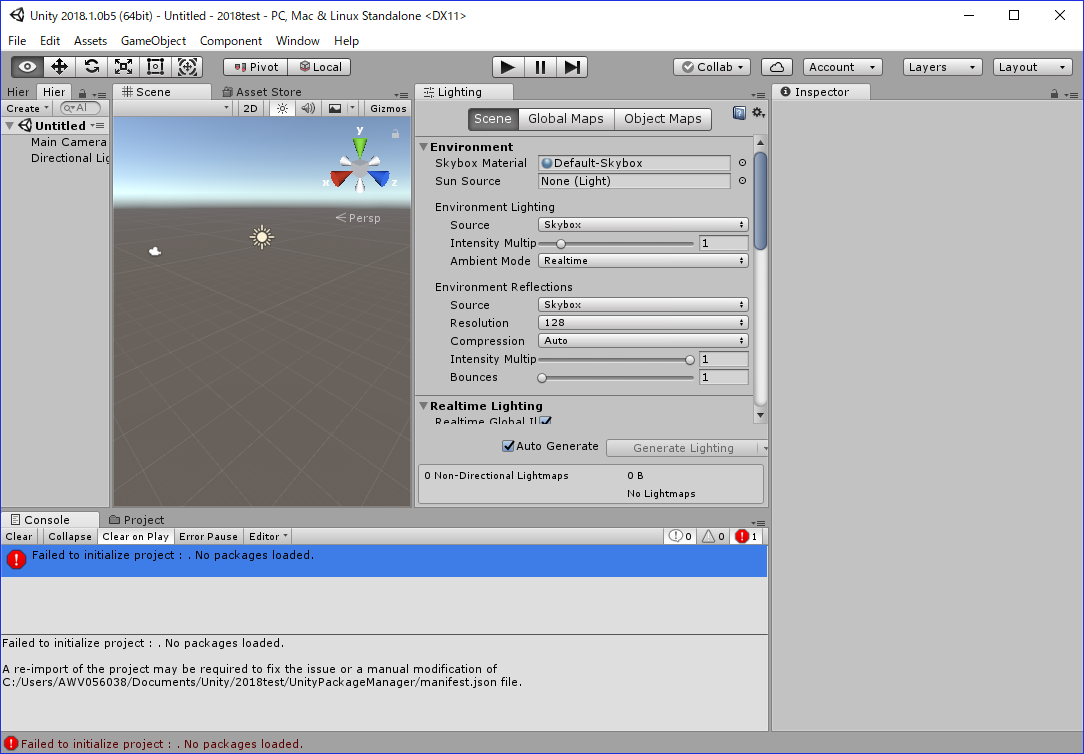
Unity 2018.1.0b5 is not working with Unity Package Manager Error.Unity 2018.1.0b4 too.

This error is smiler to Unity 2017.3.0f3. fixed on Unity 2017.3.0p2 and Unity 2017.3.1f1.

Create new project. This dialog with few mints.
3382823--265614--2018.1.0b5_2.png
And then I got this dialog.


Push [Retry] Button.
I got this dialog.

next I Push [Continue] Button, Editor is start… but not working.

1 Like

Hi @iriguchi ,

Sorry to see you are blocked by this issue. It was fixed in beta 6. This new version should be available shortly. Please, once available, can you try to create a project and let us know if you are still experiencing the problem.

Regards,

Pascal

Hi Pascal,

I tested b6…
Unfortunately, the problem is still alive.
Same as b5.

Of course Unity 2017.3.1f1 works fine!!

Thanks.

1 Like

Thanks for checking!
Could you please file a bug report with a minimal reproduction project and reply in here with the case #? You can find detailed information about how to submit bug reports here.

1 Like

@LeonhardP I have the same issue, still present in beta 6.
I did a post before:

Did you submit a bug-report, as LeonhardP asked in his previous post ?

OK, @LeonhardP I filed a bug report (Case# 1000696) with an attached project, lengthy description and screenshots.
Although I think to reproduce on the attached project you have to be offline and with no cached packages (in /Program Data/Unity/cache/…)
@Peter77 Do you have broadband speeds?

1 Like

According to speedtest.net I have 50 Mbps download and 10 Mbps upload.

QA were able to reproduce the issue, it should be on its way to developers.

I sent a bug report now(Case 1002498) with b7.
The problem is still alive…

I’ve solved this issue by allowing Unity.exe access to the internet.

Can I get hot to do it?

I test b8 now… but the problem is not fixed.
I already got the information of the problem will be fixed from QA.

Even after allowing Unity.exe access to the internet the problem is not fixed because the connection is slow.
QA emailed me and said it is fixed in Beta 8 but it’s not the case.

Hello @xCyborg ,

It is regretful that you are having issues with this release of Unity.

A few questions: Is this the only restriction you are imposing to Unity/internet at this point? Are you under a firewall? Is your internet connection proxied?

Thanks kindly!

I tested b9…

The problem is not fixed yet.

What’s wrong? Proxy?

@pedro_unity Check the case number, QA reproduced it.
I disabled Windows firewall alltogether, antivirus, it’s still happening in Beta 9.
BTW I use a hotspot access point from my Android device.

Did you also check your phone’s security settings?

It seems all good to me, everything else downloads normally.

b10 is same…

Can this be fixed before final release please?