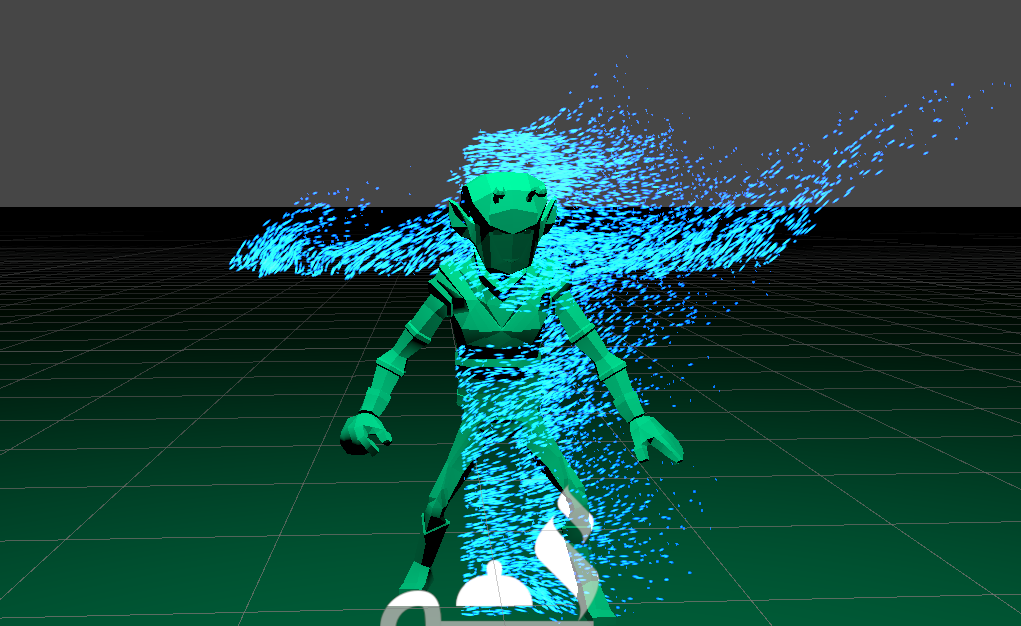
I’m working on a VFX graph where particles are spawned using a point cache asset, which I created from my character mesh (pic. 1). During the gameplay, certain animations are applied to the character (e.g. idle animation) and my VFX graph spawn positions are no longer in sync with the character posture.
How can I create a Point Cache asset for a given character animation state? It’s totally fine to have it pre-created based on certain animation stages. I’m also using Mixamo to animate my character so don’t really have these animation meshes to create the asset from.
We have internally implemented skinned mesh sampling and aim at releasing it during the Unity 2021.1 cycle (early next year). This will allow you to spawn VFX particles directly from a skinned mesh in Unity, without the need to use point caches or any external tools.
It’s performant to be running real-time. We are adding a way to sample into already transformed data on the GPU, so it will not slow down the GPU skinning.
Yes and no. The skinning itself on the skinned mesh side will be slower the more vertices you have to transform, but from a VFX perspective, we are just sampling the already transformed data. The only effect on the VFX side would be that for a larger amount of data, we would need to sample into a bigger buffer, which could potentially have more cache misses.
Sometimes I’m not using skinned mesh but multiple “normal” meshes connected to transforms that I later animate.
Would it be possible to use such an array of meshes and use it in a single VFX graph ?
You can use the regular Mesh Sampling operator, but there’s no mesh array support to sample them all at once, and you will have to supply their transforms manually to update any position/rotation/scale changes you might have in your animated hierarchy. Or otherwise I suppose you can try using Mesh.CombineMeshes to turn them at runtime into one mesh you are sampling once and updating as your animation changes.