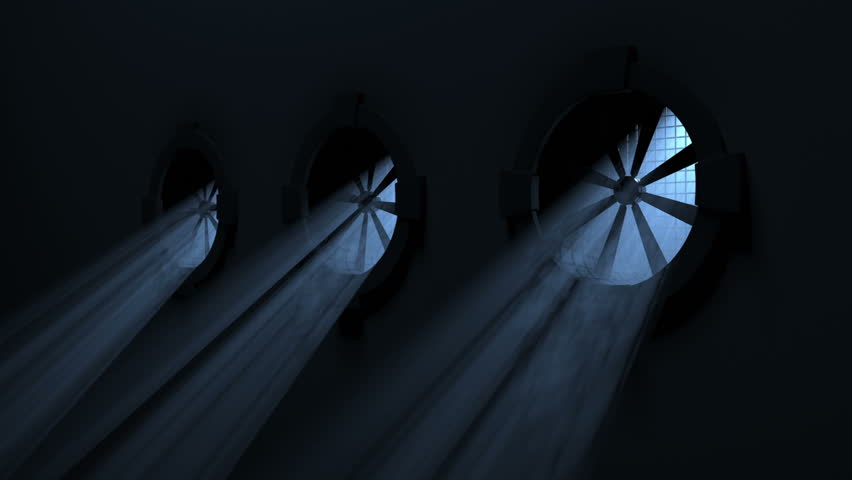
This one is lovely. Never thought Volumetric Fog & Mist could be used in performances like this one - thanks Matthew Bain for sharing it!

This one is lovely. Never thought Volumetric Fog & Mist could be used in performances like this one - thanks Matthew Bain for sharing it!
Hi all,
Version 9.2 has been submitted with some fixes and minor improvements.
Also had the opportunity to give it a try along with Cascade, works great!


Hello,
is volumetric light effect supported by VF&M random google pic ? Does VF&M work with spot lights?
Sun shadows are supported (directional light).


Spot light is not supported - only directional and point lights.
Thank you for your answer, I have few more questions:
I’ve sent you a pm with some additional details. Spotlights may be supported in the future but no ETA yet.
Hi all,
Just a quick question on how profiles are used in this asset:
I was assuming the fog script contains mostly functions and all parameters are driven by profiles, but it doesn’t seem to be the case? Downsampling for example isn’t saved when I try to apply it.
I sort of understand why (decouple fog style from fog behavior), but having ScriptableObject to drive all parameters makes tuning them much easier, especially in play mode.
Unity 2018 does have Presets (which is less powerful than scriptableobject, as they can’t be linked, only save and load), but Presets behave weirdly when I tried them on the main fog controller (losing parameters; throw errors when I change parameters etc.), probably due to how this script is written and how new preset API is.
Anyway, if possible, I would recommend going full ScriptableObject route, and leave the controller script as pure as they can be 
Thx!
Thanks for the suggestion. You’re right indeed - most settings contained in the ScriptableObjects are considered “safe” settings for the fog style and match the hard-coded legacy presets. Additional options like point light or light scattering are not stored in the profiles but in each fog instance itself. So, yes, additional parameters can be added to the profile although the concern here is how it can affect existing setups.
Yeah, I think the most backward compatible approach might be to create a second profile like “fog controller settings”, and offload these non-style-related parameters to it.
By the way, normally having some parameters on script wouldn’t be much of an issue, but Unity 2018 has this bug:
ifo78
I can only reproduce it on the fog controller, initially I suspect it’s because of heavy operations, so UI thread is being throttled. But I have already set downsampling to 8 times, the actual cost during play mode is less than 1ms, so I don’t quite understand where this “jumpy” UI bug is coming from.
Thanks for reporting this - it’s an inspector bug indeed. Fixed now and sent an update by pm. If anyone else is affected by this issue, please get in touch or download the beta from the support forum.
Does this asset work with UWS water system (formerly Playway)? Cheers.
Yes, as reported by some customers it works. You may need to play with the image effect script order though. If you find any issue, don’t hesitate to send me a pm or email.
Hi There
I need to use 2 layered cameras with different Depths to render a weapon always on top of all other geometry. I’m in deferred mode so I can’t use a shader level trick for this.
Now I want the VolumetricFog to affect both cameras, so the weapon doesn’t stand out in an ugly way. The problem is, if I put the VolumetricFog script on both cameras, the fog gets doubled and super thick. I can’t put the fog only on the top camera with higher depth, as it doesn’t render nicely with Depth only clear.
Can I achieve the effect I want with VolumetricFog?
I have already bought it and it worked seamlessly! Seems like a great asset and has simplified our fog hugely (came from DeepSky Haze (Deprecated now!))
One thing I’m looking to do with it is to control the view distance using the fog. For example, if I have an object 1000 meters from the camera, and I set a visibility value to 1000 meters, I should just be about able to make it out. Is there any control like that with the asset or shall I just write my own controller? It’s to do with simulation if that helps.
Cheers!
hey, thanks for your words
Currently there’s no feature to deactivate or hide objects further than the max distance factor. Is it what you want to achieve? But you could “wipe them out” using the Sky Haze option, basically adjusting the far clip camera and Depth parameter so the object gets totally occluded by the sky haze colors:

There’re two options here:
a) Add Volumetric Fog & Mist only to the higher depth camera (the weapon camera) and enable Compute Depth option with Scope set to everything.

b) Add Volumetric Fog & Mist to both cameras and set Distance / Distance Max accordingly.
For instance, the weapon camera could have a Distance 0 and Distance Max 1 or 2. And the scene camera could have a Distance of 2 and the Distance Max you wish.
Also for your weapon camera you could use Dynamic Fog & Mist instead if you want to give it a subtle fog cover as this variant is faster. Use Desktop Fog Plus + Sky Haze with Sky Haze set to 0 and adjust the distances and alpha.
Hi all,
Version 9.2.1 is now available which includes the following changes/fixes (with respect to 9.1):
Changes:
Fixes:
Hi, I really enjoy Beautify, but am having problems with this one.
Issue 1: With some many configuration settings, I’m trying to create my own presets, and I believe this is done by creating Profiles. The problem is, the profiles don’t seem to contain all the settings. For example, if I click on my profiles, “Fog Void” isn’t part of it. If I configure “Fog Void”, it seems to be a global setting that affects all profiles, and I don’t see why it would work this way. I’d like to adjust the Fog Void differently for each profile.
Issue 2: Previously saved Profiles all stop working entirely after a stopping and starting the project. I had 3 profiles that (other than issue #1) worked 30 minutes ago, and now all 3 show a “The associated script can not be loaded. Please fix any compile errors and assign a valid script” message in the Inspector when I click on the file in the project window.
Issue 3: I’m having a lot of problems setting values using the sliders. So when I slide the Density settings, the slider control jumps around between it’s previous settings, and the value I’m trying to set to. It’s as if while I’m adjusting, something else is attempting to also set the slider position. Super annoying. Also, I’m seeing really weird things like I can’t always turn Fog animation off. I’ll set Fog animation setting to zero, then I’ll adjust the density, and it will turn Fog Animation back to .15. Also super annoying.
Also, once I have these profiles saved, can you show me how to set to one of these via code? I’m not sure how to access the saved profile files from code in order to set it in game at run time.
Agreed. Profiles usually contained just style attributes (geometry, colors, animations, sky haze…), but not behaviour related. This is changing so in new versions “behaviour” settings are coming to profiles with a custom “override” checkbox so it does not break any current setup, so fog void parameters will be included in the profiles.
Are you using latest version? It fixes an recent bug with some sliders and the presets.
Hi, right after posting, I saw that you posted an update Yesterday. I just bought the asset 2 days ago, so figured I had the latest version. I have ran the update, which I’m sure fixed the slider issue.
If the profiles don’t save all the settings, I guess I’m wondering what use they are. Since they aren’t working anyway, I suppose I’ll instead just need to set the variables via code. Everything can be set via code correct?
Can you give me an ETA on the new version that will include Fog Void in the profiles?