Vulkan performing much worse than OpenGL ES due to excessive buffer copies on Quest 2/3

For the last year, we’ve been encountering a huge performance problem rendering with Vulkan on the Quest 2/3, compared to OpenGL ES. This seems to have been the case for a few years. Previously we’ve accepted that Vulkan has poor performance and simply used OpenGL instead, but we would like to use certain Vulkan-specific features such as Application SpaceWarp, so this has become a major problem.

Like many mobile devices, the Quest 2 and 3 use a tile-based deferred renderer, in which the geometry is divided across a number of small bins covering limited areas of the screen. This makes profiling difficult, since it is not possible to time individual draw calls. However, it is possible to profile the GPU using Perfetto, which allows us to see the time taken by operations such as rendering and blitting.

As far as I can tell from profiling, the cause of the performance problem is that on Vulkan, the colour, depth and stencil buffers are copied back multiple times after rendering each bin, while in OpenGL ES, only the colour is copied and only once.

Here are some typical examples. First we have a trace in OpenGL.

Rendering a bin takes around 100 microseconds on average. After rendering, the colour must be copied back to main memory; this takes about 2-3 microseconds on OpenGL. Only one store operation is carried out.

This trace shows the same scene rendered with Vulkan. While the render time is about the same in both cases (sometimes faster or slower depending on what’s in view), on Vulkan we see a series of store operations, alternating StoreColor and StoreDepthStencil, with eight carried out on every bin. These operations can take up to 15 microseconds, plus there is time between each one. This can easily add up to as many microseconds as the actual rendering!

Summed over every bin, this adds up to about 6+ ms of additional time on Vulkan - which as you can imagine is devastating for Vulkan performance, when we only have 14ms in total to render a frame. This is reflected in the framerate - on OpenGLES we are usually able to hit our 72fps target, on Vulkan we frequently drop below 60fps.

I have tried various combinations of settings, such as switching between Forward+ and Forward, and changing the depth copy to ‘Force Prepass’ instead of ‘After Opaques’. We are not using the depth or stencil buffers as textures in any subsequent pass, so there is no obvious reason why they should be copied, especially as OpenGL is able to render an identical frame without the copy.

I also tried disabling MSAA. We are required to use 4x MSAA to release on the Meta store, so we need to find a way to make MSAA work, but this proved an informative experiment. Without MSAA, both OpenGL and Vulkan use fewer bins (16-18 instead of 63-66), and the difference between them is much smaller (only 1-2ms). Without MSAA, the Vulkan trace has four rather than eight copy operations per bin:

Although without MSAA, the impact is smaller, the issue is still there. Vulkan takes about 2ms more to render the same scene. I believe the overhead likely scales with the number of bins, and MSAA causes the number of bins to increase, so the problem becomes more noticeable.

I found an old thread from 2021 mentioning Vulkan performance problems with Depth Priming and MSAA. I believe this is likely to be the same issue, but it doesn’t look like anyone has investigated in depth since then.

We have encountered this problem in Unity 2022 and Unity 6, but it is likely to affect other versions of Unity as well. According to the above thread, the problem was likely introduced in 2021, ironically in an attempt to improve mobile performance.

Has anyone else encountered this problem, and is there a workaround which can get Vulkan performance to parity with OpenGLES3 without sacrificing MSAA? Right now, the cost of switching to Vulkan would destroy most of the performance we would hope to gain with Application SpaceWarp.

4 Likes

Nice deep dive!
Can you share your exact URP settings and URP Asset? Some combinations of the depth settings can cause and fix issues. After Transparent and Force Prepass could be interesting options.
Also you can disable depth and stencil in the Player settings, but this might break stuff

Also if this is a Unity issue, you can file a bug report via Help → Report a bug. This way Unity can also look into it and hopefully fix it

Hi DevDunk! Here is the URP asset:


and the renderer asset:

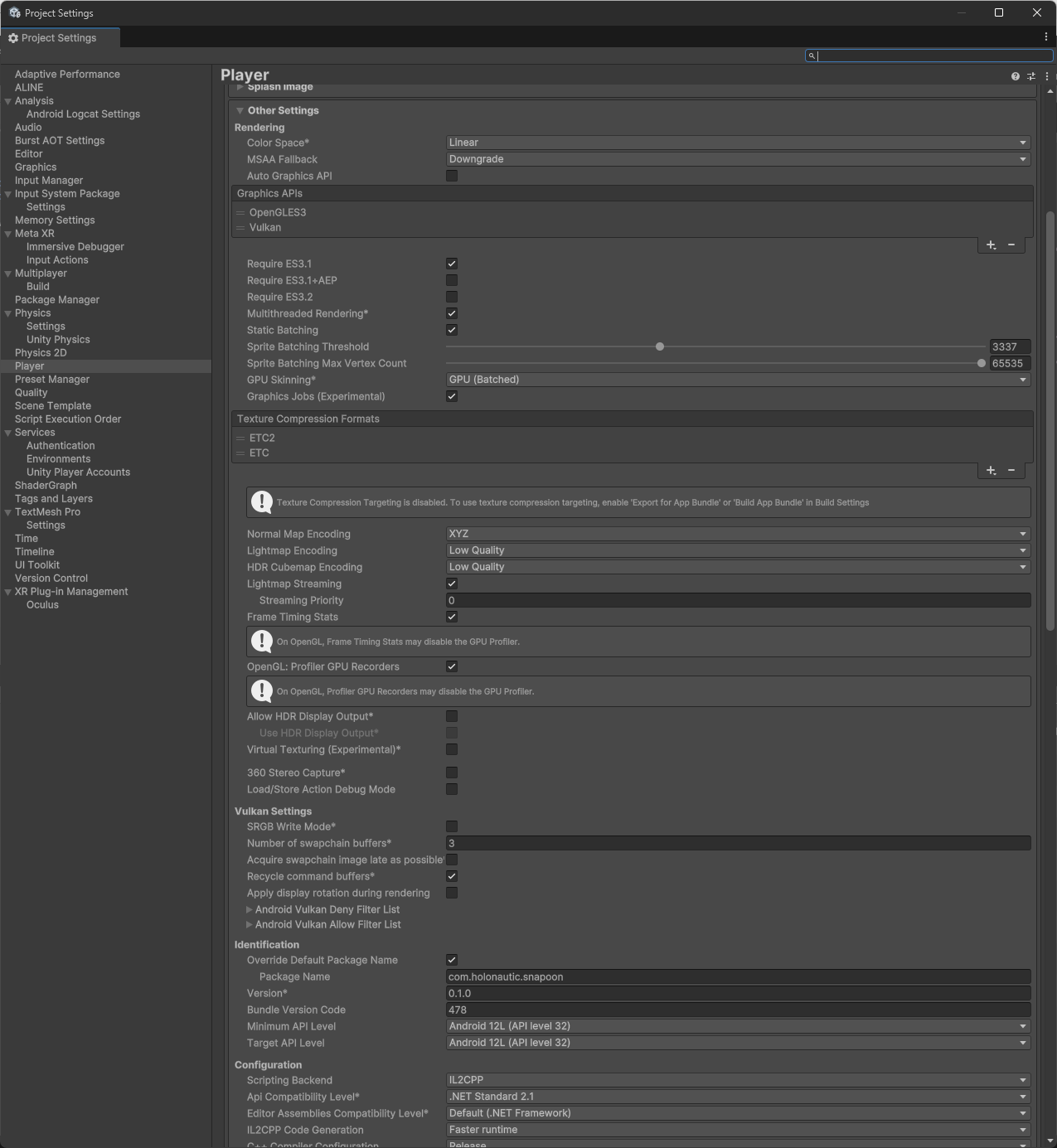
and the rendering settings in the Player for OpenGL and Vulkan:

As you can see, we’ve turned off nearly everything except MSAA. There are also no reflection probes in the scene and we are not rendering shadows. Note that while these screenshots show ‘Forward+’ and ‘After Transparent’, nothing really changed when I tried switching to Forward, After Opaques or Force Prepass.

In case it’s relevant, our game is primarily rendered using Entities Graphics. Tomorrow I will make a test scene to see if the issue persists without using Entities.

Filing a Unity bug is a good idea. A previous report of what appears to be the same issue was marked ‘won’t fix’, but perhaps with the additional profiling data, Unity will be able to do more with the report.

Forward+ is quite a bit slower than Forward when not using 4+ additional lights.
Maybe use force Prepass as depth priming (or depth mode, I keep forgetting). Maybe after Opaque with Force Prepass is even faster. (Just read that you tried it already, then ignore this)

Use only either Vulkan or OpenGLES3. Remove the other when testing for performance to avoid any conflicts or build issues

And yeah new reports might point to a new issue. How the issue tracker currently works is that it points to one issue, even if there would be 3 performance issues in the sample project

And note I haven’t worked with ECS much, so there could be something there

We’ve also noticed a fairly major performance degradation when switching from OpenGL to Vulkan for Quest 2 and 3 with fairly similar URP settings to what was listed above. We aren’t using ECS, so that doesn’t seem to be a factor if we’re both experiencing issues.

3 Likes

Facing same issue, no matter which settings I apply Vulkan performs horrible as compared on OpenGLES on Quest. No idea why this isn’t addressed yet or why there no specific guidelines on how to optimize Vulkan on Quest

2 Likes

If you want it to be fixed, file a bug report

Thanks for the thread everyone!
We want to optimize the Vulkan path for Quest platform and make it the best API for untethered XR. In some scenarios we measured, it is already performing way better than GLES.
We authored this optimization guideline for untethered XR platforms this year here. If you haven’t checked it out, I would highly recommend: Unity - Manual: Optimize for untethered XR devices in URP

Based on our internal testing, the vulkan performance is on par with GLES. So the performance gap reported in this thread is very interesting. Vulkan as an explicit Gfx API is more configurable and it requires higher level renderer code to set it up optimally. So it is really hard to pinpoint where the issue is without diving deep. A renderdoc capture is very helpful here to dissect the frame.
As folks already mentioned under the thread - it is worth while to report an issue with minimal repro project(+apk if possible) for us to investigate. Please note, if this is an issue introduced in custom code, we won’t be able to fix.

From glancing the traces(thanks for the screenshots, they are really helpful and contain good info), it looks like a store operation related issue because you mentioned vulkan stores 8x more surfaces. In U6 RenderGraph, you can leverage the render graph viewer to estimate the usage pattern of your frame resources, and gain a good understanding about which resources actually need to be stored. You want to keep the color/depth store to minimum especially if they are screen space textures such as eye texture/scene color/scene depth etc… If you use RG API to tell the system which resource is used for what, RG system should do the heavy lifting to optimize the load/store operation for you. For example, if the depth/stencil data is never used after the opaque draw, then they should not be stored at all.

Thanks all,
Thomas

4 Likes

Great reply!
And that page is new for me. I have quite some more performance settings for XR and it would be nice to see some project/URP settings with good base setups in the docs. Would that be possible?
If needed I can share them as well after I make a project setup video

Hi Thomas,
Thank you very much for the reply! I will try to provide a bug report soon, but first let me see if I can find a way to tweak the Render Graph as you suggested.

I had a read through the manual page linked. I believe we are already doing nearly everything listed on that page. The only exception is having Forward+ instead of Forward.

Regarding Forward rendering - switching from Forward+ to Forward results in a vague warning from the Entities Graphics package, and since it didn’t seem to make a difference to performance, I left it on Forward+. However, since there doesn’t actually seem to be a problem with setting Forward despite the warning, I will do future tests with Forward. (In practice, we are only using the main light, and exclusively custom shaders, so we are effectively not doing anything forward+ anyway).

I will see if I can tweak the render graph settings and get back to you.

2 Likes

Hi Thomas,

Thanks for sharing the optimization guidelines with us.

We have made a minimal repro project with apk builds for both vulkan and opengl. We have submitted it as a bug report:
https://unity3d.atlassian.net/servicedesk/customer/portal/2/IN-90946

In the sample scene, the performance of opengl is bad but consistent and vulkan performance is mostly worse than opengl but sometimes better for no clear reason.

Our findings were also that performance with Vulkan varied with based on if it was a clean install or running it a second time.

1 Like

Curious if there’s any updates on this:

2 Likes

I’m also waiting for an update on this

Thank you for replying to the thread. Do you have an optimization guide for the built-in pipeline. I’m using the built-in pipeline because my project runs slower on URP.

I’m seeing a performance hit on the Quest 3 with Unity 2022.3.61.f1 using Vulkan and the Built-In pipeline. My GPU usage is 25% using OpenGLS3 and 44% using Vulkan, a 76% increase.