I am having trouble trying to build my project on WebGL it keeps getting stuck (crashes) on “Building native binary with IL2CPP”. I had version 2018 and didn’t work on that now I just downloaded version 2019 3.9. I don’t know what’s wrong or how I could go about fixing it. Any help will be appreciated.
hey is your issue solved … i am also facing the same problem…
There is likely some C++ file which is taking a very long time to build. First of all, please take a look at the tips here:
If the build time is still too long, are you building on Windows or macOS? In either case, you can download a process monitoring app that can show process trees (Process Explorer on Windows, or htop on macOS). Then you can see which C++ compiler process is running for a long time and maybe we can determine why it is taking so long.
Im having also problems with WebGL. Did some updates without any problem but now suddenly the game is crashing due “Invoking error handler due to RuntimeError: index out of bounds” on Firefox and “Invoking error handler due to Uncaught RuntimeError: memory access out of bounds” on Chrome.
I can play it without any problem on the editor. Tired to debug the problem but I cant.
Same problem for me, work ok on desktop, but not on mobile, i tried on iPhone safari, edge, firefox not working, on android 10, firefox and edge work ok, but not chrome and safari, and i try on android 5 and 6, same as iphone nothing work
1 Like
Haya, Josh,
I’ve followed all the recommendations in https://docs.unity3d.com/Manual/IL2CPP-OptimizingBuildTimes.html and still, 95% of my WebGL builds got stuck for more than 12 hours (haven’t wait for more and forced shut Unity). There are 5% of builds that are built for ~30 minutes, so it’s very inconsistent and non-reliable. That’s not acceptable as I have to make production builds almost every day and 90% of my time goes restarting my Windows machine, waiting for 1 hour to see if the build will pass, force shutting Unity, and etc. And there is no guarantee I’ll have a build at the end of the day. Could you please help me solve this?
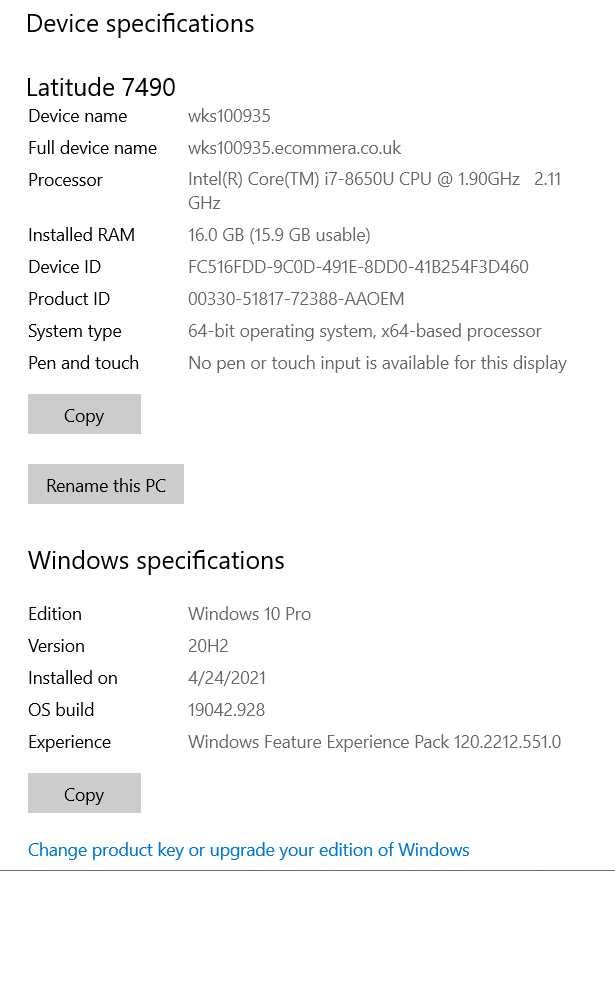
I’ve attached the process explorer screenshot as well as information for my machine (for my last ‘unfinished’ build that I waited for 10 hours). I’m using Unity Plus (actually with Unity Personal, a few months ago, these build issues were very rare… so wondering what did I pay - for more issues and spending more inefficient time with Unity :(?). Also, I’m using the latest official Unity Hub and Unity Editor (2021.1.5f1) - although I’ve tried with many different versions and the results are the same. Another thing I tried was to increase the priority of the Unity threads but with no success. Let me know if you need any further information.
Regards,
Stavros

Do you have tried to build a blank project?
I have one big project and it never take more than 15 minutes when i make big changes.
If a blank project compile fast, something is wrong with your project.
When a build does complete, you should see a profile.json file in the build output (either in the Temp or Library directory - I don’t recall which at the moment, maybe look in both). This file should provide insight into what parts of the build process are taking time. Can you send me that file?
I think the presence of UnityCrashHandler64.exe in the screenshot processmanager.png suggests that the build has gotten stuck in a program crash. If the issue occurs deterministically in a project, would you be able to reduce the project down to a small test case where it happens, and report that as a bug?
I understand the frustration, especially as a paying customer, hopefully we can help out with the issue best as possible.
Hey Josh,
are there any news regarding the issue?
Out team has the same troubles like Stavros and tried almost everything:
Updating to newer Unity Versions, removing suspicious assets, tried a bunch of build setting combinations, delete library and webGL cache. Nothing works reliable.
Sometimes a series of builds are successful. But in more than 90 percent of all cases the build stucks at “Compile IL2CPP” and in a few cases also at “Compile WebAssembly”. Sometimes the builds works only on one machine, sometimes on another. We can’t identify a pattern. It is very frustrating.
I attached my last editor log, maybe it helps.
Thanks and regards
Jonas
I don’t have any progress to report on this issue.
In the Editor log you sent, it looks like the error happens during a shader compile step:
Error building Player: Shader error in ‘Hidden/EPO/Fill/Basic/Dots’: ‘tex2D’: no matching 2 parameter intrinsic function; Possible intrinsic functions are: tex2D(sampler2D, float2|half2|min10float2|min16float2) tex2D(sampler2D, float2|half2|min10float2|min16float2, float2|half2|min10float2|min16float2, float2|half2|min10float2|min16float2) at line 113 (on gles3)
I don’t think this build gets to IL2CPP yet.
In general, with Unity 2020.3, we’ve seen problems with the use of BitDefender anti-virus. It can cause IL2CPP to hang for a reason we don’t understand. Could that be happening in your case?
Hello Josh,
thanks for your quick response.
You were rigth: BitDefender was the reason. Everytime we deactivate BitDefender the build works. But it isnt only a 2020.3 issue. We had the same problems with the 2021.1.12.
Unfortunately our company still want us to use BitDefender.
Do you know, if and which processes (Bee.exe, tundra etc.) we have to put on the BitDefender WhiteList to avoid the issue?
Thank you and kind regards
Jonas
I’m glad that worked! You will want to exclude il2cpp.exe inside the Unity installation directory. I don’t believe that we have had problems with any other processes hanging due to Bit Defender yet, so that should be enough.

Really appreciate this thread. I was about to lose my mind trying to figure out how to get any project to compile. The Bitdefender exclude of il2cpp.exe did the trick!