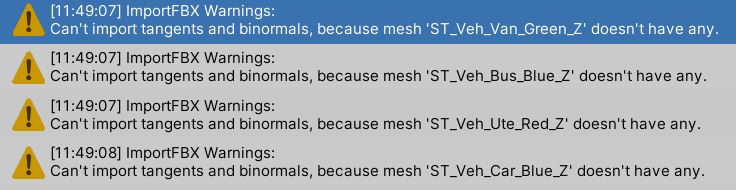
I received error messages like “Can’t import tangents and binormals, because mesh ‘Wheel_rr’ doesn’t have any.” and "Can’t import tangents and binormals, because mesh ‘ST_Veh_Van_Green_Z’ doesn’t have any."
1 Like
4 Answers
4This is not an error message, it’s a warning. If your mesh doesnt have any tangents, then set tangents to None in your model’s import settings.

Thank you. That was good help to set the FBX tangent settings from the default "Import" to "Calculate Mikktspace"
– mondoleoHi @tyruji, could you please tell me in what window are you selecting in order to achieve those settings that are shown in the image you post?
I can’t find those settings. And I can’t fix the warning.
Any help would be appreciated, thank you in advanced.
You need to find the files that are the source of the warning. In this case its meshes: ST_Veh_Bus_Blue_Z ST_Veh_Car_Blue_Z ST_Veh_Ute_Red_Z ST_Veh_Van_Green_Z In project window go to Assets -> Course Library ( Thats the folder we uploaded from tutorial) -> _Source_Files -> FBX. In FBX folder you can find those 4 files. Then as person before explained, click on the file, in inspector window will be shown properties. One of them is Tangent. Set it to None. Repeat with all files. The issue should be solved.
– unity_82C2097DDEA968519074How do I get to the import settings? Thank you
You can see in the screenshot that the Import Settings are in the Inspector Tab. If you don't have the inspector tab, you can show it by hitting Ctrl + 3 [201256-screenshot-2022-10-29-004926.png|201256]
– Penguiino
i have the same issue did you find the problem? if so how did you do it?
First of all, these are warnings, not errors. Secondly does these warnings have had any noticable effect? If not then it should be fine.
– Kuutiooi have the same issue did you find the problem? if so how did you do it?
– Furkan5835262