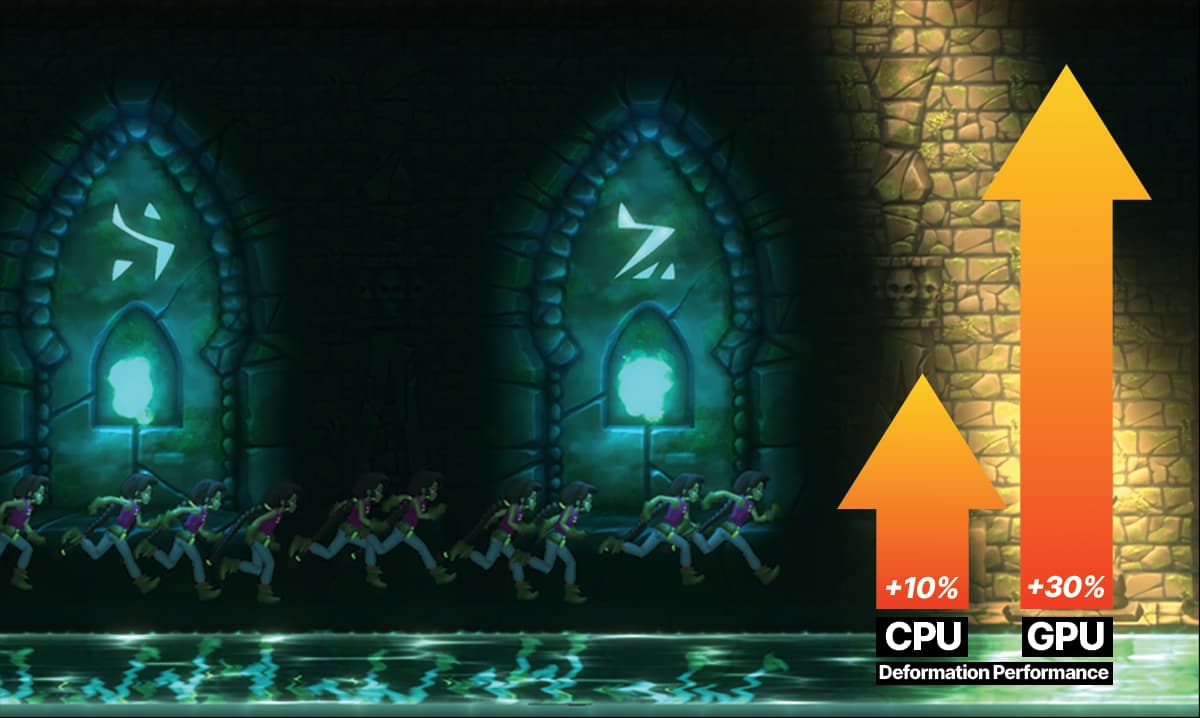
2D bone-based animation is used for a significant portion of the 2D animation in mobile games. In Unity 6.3 we have made multiple improvements to the performance of 2D Animation.
Improvements
We refactored the 2D IK System for improved multi-threading and runtime efficiency by leveraging Unity’s Burst Compiler.
Improved the 2D shadow calculation by leveraging Unity’s Jobs System and Burst Compiler.
We also implemented caching for deformed sprites to eliminate redundant calculations.
A specialized code path was provided for single-bone sprites, bypassing the resource-intensive deformation pipeline.
We reduced redundancy in bone data structures, minimizing memory overhead and improving instantiation/destruction times.
Finally we ensured that deformation calculations only occur when bones actually move, eliminating the need for any unnecessary post-deformation operations.
Overall, these enhancements boost CPU deformation performance by ~10% and GPU deformation performance by ~30%. Of course, results may vary depending on your system and workload.
Try it out!
Try out 2D Animation in Unity 6.3 beta and let us know what you think of the improvements. We want to know what works as expected, what doesn’t and what’s missing.
The improvements mentioned in this thread have already been included in Unity 6.3 Beta.
We encourage you to try out the 2D Animation and let us know your thoughts.
Additionally, it would be great if you could share your experiences and use case with the community. Your insights could help others and contribute to further improvements.
Hey, I’m wondering why I can’t use a sprite as a fill body in tile set?
it’s very friendly for 9-slicing, but for the central part I have to prepare another texture without borders.
This is because the Fill geometry requires a texture that uses Repeat as Texture Wrap Mode. This is required so that fill texture tiles seamlessly for the fill area. Hence this requires a texture and cannot be a sprite that may not always occupy the texture fully (like spritesheet for example)..
That’s an awesome change, can’t wait to try it out when 6.3 releases.
It mostly affects GPU though while 2d bone based animations seems to be disproportionally heavier on CPU. Is it expected? Is it ever going to be possible to run 100s of game objects in ECS projects using bone animations? I have similar experience as in this thread - Poor performance of DeformationManager.LateUpdate() with many skinned sprites - #3 by Konrad337 - I actually work on a PC project, I have tried many things including reducing each bones geometry to simple square, sprite atlas, GPU skinning. I will for sure limit usage of bone animations. Is it just not the proper tool to use when you deal with large amount of entities and you are CPU bound? Or will there be more improvements in the future?
I did 2 simple tests latest 6000.2 vs 6000.3 beta with 200 and 400 animated objects with 14 bones 58 vertices, and 90 indices each (in my game world with some other systems working, but as minimal as possible for quick set up).
I got
74 fps → 78 fps
and
32 fps → 34 fps
that’s nice. If someone is GPU bound they should get more per the post