So that title’s a mouthful, but it narrows down the problem pretty well. I’m trying to animate a simple character’s eyelid using a Sphere’s Slice To/From property, like so:
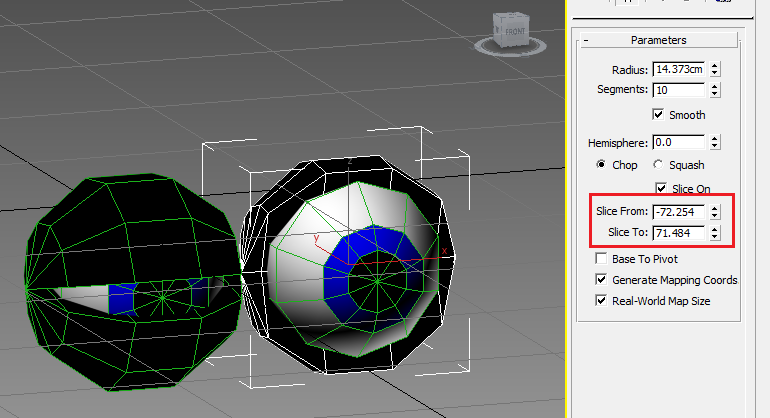
But, when I export to FBX and drop it into Unity it only shows the eyelid with the last setting the eyelid was left at (i.e. where it was on the animation track) before the export.
I’m thinking that exporting of this particular type of data isn’t supported by 3DS Max and FBX exporting, but does anyone with more know-how know if this is a problem with the FBX import (Unity), or the FBX export (3DS Max) and if there’s a way around it?
Alternatively does someone have a better suggestion for animating simple eyelids like this? My fallback plan is to create two half-dome objects that overlap and rotate those around a pivot at the center of the eye, but that would look just awful with the polygons overlapping the same space behind the eye as it opens.