Asset Bundle Creator is a plug-in for Unity Pro which provide its users an easy and convenient way to create Asset Bundles.
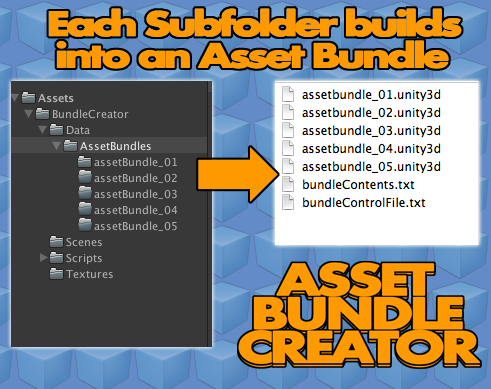
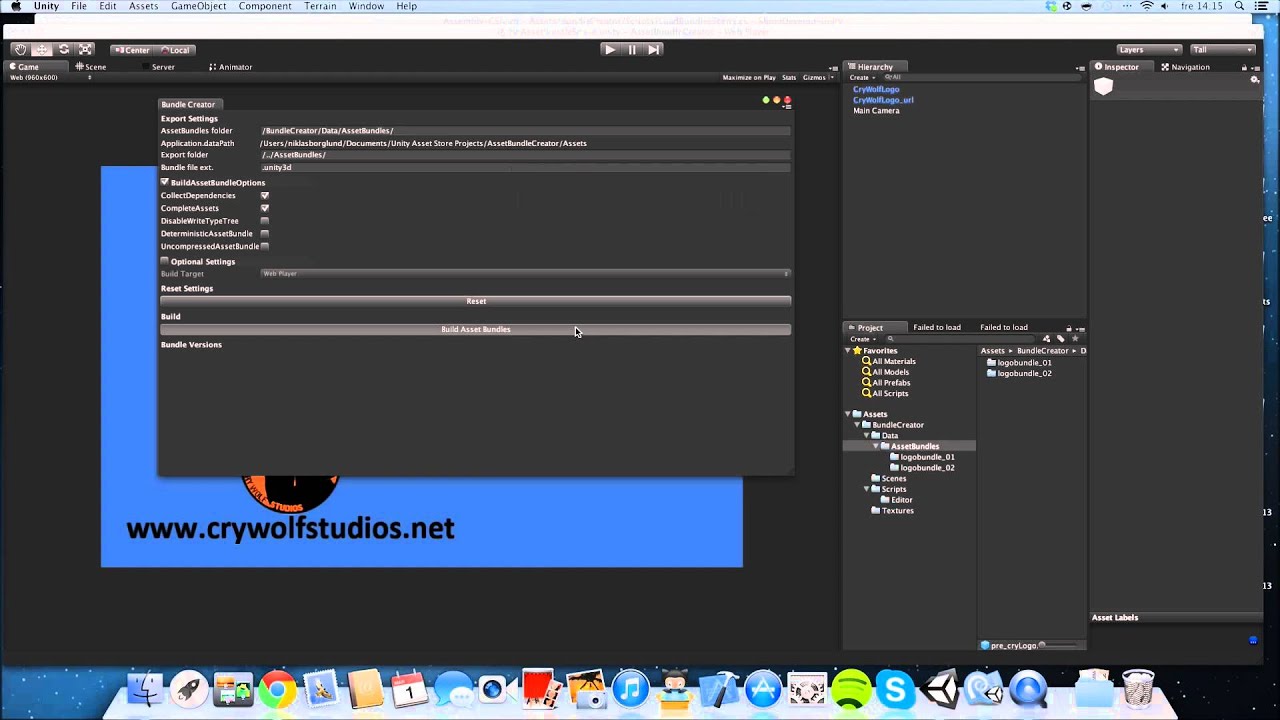
By simply selecting a specified folder and pressing ‘build’ the plug-in, Asset Bundle Creator will create Asset Bundles out of each sub-folder in your specified folder.
I have no experience with playmaker, but i can’t see why it shouldn’t work. As I see it, building the asset bundles shouldn’t be any different than it is in my plugin. Just use it like I show in the video tutorial.
It’s the loading of the bundles that might differ with using playmaker rather than writing a solution directly in C#.
I skimmed through some of the forum threads on the playmaker forum and this unityforum, and it seems like people have been loading asset bundles with playmaker. So maybe you can find a way to load asset bundles on their forum.
Both yes and no. That example scene from unity is used for a very specific purpose. The similar thing between them is that they create asset bundle based on what is in the subfolders - but they do that in a completely different way(according to me).
I’ll try and explain the differences.
The Character Customization sample makes you follow a specific naming convention. That example finds and take each submesh in the model-file, creates an asset bundle for each and every one of them along with the correctly named textures.
Then the character generator they use, combines the meshes(according to your ‘settings’) and patch it together to be used as a character. It also uses predefined settings when building the asset bundles.
The Asset Bundle Creator is used more generally. It let’s you specify a folder where you put your subfolders. Then it creates an asset bundle for each subfolder, with any type of asset bundle settings you desire. It does not require you to follow any naming conventions, it does not split up any model-files into separate bundles - it takes all the assets in a folder and builds a single asset bundle from it, according to your settings in the editor window.
I hope that clarifies it. Let me know if you have more questions
We’re trying to make a character customization type of project with asset bundles and was wondering how we can best leverage your plugin. As you explained Unity demo project is very specific in splitting up a character into components and patching them together in the game engine. Your plugin is more general in what in can do. The question is how to use your plugin to do something like the character customization project.
It is definitely possible, but you’ll have to split the models into meshes/prefabs yourself and put them in the subdirectories. So to make it work exactly like the Character Customization example will require some work from your side.
I could, however, make an update with an option that mimics the behavior from the example, if there’s a common interest.
We would like to vote for this feature. I think your assetbundle tool would be very flexible and useful if it also has the ability to do character customization. If you add this feature, we would buy right away.
Hi Niklas, great asset… however, I am having a compilation error when compiling to Android or iOS… these are what I am getting:
Assets/BundleCreator/Scripts/UndoManager/HOEditorUndoManager.cs(3,7): error CS0246: The type or namespace name `UnityEditor' could not be found. Are you missing a using directive or an assembly reference?
and
Assets/BundleCreator/Scripts/UndoManager/HOEditorUndoManager.cs(3,7): error CS0246: The type or namespace name `UnityEditor' could not be found. Are you missing a using directive or an assembly reference?
Any help would be very appreciated! Thanks!
EDIT: Fixed the above error by moving UndoManager into the Editor folder… however, I now get this one.
Assets/BundleCreator/Scripts/LoadAssetFromBundle.cs(155,22): error CS0103: The name `baseURL' does not exist in the current context
i’m waiting too…because i’m also play maker user.we need it this plugin in play-maker. Because right now not any plugin for striming with play-maker supported.