I’ve been struggling to bake good looking lightmaps in Unity for years now, and I always thought my poor modelling and UV mapping skills caused my baked lighting to look terrible.
But now I’m not so sure any more, because I can’t even get good looking results out of the 2021.2 HDRP sample scene. The pre-baked lighting that comes with the scene looks great, but that quality seems to be completely unachievable with Unity’s lightmapper. Just look at these comparison shots:


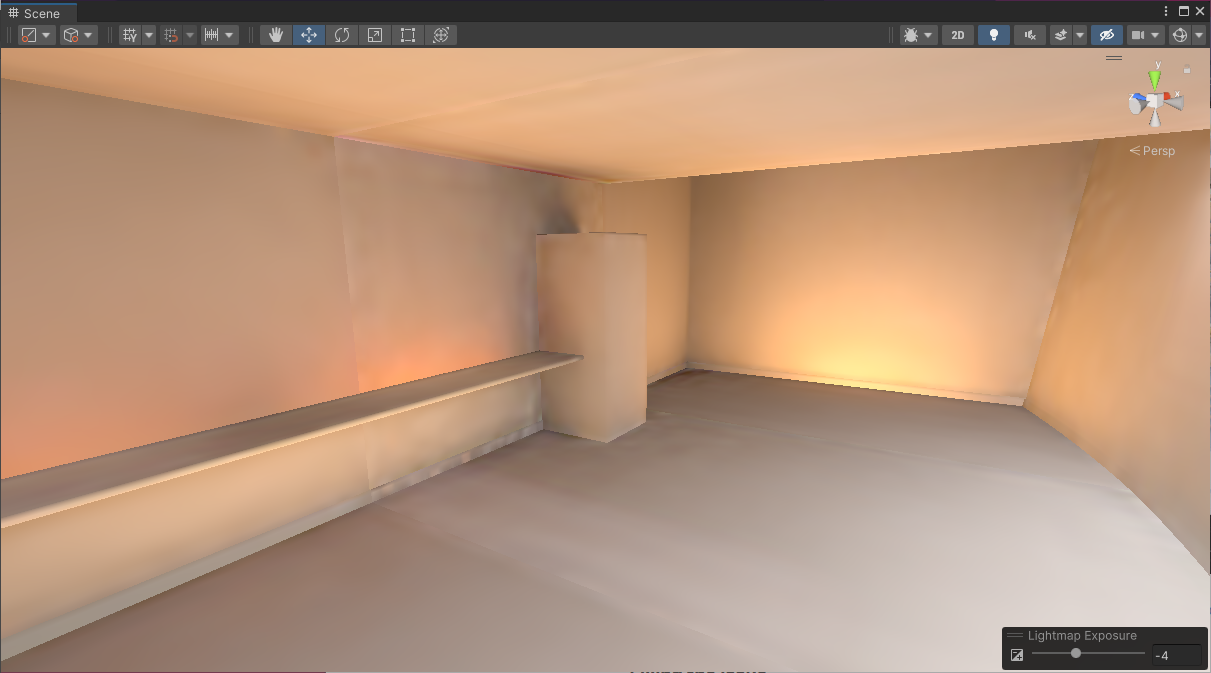
I didn’t modify anything in the scene, I only cleared the baked lighting and regenerated it on LightingSettings4Ultra, the highest settings that are provided by the HDRP sample scene template. These are also the settings that the interactive tutorial uses to teach the baking process, so I’m pretty sure they are supposed to be used. I also tried the ultra settings with CPU mapper, as expected it just took way longer without any noticeable quality improvement.
So what is going on here, was the sample scene baked using even more samples than you get from the ultra settings? Would that even affect these artifacts? Or do you have to invest in a third-party lightmapper like Bakery if you don’t want your Scene to look like this?
Here are the mentioned ultra settings for reference:


