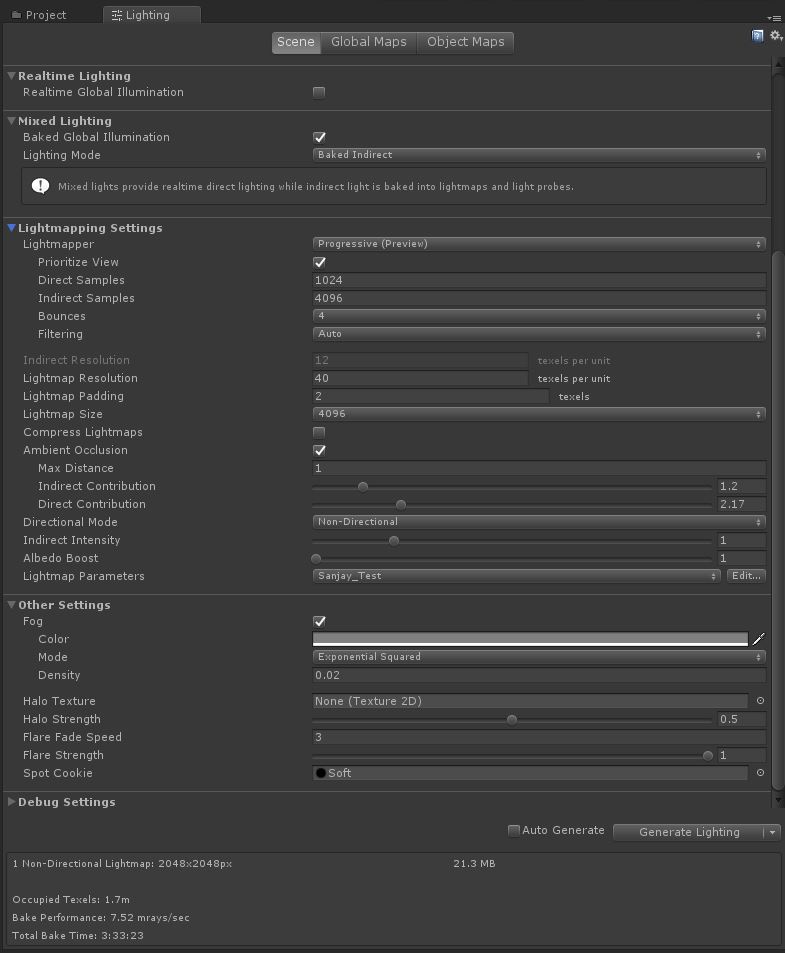
I am running into a light baking issue with my test scene. When I do a light - bake with progressive light mapper, on the baked light map there are dark pixels like spots that appear randomly all over the lightmap data. Now, I am also not a pro level lighting person in Unity. I would like someone with more lighting knowledge in Unity to take a look at my issue and if you could give me a feedback or point me in the right direction, that would be great.
@St4rdog I tried that. And that didn’t help either. I cranked up Filetering>Direct Filter>5 with Gaussian. Still the result were almost same.
But Filetering>indirect Filter>Indirect Filter Radius>5 actually made a minor improvement.
But overall the issue remains the same though. Not a significant improvement.
Now I am trying to increase the Indirect samples>5000 & Direct Samples>2048. And I have also changed the pre-computed realtime GI Resolution to 80 this time. Also have increased Irradiance Budget and Quality to 512 and 32768. And under the BAKED GI, I have also increased Anti-aliasing samples to 16. Before I had this at 8.
Let see how it bakes out now. My previous Bake took around 4 hours.
What you’re seeing is noise coming in from the indirect lighting. You’ll have to increase the indirect samples count considerably to get smoother results. The denoisers should help as well, but it seems you’re not on the latest Unity version, so you may be missing them.
Thanks! I’m using the latest release version 2019.1.6f1- Is the improved denoising only available in alpha or beta? I saw the article about Optix denoising, is that what might help?
I will take a look see if it helps and increase the indirect sample count.
Strangely, this issue doesn’t happen on most of my scene and only one specific new area - I’ll be increasing the sample count of the entire scene for only 1 area at the end that has these kind of spots.
I’ll continue investigating and will post results here.