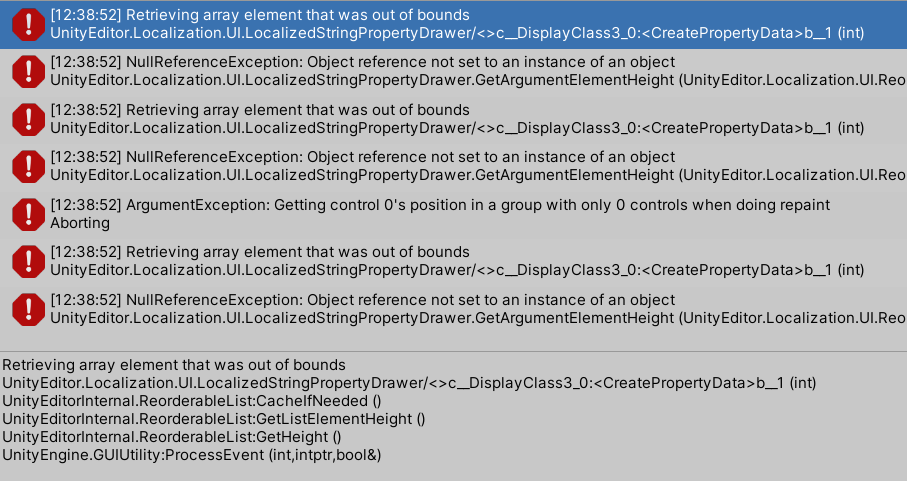
Also the errors are a Unity bug. You can rollback the version without the issue 2021.2.14f1 or wait until the fix lands in the 2021.3 patch. It is also safe to ignore the error message.
Oh my. Can’t believe that I didn’t even try typing into the box…
Also thank you for the info for the bug! I will be waiting for the patch then.
For people wondering the same thing (probably not many lol): So this is the new Unity Search in 2021 versions (previously available as the Quick Search package, I believe) and you need to type into it for indexed results to come out. You can also disable this and go back to the old-style localization dropdown by going to Preference/Localization and uncheck all search pickers.
Just wasted another hour on this. I would expect it to show all the options if I didn’t type. It would be consistent with the rest of the editor functionality. I don’t like using the new Search currently… I don’t trust it, and it breaks exactly when you’re forced to use it.
Also, Preferences > Search doesn’t let me disable the new search for LocalizeSpriteEvent, only for LocalizeStringEvent. Not sure what I’m doing wrong, or why would someone want two options for that. I’m guessing it’s because LocalizeStringEvent has a custom editor in the Localization package, whereas the LocalizedAsset / LocalizedSprite doesn’t.