Essentially, I’m trying to draw a few skinned meshes to an off-screen render texture. In update, I fill a command buffer with DrawRenderer commands for each mesh and then call Graphics.ExecuteCommandBuffer. And the result is a blank render texture.
I still see the calls to drawMesh in the frame debugger, but nothing gets drawn. Neither with skinned or regular mesh renderers. RenderTarget also matches the texture I’m trying to render to and the material is just a built in standard with default settings aside from color.

Now, I would understand that it’s just broken, BUT!
It draws the renderers for the first three frames after I click play.
If I don’t clear the render texture, the meshes remain there. Here’s the camera view and a rendertexture in the bottom left corner.
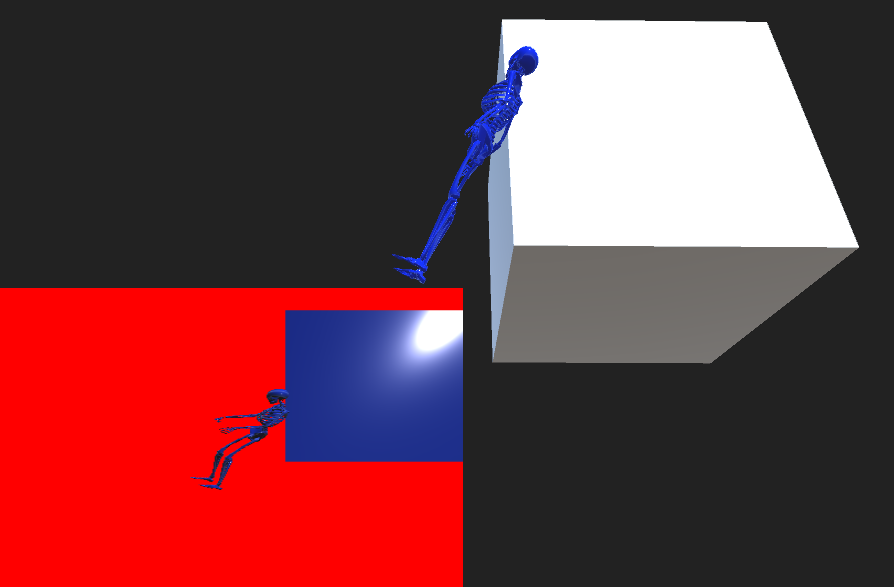
How do I know it renders for exactly three frames? I added a condition to a DrawRenderer command to only draw after Time.frameCount has reached a certain number. And the magic number turns out to be 3. I can still clear the render texture just fine after that but DrawRenderers produces nothing.