Originally, this came from a desire to recreate different view modes, similar to something like Cities Skyline:
ShabbyFreeIrishredandwhitesetter
Basically, when you switch view modes, items get re-colored based on their status (i.e. blue if they have power, red if they don’t). The challenge is that there could potentially be hundreds (if not thousands) of objects on screen, and you want to change the look of each of them quickly and efficiently
The only information I could find online was a Reddit thread which suggested that they might’ve used replacement shaders to achieve the effect. However, I don’t think that’s the solution (or the entirety of it at least) because while this would work if you knew what color a building would be in each view mode (i.e. Red in View Mode 1, Blue in View Mode 2), in this case each view mode represents a range of possible colors (in Power Mode it’s Blue if healthy, Red if not, in water mode it’s Green if healthy, Yellow if not…) and I believe you’d need something more complex than replacement shaders to achieve that.
Generally, I came up with 4 possible approaches, arranged from simplest to most complex:
-
Change the color of the material
-
Pros: Simple
-
Cons: Creates a new material instance for every object
-
Change the material itself
-
Pros: Can batch draw calls if pulling from a limited set of materials
-
Cons: Potentially many materials to manage and update
-
Change the color of the material via a Material Property Block
-
Pros: Potentially more efficient since it doesn’t create a new instance of the material
-
Cons: Still can’t use batching
-
Provide a texture atlas of various color and update UVs to proper position
-
Pros: Potentially most efficient, since the entire scene would share one material
-
Cons: Requires computation to calculate UVs, requires baking colors to materials
Originally, I picked option 3 and it worked ok. However, as our project got more complex we started seeing some frame rate lags, and I decided to investigate which of these worked best.
My test environment was as follows: Spawn 3,375 (15x15x15) cubes into an empty scene with one directional light and then swap all of their colors at random via the 4 different methods. This was all done on my 2015 MacBook Pro, running Unity 2017.3. In general, without any of these effects applied, the scene ran at ~35-40 FPS. If anyone has any comments on my methodology, or suggestions of other methods to test, I’d love to hear them!
Here are my results:
Color Change Method
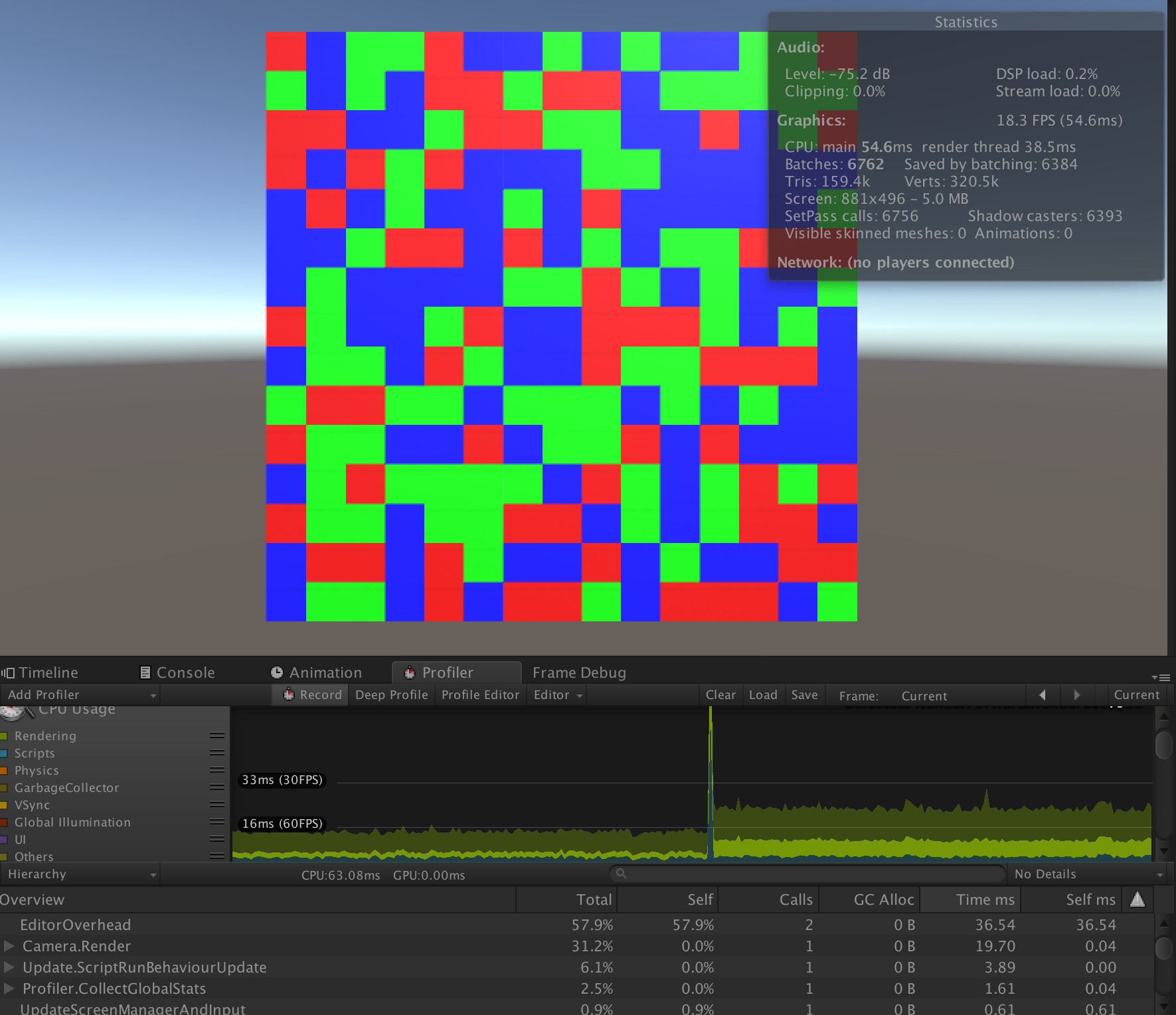
Avg. FPS: 15-20
Spike on Switch: Yes
The simplest method, as it turns out, was one of the worst. Apparently having 3,000+ materials in your scene isn’t great. Who knew? There’s a big frame rate spike when you first call it, and the frame rate was ~1/2 of what it was. Would not recommend.
Material Change Method
Avg. FPS: 35-40
Spike on Switch: No

The second simplest method, as it turns out, was probably the best. There was no frame rate spike upon switching, and it didn’t affect the frame rate of the scene at all. The only downside is that you need to update and maintain a separate material for each possible view mode state (power healthy, power unhealthy, water healthy, water unhealthy, etc…)
Material Property Block Method
Avg. FPS: Variable
Spike on Switch: Variable

There is some weirdness around using Material Property Blocks that I don’t entirely understand. If you run the scene without shadows, it’s right around as efficient as material swapping: no spike, full framerate. If you turn shadows on, however, it actually ends up being the worst method: massive spike, around 10-15 FPS. I have no idea why this is, but it seems like Unity has to do extra shadow draw calls or something? If anyone has any ideas, I’d love to hear them.
UV Swap Method
Avg. FPS: 35-40
Spike on Switch: Yes

This method was as efficient as swapping the materials (if not a tiny bit faster) but the major downside is the fairly large framerate spike you get when you switch. You are doing 24 calculations per cube, which adds up to 81,000 calculations, which ends up being fairly time consuming. The slight plus is it might make it easier to manage all the potential statuses for all the different view modes, but probably isn’t worth it.
Bonus Method: Replacement Shaders
Avg. FPS: 35-40
Spike on Switch: No

On a whim, I decided to try to implement a basic replacement shader method. It actually worked pretty well, not really adding any overhead to the existing material swap method. But, again, as far as I can tell you’d still need the exact same number of materials as you would without using replacement shaders, it’d just be a different method for switching between them.
Summary
As basic as it sounds, my suggestion for if you need to switch the color for 1,000s of objects at once is to simply switch their material. The key is to have a reference list of materials to choose from rather than instancing a new one when you switch.
A lot of this was a learning exercise for me, so if anyone has any thoughts or suggestions I’d love to hear them!