Edge detection outlines and vertex displacement issue

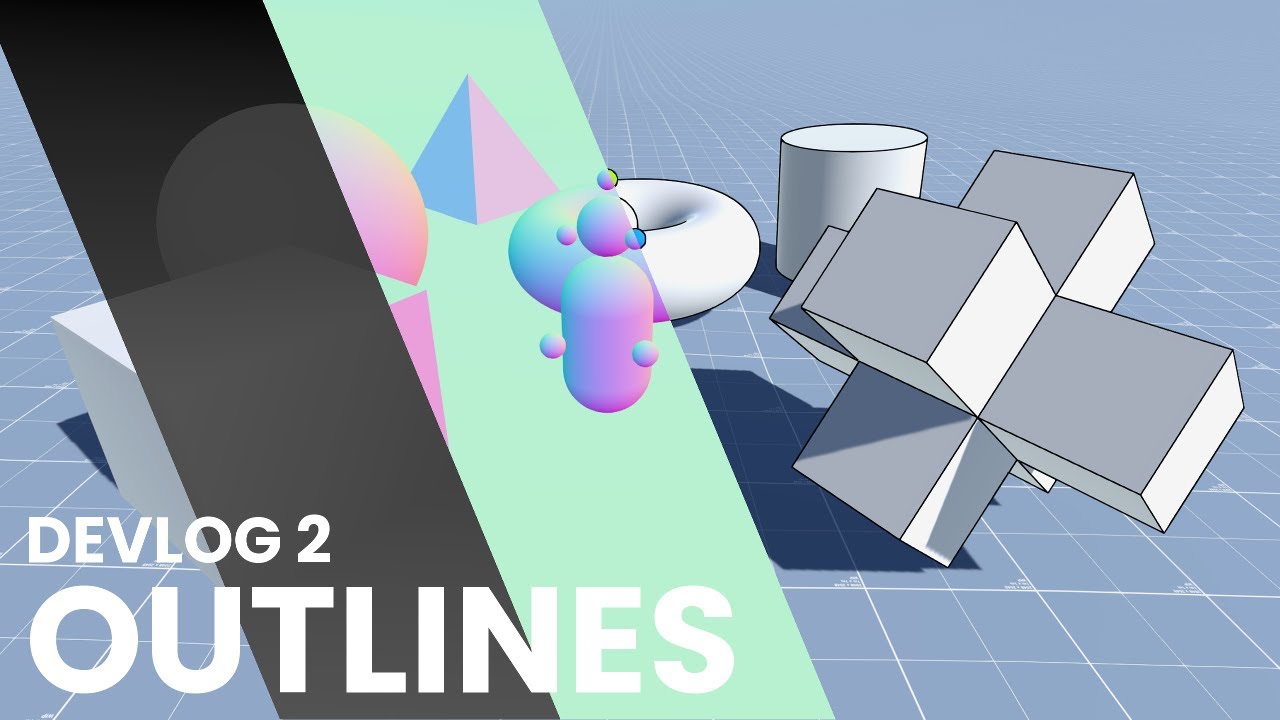
Hello ! So I’ve been working on a stylized shader look based on outlines. I’ve been following this NedMakesGames tutorial to have per-object depth and normal based outlines and avoiding the post-process helping me having more control on them, and it works fine.

An issue arose when I tried to have grass or trees sway in the wind using a simple displacement shader, the outline doesn’t follow the movement of the trees/grass. It seems like a common problem with depth-based render passes, and yet I haven’t found any way to make it work.

Here is the code used for the rendering pass (not my code, haven’t changed anything from the tutorial here)

using System.Collections.Generic;
using UnityEngine;
using UnityEngine.Rendering;
using UnityEngine.Rendering.Universal;

public class DepthNormalFeature : ScriptableRendererFeature
{
    class Pass : ScriptableRenderPass
    {

        private Material material;
        private List<ShaderTagId> shaderTags;
        private FilteringSettings filteringSettings;
        private RenderTargetHandle destinationHandle;

        public Pass(){

        }
       
        public Pass(Material mat){

            material = mat;

            this.shaderTags = new List<ShaderTagId>(){
                new ShaderTagId("DepthOnly"),
            };
            this.filteringSettings = new FilteringSettings(RenderQueueRange.opaque);
            destinationHandle.Init("_DepthNormalsTexture");
        }

        public override void Execute(ScriptableRenderContext context, ref RenderingData renderingData)
        {
            var drawSettings = CreateDrawingSettings(shaderTags, ref renderingData, renderingData.cameraData.defaultOpaqueSortFlags);
            drawSettings.overrideMaterial = material;
            context.DrawRenderers(renderingData.cullResults, ref drawSettings, ref filteringSettings);
        }

        public override void Configure(CommandBuffer cmd, RenderTextureDescriptor cameraTextureDescriptor)
        {
            cmd.GetTemporaryRT(destinationHandle.id, cameraTextureDescriptor, FilterMode.Point);
            ConfigureTarget(destinationHandle.Identifier());
            ConfigureClear(ClearFlag.All, Color.black);
        }

        public override void FrameCleanup(CommandBuffer cmd)
        {
            cmd.ReleaseTemporaryRT(destinationHandle.id);
        }
    }

    Pass pass;

    public override void Create()
    {
        Material material = CoreUtils.CreateEngineMaterial("Hidden/Internal-DepthNormalsTexture");
        pass = new Pass(material);

        // Configures where the render pass should be injected.
        pass.renderPassEvent = RenderPassEvent.AfterRenderingPrePasses;
    }

    // Here you can inject one or multiple render passes in the renderer.
    // This method is called when setting up the renderer once per-camera.
    public override void AddRenderPasses(ScriptableRenderer renderer, ref RenderingData renderingData)
    {
        renderer.EnqueuePass(pass);
    }
}

I hope someone had this issue and found either a fix or a workaround,

Thank you in advance !

The very short version is that tutorial does it the wrong way. The Internal-DepthNormalsTexture.shader is effectively an old vestige of Unity 4.0, the one thing they never got rid of from Unity 4.0 during the Unity 5.0 engine overhaul. And in the SRPs has entirely lost any functionality that allowed it to be useful in real projects.

The longer version is the problem is you’re replacing the shader being used on the mesh from one with the vertex animation to one that does not. For Unity 4.0 there was a concept of replacement shaders and render type tags that would let you have multiple different passes in a replacement shader file that would match up with the render type in the shader. For special shaders with unique features, you’d give it a unique render type and add another pass to the replacement shader.

This started to break down as shaders got more complex, and using a lot more custom shaders were common. Various things about the replacement shader system outright breaks with certain shader setups, and Unity moved away from it entirely. Sort of. By Unity 5.0 all shaders had unique passes within the shader for any special pass needed. Except, for some reason, the depth normal pass which remained as a replacement shader. And continues to cause problems for BIRP projects to this day.

URP fixed this finally, and all shaders have their own unique depth normal pass. Assuming you used Shader Graph, your trees and grass have that depth normal pass already. The problem is, you’re not using it. You’re using the shader from literally a decade ago that Unity should never have kept.

The “real” fix is don’t use an override material. You just need to set the appropriate pass tag.

DepthNormals

Ok! Thank you so much for the answer, I had to read it multiple times to even grab what you were saying, I’m not good enough with render features and shaders ahah

Two questions now that I know this was not the “right way” to do it :

  • Will I be able to do “per object” outlines with working with the DepthNormals pass tag ? Meaning not having the effect as a post process effect. (To explain a bit why I’m keen on doing it this, it would permit to have object-based positioned noise on the outlines, not moving while the camera does, something I don’t think I can have if it is a post process effect)
  • Do you have any doc / tutorials to point me to do it the way you are telling ?

thank you again !

It sounds to me like you want old school inverted shell outlines. For URP, the way to do that is… make two copies of the shader, make two materials, and apply them both to an object so it gets rendered twice.

This tutorial kind of does this, but then goes into how it can be made “easier” by using a Render Feature, except that only works in these simple cases.

If you follow the tutorial through to render feature version will have the same issues you’re already experiencing, because the Render Feature feature just wasn’t that well thought out by Unity themselves. The only “easy” solution is to keep using the multiple materials per object that are applied manually. Though this will only work if a mesh only has one material normally. If it has multiple materials you’d need to duplicate the mesh game object and apply the outline material to that.

The harder solution is to modify URP’s existing shaders to add an outline pass to the shader code, and then either add a render feature to have it draw that outline pass or modify the URP renderer itself to have it draw that outline pass. Maybe even go as far as to add support for generating that pass to Shader Graph for your now customized URP render pipeline.

For the built in renderer this could all have been accomplished with a single shader with multiple passes that get automatically rendered during the main scene rendering. And technically it can still be as the URP does have limited support for multi-pass shaders if you use both a lit and unlit pass in a single shader. But you do need to learn to write shaders in HLSL to be able to do this as Unity still does not support having more than one pass in Shader Graph.

I’ve tried with hull outlines like the one you mentioned, but sadly it doesn’t give great results for the look I’m looking for… Especially for normals. What was great with the outdated tutorial in the first post was that the outlines were based on the depthNormalsTexture that meant working with edge detection algorithms, AND it had this object based solution that suited my needs. But if I find a way to make vertex displacement work with post-process outlines I could prefer it over object-based outlines.

I found this person working on another way do to outlines as well, but they still have this vertex displacement issue as they told me. It seems to be a different approach than the outdated one tho. Would there be a way to work around the vertex issue with this approach ?

They’re making the same mistake of not using the DepthNormal pass that already exists. They’re so close, but then they wrote .overrideMaterial. Basically, that specific feature is borderline useless for production.

I also believe they misunderstand what the ShaderTagIdList is for. If you only have new ShaderTagId("DepthNormals") in the list, you’ll get an actually usable world space normal texture to use. The other methods all the tutorials use, they will only work if you do not have any shaders with vertex deformation, and don’t use any alpha tested materials, as they only support fully opaque undeformed geometry.

Thank you so much for the clarifications, I’m starting to get it a bit more. So if base myself on this last work and I manage to not use an override material and simply replace their tags with the ShaderTagID(“DepthNormals”) it should work for classic opaque materials and shaders with vertex deformation or other stuff like this ?

It’ll work for custom shaders made with Shader Graph, or hand written shaders with an updated Depth Normal shader too. It’ll all “just work”.

Hello back ! So I try not overriding the material and well it does not work anymore. I have the depth based outlines showing, but the normals just don’t. Is there something more to do than “just” not overriding the material ? Is there something that I should do to compensate this not overriding the material ? here is the code below

using System.Collections;
using System.Collections.Generic;

using UnityEngine;
using UnityEngine.Rendering.Universal;
using UnityEngine.Rendering;

public class ScreenSpaceOutlines : ScriptableRendererFeature {

    [System.Serializable]
    private class ScreenSpaceOutlineSettings {

        [Header("General Outline Settings")]
        public Color outlineColor = Color.black;
        [Range(0.0f, 20.0f)]
        public float outlineScale = 1.0f;
       
        [Header("Depth Settings")]
        [Range(0.0f, 100.0f)]
        public float depthThreshold = 1.5f;
        [Range(0.0f, 500.0f)]
        public float robertsCrossMultiplier = 100.0f;

        [Header("Normal Settings")]
        [Range(0.0f, 1.0f)]
        public float normalThreshold = 0.4f;

        [Header("Depth Normal Relation Settings")]
        [Range(0.0f, 2.0f)]
        public float steepAngleThreshold = 0.2f;
        [Range(0.0f, 500.0f)]
        public float steepAngleMultiplier = 25.0f;

    }

    [System.Serializable]
    private class ViewSpaceNormalsTextureSettings {

        [Header("General Scene View Space Normal Texture Settings")]
        public RenderTextureFormat colorFormat;
        public int depthBufferBits = 16;
        public FilterMode filterMode;
        public Color backgroundColor = Color.black;

        [Header("View Space Normal Texture Object Draw Settings")]
        public PerObjectData perObjectData;
        public bool enableDynamicBatching;
        public bool enableInstancing;

    }

    private class ViewSpaceNormalsTexturePass : ScriptableRenderPass {

        private ViewSpaceNormalsTextureSettings normalsTextureSettings;
        private FilteringSettings filteringSettings;
        private FilteringSettings occluderFilteringSettings;

        private readonly List<ShaderTagId> shaderTagIdList;
        private readonly Material normalsMaterial;
        private readonly Material occludersMaterial;

        private readonly RenderTargetHandle normals;

        public ViewSpaceNormalsTexturePass(RenderPassEvent renderPassEvent, LayerMask layerMask, LayerMask occluderLayerMask, ViewSpaceNormalsTextureSettings settings) {
            this.renderPassEvent = renderPassEvent;
            this.normalsTextureSettings = settings;
            filteringSettings = new FilteringSettings(RenderQueueRange.opaque, layerMask);
            occluderFilteringSettings = new FilteringSettings(RenderQueueRange.opaque, occluderLayerMask);

            shaderTagIdList = new List<ShaderTagId> {
                // new ShaderTagId("UniversalForward"),
                // new ShaderTagId("UniversalForwardOnly"),
                // new ShaderTagId("LightweightForward"),
                // new ShaderTagId("SRPDefaultUnlit"),
                new ShaderTagId("DepthNormals")
            };

            normals.Init("_SceneViewSpaceNormals");
            normalsMaterial = new Material(Shader.Find("Hidden/ViewSpaceNormals"));

            occludersMaterial = new Material(Shader.Find("Hidden/UnlitColor"));
            occludersMaterial.SetColor("_Color", normalsTextureSettings.backgroundColor);
        }

        public override void Configure(CommandBuffer cmd, RenderTextureDescriptor cameraTextureDescriptor) {
            RenderTextureDescriptor normalsTextureDescriptor = cameraTextureDescriptor;
            normalsTextureDescriptor.colorFormat = normalsTextureSettings.colorFormat;
            normalsTextureDescriptor.depthBufferBits = normalsTextureSettings.depthBufferBits;
            cmd.GetTemporaryRT(normals.id, normalsTextureDescriptor, normalsTextureSettings.filterMode);

            ConfigureTarget(normals.Identifier());
            ConfigureClear(ClearFlag.All, normalsTextureSettings.backgroundColor);
        }

        public override void Execute(ScriptableRenderContext context, ref RenderingData renderingData) {
            if (!normalsMaterial || !occludersMaterial)
                return;

            CommandBuffer cmd = CommandBufferPool.Get();
            using (new ProfilingScope(cmd, new ProfilingSampler("SceneViewSpaceNormalsTextureCreation"))) {
                context.ExecuteCommandBuffer(cmd);
                cmd.Clear();

                DrawingSettings drawSettings = CreateDrawingSettings(shaderTagIdList, ref renderingData, renderingData.cameraData.defaultOpaqueSortFlags);
                drawSettings.perObjectData = normalsTextureSettings.perObjectData;
                drawSettings.enableDynamicBatching = normalsTextureSettings.enableDynamicBatching;
                drawSettings.enableInstancing = normalsTextureSettings.enableInstancing;

                // drawSettings.overrideMaterial = normalsMaterial;

                DrawingSettings occluderSettings = drawSettings;
                // occluderSettings.overrideMaterial = occludersMaterial;

                context.DrawRenderers(renderingData.cullResults, ref drawSettings, ref filteringSettings);
                context.DrawRenderers(renderingData.cullResults, ref occluderSettings, ref occluderFilteringSettings);
            }

            context.ExecuteCommandBuffer(cmd);
            CommandBufferPool.Release(cmd);
        }

        public override void OnCameraCleanup(CommandBuffer cmd) {
            cmd.ReleaseTemporaryRT(normals.id);
        }

    }

    private class ScreenSpaceOutlinePass : ScriptableRenderPass {

        private readonly Material screenSpaceOutlineMaterial;

        RenderTargetIdentifier cameraColorTarget;

        RenderTargetIdentifier temporaryBuffer;
        int temporaryBufferID = Shader.PropertyToID("_TemporaryBuffer");

        public ScreenSpaceOutlinePass(RenderPassEvent renderPassEvent, ScreenSpaceOutlineSettings settings) {
            this.renderPassEvent = renderPassEvent;

            screenSpaceOutlineMaterial = new Material(Shader.Find("Hidden/Outlines"));
            screenSpaceOutlineMaterial.SetColor("_OutlineColor", settings.outlineColor);
            screenSpaceOutlineMaterial.SetFloat("_OutlineScale", settings.outlineScale);

            screenSpaceOutlineMaterial.SetFloat("_DepthThreshold", settings.depthThreshold);
            screenSpaceOutlineMaterial.SetFloat("_RobertsCrossMultiplier", settings.robertsCrossMultiplier);

            screenSpaceOutlineMaterial.SetFloat("_NormalThreshold", settings.normalThreshold);

            screenSpaceOutlineMaterial.SetFloat("_SteepAngleThreshold", settings.steepAngleThreshold);
            screenSpaceOutlineMaterial.SetFloat("_SteepAngleMultiplier", settings.steepAngleMultiplier);
        }

        public override void OnCameraSetup(CommandBuffer cmd, ref RenderingData renderingData) {
            RenderTextureDescriptor temporaryTargetDescriptor = renderingData.cameraData.cameraTargetDescriptor;
            temporaryTargetDescriptor.depthBufferBits = 0;
            cmd.GetTemporaryRT(temporaryBufferID, temporaryTargetDescriptor, FilterMode.Bilinear);
            temporaryBuffer = new RenderTargetIdentifier(temporaryBufferID);

            cameraColorTarget = renderingData.cameraData.renderer.cameraColorTarget;
        }

        public override void Execute(ScriptableRenderContext context, ref RenderingData renderingData) {
            if (!screenSpaceOutlineMaterial)
                return;

            CommandBuffer cmd = CommandBufferPool.Get();
            using (new ProfilingScope(cmd, new ProfilingSampler("ScreenSpaceOutlines"))) {

                Blit(cmd, cameraColorTarget, temporaryBuffer);
                Blit(cmd, temporaryBuffer, cameraColorTarget, screenSpaceOutlineMaterial);
            }

            context.ExecuteCommandBuffer(cmd);
            CommandBufferPool.Release(cmd);
        }

        public override void OnCameraCleanup(CommandBuffer cmd) {
            cmd.ReleaseTemporaryRT(temporaryBufferID);
        }

    }

    [SerializeField] private RenderPassEvent renderPassEvent = RenderPassEvent.AfterRenderingOpaques;
    [SerializeField] private LayerMask outlinesLayerMask;
    [SerializeField] private LayerMask outlinesOccluderLayerMask;
   
    [SerializeField] private ScreenSpaceOutlineSettings outlineSettings = new ScreenSpaceOutlineSettings();
    [SerializeField] private ViewSpaceNormalsTextureSettings viewSpaceNormalsTextureSettings = new ViewSpaceNormalsTextureSettings();

    private ViewSpaceNormalsTexturePass viewSpaceNormalsTexturePass;
    private ScreenSpaceOutlinePass screenSpaceOutlinePass;
   
    public override void Create() {
        if (renderPassEvent < RenderPassEvent.BeforeRenderingPrePasses)
            renderPassEvent = RenderPassEvent.BeforeRenderingPrePasses;

        viewSpaceNormalsTexturePass = new ViewSpaceNormalsTexturePass(renderPassEvent, outlinesLayerMask, outlinesOccluderLayerMask, viewSpaceNormalsTextureSettings);
        screenSpaceOutlinePass = new ScreenSpaceOutlinePass(renderPassEvent, outlineSettings);
    }

    public override void AddRenderPasses(ScriptableRenderer renderer, ref RenderingData renderingData) {
        renderer.EnqueuePass(viewSpaceNormalsTexturePass);
        renderer.EnqueuePass(screenSpaceOutlinePass);
    }

}

Since it’s not working for you, there’s obviously something missing, though I honestly couldn’t tell you what. I double checked this worked before suggesting it by adding a render feature in a basic URP project, but not by using code to do it, so I’m not sure what the step is that I’m missing.

This is still absolutely the correct way to go about it, but hopefully it’s something you can figure out on your own as I don’t have the knowledge about what’s missing.