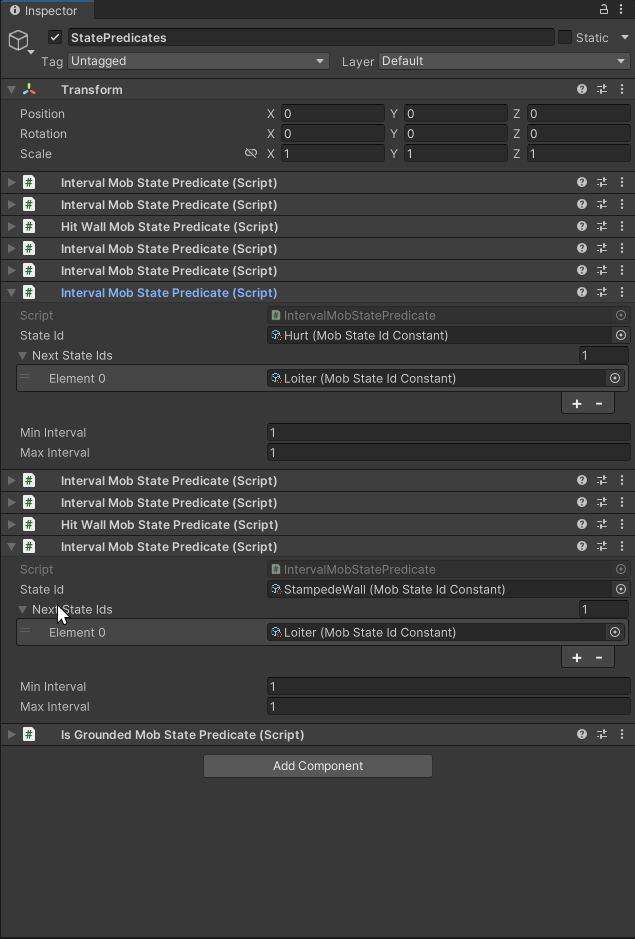
Right. Unfortunately those are internal and require reflection to use them. Your GPT4 generated example wouldn’t even work, as the class is in the wrong namespace and the method name has overloads, so you have to specify the actual parameter types. Though besides those issues I’m almost disappointed about GPT4 here. You could actually create a delegate for this method and get rid of all the reflection overhead (besides the one time setup cost). As a delegate it also wouldn’t have any boxing overhead, just the delegate overhead which is much more performant than calling through reflection.
ComponentUtilityHelper
public static class ComponentUtilityHelper
{
    private delegate bool MoveComponentDelegate(Component aTarget, Component aRelative, bool aMoveAbove);
    private static MoveComponentDelegate m_MoveComponent = null;
    static ComponentUtilityHelper()
    {
        var componentUtilityType = typeof(UnityEditorInternal.ComponentUtility);
        var moveComponentMI = componentUtilityType.GetMethod(
            "MoveComponentRelativeToComponent",
            BindingFlags.Static | BindingFlags.Public | BindingFlags.NonPublic, null, new System.Type[] {
                typeof(Component),
                typeof(Component),
                typeof(bool)
            }, null);
        if (moveComponentMI == null)
            throw new System.Exception("Internal method MoveComponentRelativeToComponent was not found");
        m_MoveComponent = (MoveComponentDelegate)System.Delegate.CreateDelegate(typeof(MoveComponentDelegate), moveComponentMI);
    }
    public static bool MoveComponent(this Component aTarget, Component aRelative, bool aMoveAbove)
    {
        if (m_MoveComponent == null)
            throw new System.Exception("Internal method MoveComponentRelativeToComponent was not found");
        return m_MoveComponent(aTarget, aRelative, aMoveAbove);
    }
}
This class actually works and the MoveComponent method is directly declared as extension method ^^. (but can still be used explicitly, of course).
With that method I made a simple example which is somewhat based on the OP question:
public class SortComponents
{
    [MenuItem("CONTEXT/Component/Sort")]
    public static void SortComps(MenuCommand aCommand)
    {
        var comp = (Component)aCommand.context;
        var go = comp.gameObject;

        var comps = new List<IPredicate>(go.GetComponents<IPredicate>());
        if (comps.Count == 0)
            return;
        var first = (Component)comps[0]; // first unordered component
        comps.Sort((a,b)=> a.StateId.CompareTo(b.StateId));
        // Move first ordered component to the very top (abobe the first unordered)
        ((Component)comps[0]).MoveComponent(first, true);
        // iterate through the remaining ordered components and put them after the previous one
        for(int i = 1; i < comps.Count;i++)
        {
            var c = (Component)comps[i];
            var cTarget = (Component)comps[i-1];
            c.MoveComponent(cTarget, false);
        }
    }
}
This adds a context menu to all components and allows you to invoke this sorting method. Since “IPredicate” was not provided, I just implemented it like this:
public interface IPredicate
{
    string StateId { get; }
}
In the code I use the context to simply get the gameobject, call GetComponents with our IPredicate type and put the result in a list. I remember the first unordered element as a reference. I sort the list based on the predicate value and then simply put them in order with our new extension method.
Keep in mind that our example here only sorts components which implement the given interface. There may be other components in between them but after the sorting they will be all clumped together after the first component that implements the interface.