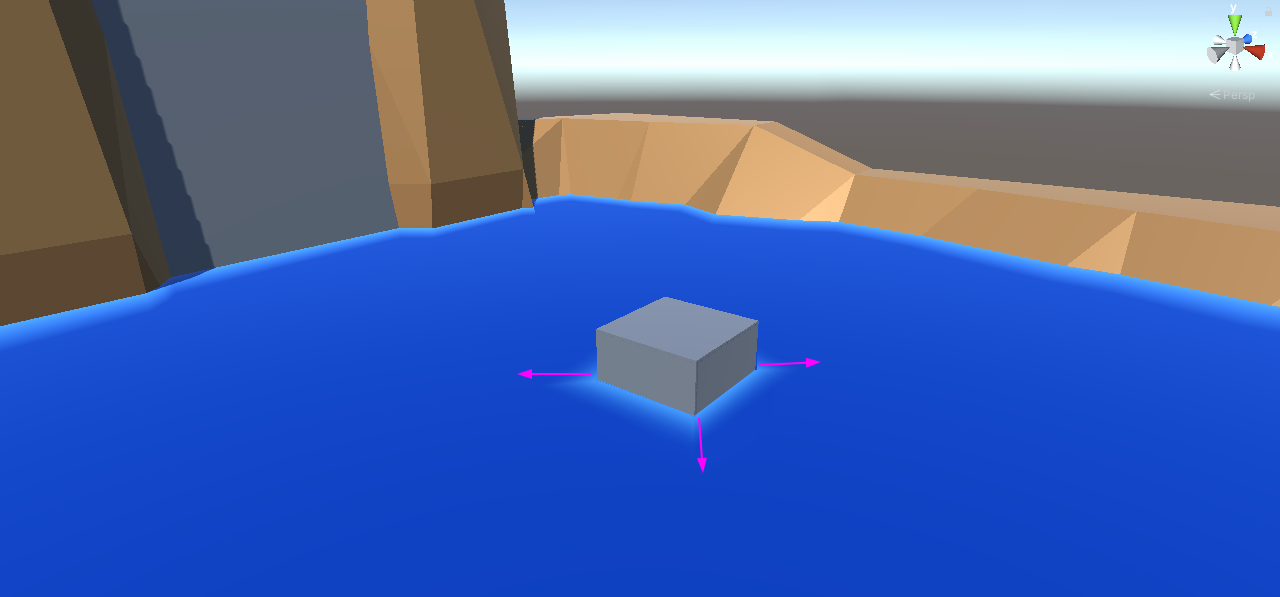
I’m working on new cartoon water shader and I’m facing a problem:
I would like to create a “foam edge” around the objects that are in contact with the water. But the problem is that, du I’m using “the depth” in order to find the cross-edge of the objects… I cannot “expand” the edge the way foam should appear “around” the object.
It’s a bit tricky to explain but I hope this images will help:
Yes, this is exactly the kind of information the depth gives you. There is no surrounding. Any advanced technique of doing this requires way more than Shadergraph is capable of. If you would use a texture, the foam won’t look that bad. Most games do it exactly the same way. Nobody cares of exact foam.
Yeah, it’s what I was expecting… shader graph is ok for basic material shaders but it’s clear that (at least for my understanding) it lacks from certain features to cover stuff like this (render-targets etc)
Thank you! I followed the tutorial and achieved this nice looking view. You can autogenerate it by baking a render texture and generate the outline mesh.
If you need to project it to the water, then just render the layer to a texture and pass it to the water shader.
Hi, I am looking to get the same effect. I tried to follow the shader graph you provided in your reply but I am not getting the same effect. Could you explain how I can achieve the foam around an object (I am relatively new to this, sorry)?
Hi, this is a really late reply but could you make the scene you created above open source? I am really struggling to understand how to get this effect. It would help if I can open the project and look at how it all works