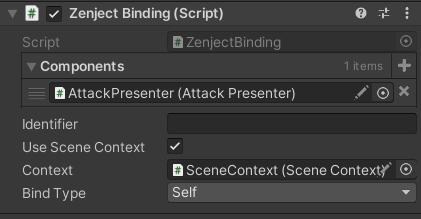
I played around a lot with Zenject, Extenject and VContainer. They’re interesting but they won’t solve your problems. Probably the main reason anyone would use them, is they allow you actually use Interfaces instead of Concrete classes.
Rely on abstractions, not concretions.
For me, spaghetti code is where if you mapped out your dependency graph, all the interconnections between your different class in a visual scripting way, it would look like a bowl of spaghetti. Abstractions allow you to avoid these direct links, making it much more difficult to create a brittle application.
Someone suggested initArgs, but I’ll also shamelessly plug my implementation [SerializeInterface] which allows you to drag an drop interfaces in the inspector.
https://discussions.unity.com/t/924530
The next recommendation, is use event-driven programming. I personally recommend UniRx. This allows you to invert the control of your classes.
So rather than you inventory having to tell your UI to display the item, the UI will instead listen for changes in the inventory, and when the inventory does have an item added, the UI will display it. This improves encapsulation as only the class itself is ever changing its own state.
// Before
public class Inventory : MonoBehaviour
{
    // Inventory has references that it doesn't care about.
    [SerializeField] private InventoryUI _inventoryUI;

    public void AddItem(Item item)
    {
        // It has to mutate the state of another class.
        // Every time you want something new to happen when an Item is added, you'll have to add the code here.
        _inventoryUI.DisplayItem(item);
    }
}

public class InventoryUI : MonoBehaviour
{
    // Notice this is public, many classes could mutate the state of this class without being able to track it.
    public void DisplayItem(Item item)
    {
        // Display the item.
    }
}
// After
public class Inventory : MonoBehaviour, IInventory
{
    private Subject<Item> _onItemAdded = new Subject<Item>();
    public IObservable<Item> OnItemAdded => _onItemAdded;

    public void AddItem(Item item)
    {
        _onItemAdded.OnNext(item);
    }
}

public partial class InventoryUI : MonoBehaviour
{
    [SerializeInterface]private IInventory _inventory;

    private void Start()
    {
        _inventory.OnItemAdded.Subscribe(DisplayItem);
    }

    // DisplayItem is private, only this class has control over its state.
    private void DisplayItem(Item item)
    {
        // Display logic.
    }
}
Zenject isn’t worth it (outside of a few applications), but it did teach me some important concepts.
- Use Dependency Injection.
Classes should not be responsible for finding their own dependencies! (service locator). This does not mean you need an IoC Container. [SerializeField], InitArgs are examples of dependency injection (in spirit).
- Use Interfaces.
Allows classes to not care about each other as they never reference one another. Changing your player controller logic will not break other classes referencing it that lead to a huge cascading errors.
- Use Observer pattern.
Rather than directly mutating the state of other classes, breaking encapsulation, have those classes observe events and react accordingly.
- Single authoritative source for Data Mutation.
There should only be a single class responsible for changing your data, that doesn’t mean wrapping your data in a Getter/Setter. Direct mutation should not be possible.
- Be mindful of your dependency graph.
You probably don’t think about it much, but when you’re dragging and dropping components into each other, you’re creating a dependency graph where your different classes rely on each other. Class A → Class B → Class C etc.
If you’re not mindful of this, you can create circular dependencies, or might be developing a dependency graph that comes to bite you in the butt. The one good thing about Zenject is that it forces you to think about your dependency graph in a way that Unity doesn’t as it simply wont work otherwise.
Children can reference parents but parents can’t reference children. I think there’s room to break the rules at the leaf nodes of the graph, otherwise Unity wouldn’t be fun to work in, but I think one of the intrinsic reason Unity apps hit a wall is because not paying attention to your dependency graph can only get you so far.