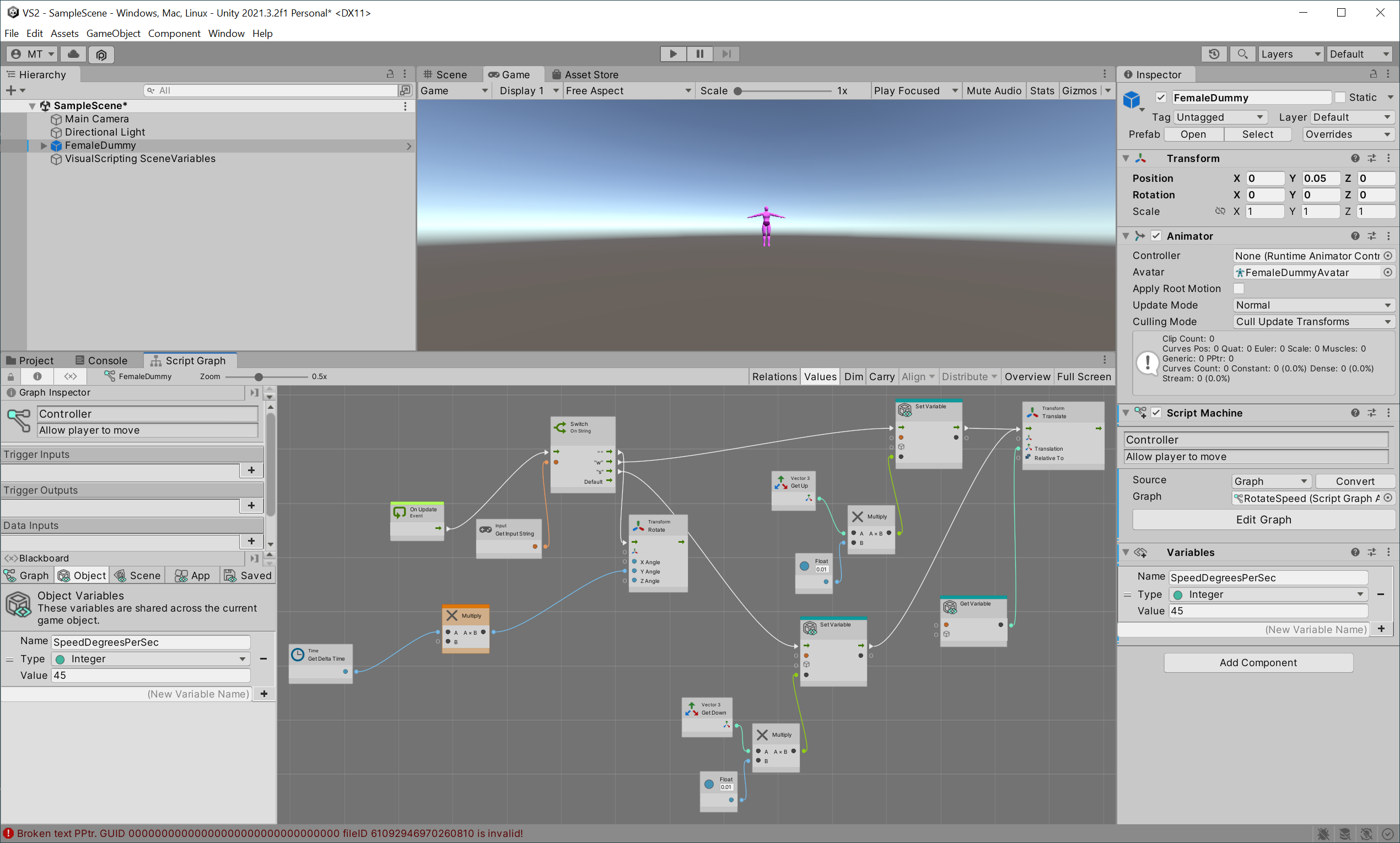
I am continuing my activity in the VS tutorial and at the stage of trying to allow my player to move and am having a problem with getting a variable I need in order to calculate its rotation speed.
The variable is a graph object int with value of 45.
I setup the variable and then drag the = icon onto the graph and I get a get Variable node not a Get Variable with a name.
I have restarted unity editor, unity hub and editor and my w10 system but problem persists.
I have added screen prints of what I am getting before and after the drag drop and an example of what I am expecting from the tutorial document.
Anyone any hints for me?