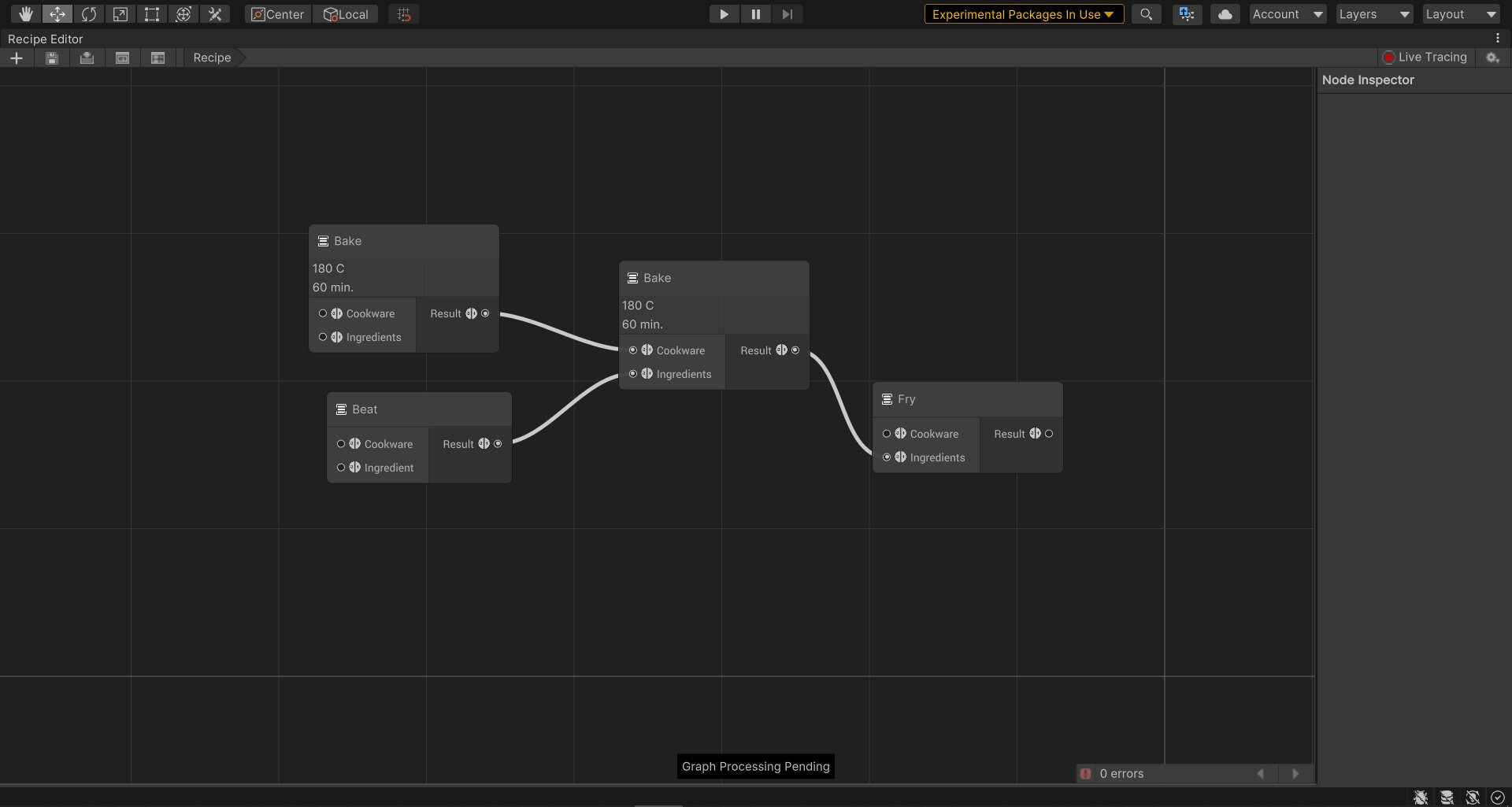
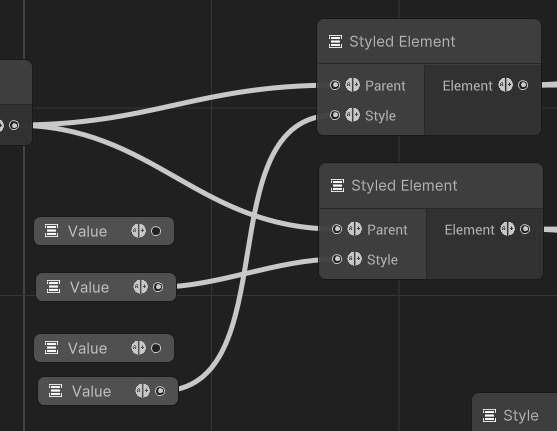
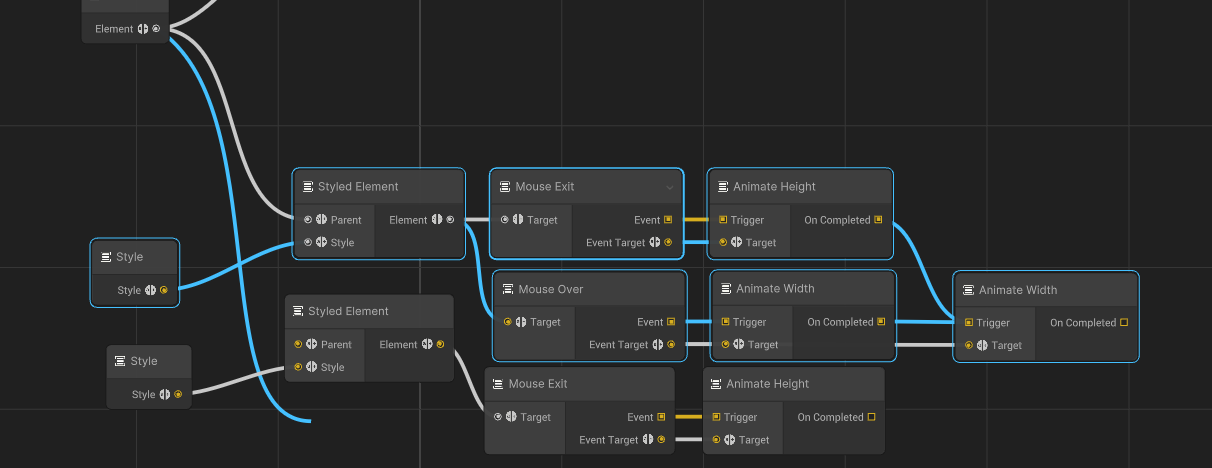
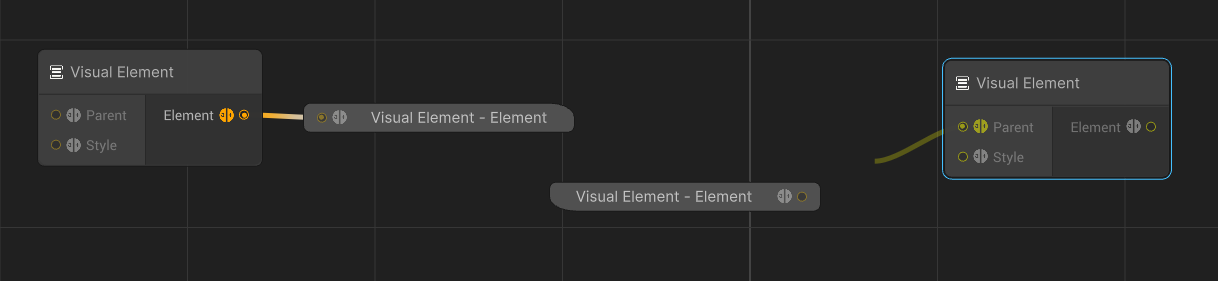
So recently I stumbled upon this package called “Graph Tool Foundation”. Its purpose was self explanatory and after downloading it and taking a look at the attached sample I realised it’s potential. It is essentially a remake of the experimental Graph View API, and it looks promising, but apart from the package website and some confused users on a forum post there is nothing written about it.
It seems to have a lot of cool features (some shown in this Twitter thread I made) but no one seems to be talking about it. There should be a sub-forum dedicated to it, so people can test it out and give feedback, but there is nothing.
Is there anyone working at Unity who can say or do anything about it? I know it’s experimental, and it is only in version 0.8. But still, we have forums like the UI toolkit forum which has been there since almost the very beginning of the package, and having used that forum a lot, I have seen the value of early feedback in such APIs.
Thank you! I hadn’t taken a look at the Manual since 0.5 and looks like there’s a bit more documentation now to get started. Happy to see a common graph library is moving forward and not behind an internal gate
No problem! This API has the potential to change Unity tools forever, but only if people know about them. The samples are a good place to start and they seem to be updating the package frequently, so that’s a good thing.
The only place this is really being talked about is in the Visual Scripting for Unity forums. The devs there talked about switching the front end of VS from Bolt to Graph View Foundation. It’s still not ready yet as they’ve said so not a lot of tools are using it yet but it will be the standard for all of them soon.
Also if you have used the early versions of DOTS Visual Scripting, those also used Graph View Foundation. That was the first major Graph Tool I know of that used it and where I first saw it mentioned.
Hi everyone, the reason why we are not having a dedicated conversation about this is because we weren’t ready to talk about it just yet, in particular because we expect to have a very clear strategy between this and graphview, along with the development of the many graph tools currently ongoing across a variety of teams.
So in a nutshell, we are getting closer to an experimental version of it, and we’ll expose a clear roadmap with it so we can have a conversation about everyone’s needs in that direction. I can’t tell you when exactly unfortunately, but I can tell you it is not expected before months.
OK, so I have gotten some time to experiment with it now, and due to the lack of a dedicated forum for this, I am just going to write some of my thoughts here:
Good:
First of all I just wanted to say that so far my experience with Graph Tool Foundation has been really good. I like that it takes care of the basics such as:
copy/paste (Even between graphs)
saving/loading
connecting ports and compatibility (+ portals & control points)
navigation + minimap
undo/redo
creating/deletion
I also like how easy it is to create properties in the blackboard and how far you get with the recipes sample in terms of useful functionality.
Needs Improvement:
Access to the node UI given a node model (this might already be a thing, but not as far as I could find). In the Graph View API this was really easy, and it made it possible to do things such as this (change title container color and header font size and weight):
Color should not change the entire node, only the title content to avoid ugly colored thin edges like this:
Per node boolean overrides for things such as “CanDelete”, “CanChangeColor”, “CanRename” etc. which would change how the contextual menu behaves when this node is selected.
Blackboard properties should be drawn in the inspector.
Node properties are currently a hazzle to deal with and feels like a workaround.
The node inspector should show up as a floating window next to a node hen you click it, and not be a static panel.
Questions:
Even though the step by step get started guide is really good, there are still some API related questions I have, such as:
Where do you insert nodes programatically if you want them to be created the first time you open the graph? (Answer in next reply)
How do I utilize (or remove as I might not need) this:
What are these icons and how can I change them?
How can I change the color of the edges?
What are execution ports and how do I use them to something useful?
How am I supposed to traverse the graph structure given a NodeModel to start from?
Bugs:
Although most of the package runs as expected, I still stumble upon some unexpected behaviour from time to time.
Properties from the blackboard can only be connected to a single port and when you try to connect to more, it creates a new property node:
(More bugs in additional posts as I am limited to only 5 attachments per post)
Alright, so I figured out the first and most important question. In the Stencil, there is a method called “PreProcessGraph” which you can override. Here, I cast the “GraphModel” property to my own graph model type and call “Initialize” on it. The Initialize method just adds my root node, but you can put all sorts of functionality in here.
Stencil:
public override void PreProcessGraph(IGraphModel graphModel)
{
    if (GraphModel.NodeModels.Count == 0) ((InterfaceGraphModel)GraphModel).Initialize();
    base.PreProcessGraph(graphModel);
}
GraphModel:
public void Initialize()
{
    CreateNode(typeof(RootNode), "Root", Vector2.one * 250);
}
Awesome work! Thanks for putting in the effort and sharing your findings. Definitely going to play around very soon, will come handy with something I’m working on for a later time. Looks like it’s headed in a great direction though.
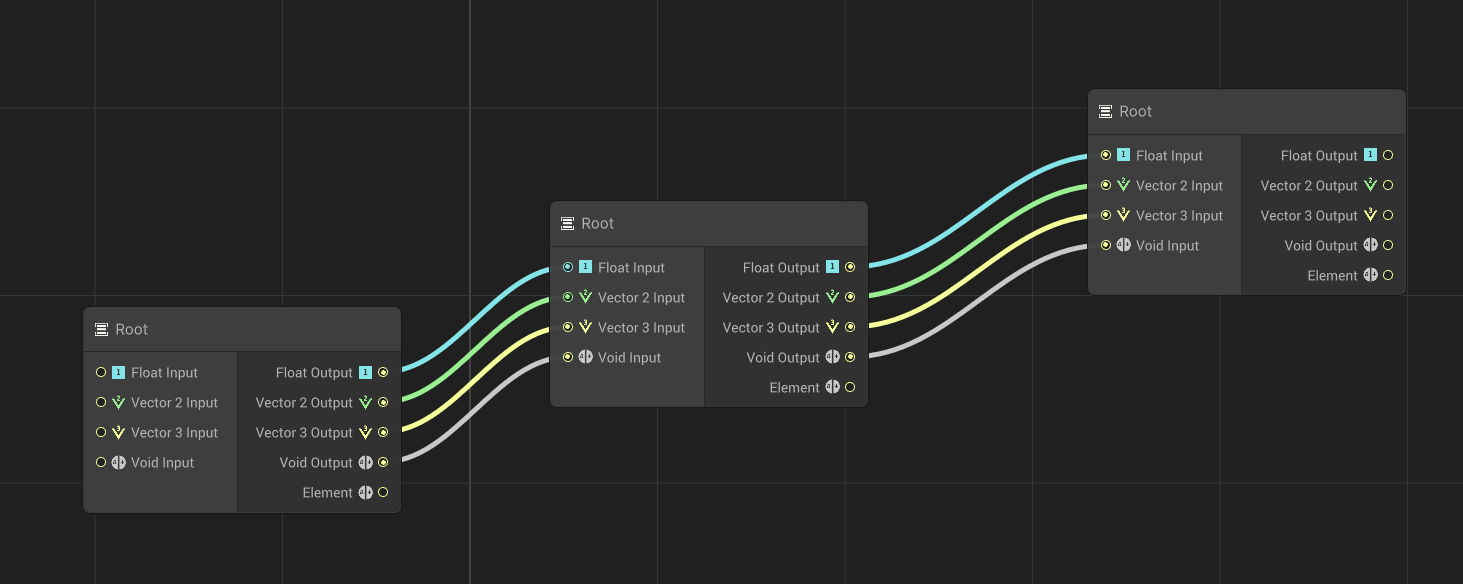
Getting closer to figuring this out. By using some built in TypeHandles such as TypeHandle.Float and TypeHandle.Vector2 you get ports with other icons and different colors. Somehow there must be a way to make my own icons and colors…
Not related to ports, but I figured out how to disallow certain behaviour on nodes, such as deleting, moving and collapsing (Place in your node script):
I want to interject that I would like to create nodes that don’t simply take ports with “input” – but rather rely on data predefined elsewhere (during edit time mostly – but in special cases, during runtime as well).
The UI for this likely would just be a simple right-click on the node to define its source in the graph view (rather than a dropdown or input-box or whatever).
The node itself would specify the type of data source it would need as an input (i.e. DOTS entity, DOTS entity prefab, Serializable Object, Scriptable Singleton, Scriptable Object, Monobehaviour Variable/Type, Monobehaviour List of Variables/Types).
A few possible sources for this node’s input data that I can see using ALL THE TIME:
a convertible DOTS prefab’s entity data (and/or its respective “dataless tag” entries – not necessarily the “active” dataless tags that exist for the entity however, but these need to be considered as well in some special cases)
a serialized database object (serializable object – i.e. scriptable object, scriptable singleton)
a set of variables (i.e. a list of scripts, objects, types, tags, layers, etc.) that can be referenced from anywhere, as long as they are explicitly told to be accessible in a particular scope (such as by using “dataless tags” – see any forum post by me that discusses these for defining scope)
Lastly, defining a node that is simply an image (and a background image that is simply an image) that can be zoomed in/out with the nodes (in cases where I need to keep track of particular groups of things visually – relative to the nodes themselves and their actual sizes). The background image should be able to be set to be non-zoomable as well (i.e. a logo or whatever defining the particular type of graph being displayed). Clearly, the background image visuals should be able to rely on conditional display (i.e. a graph without nodes should be able to display an “empty” logo, for example). In my case however, I need the background image to stay at the graph origin and be zoomable (i.e. scaled to the current zoom level). I can see no need for it to follow the view in my use-case (or be independent of its scale).
There should be support for multiple BG images though – i.e. the main image follows my zoom scale (but not view positioning), but the logo behind the main image is independent of the zoom scale / view positioning.
Lastly, and most importantly:
I also would like for some nodes to allow me to specify that they navigate me to a particular graph type (and then right-click the node to specify which specific graph that is). This right-click menu should be editable (so I can define my own UI / UX for specifying those particular graphs / types of graphs in a special way if I deem it necessary). This is extremely critical to letting me use existing Visual Script graphs and adding in my own way of working with them that is more streamlined (and productive) for my particular game’s (overall) architectural approach.
I would like to specify my own “Scope” using dataless tags, for example – then execute different graphs based on the scope I’ve setup with the tags I’ve chosen for certain objects in my game.
In other cases in my graph, I would simply like to edit these nodes to point to a particular UI that lets me set some specific data within the graph-view that is NOT node-related (despite being located somewhat within the node context). This is for convenience and UX – not out of necessity (except where time and speed of my workflow is concerned). This would be a godsend for the GraphView toolset.
Please pass my feedback on to the GraphView teams. Thanks.
The nodes themselves should not assume they are going to be used in a node-basedcontext.
I can see the nodes themselves being used as (in-context) tools and utilities for entirely different tooling purposes, mostly related to UI and UX workflow improvements. Rather than simply a linear execution of node-based logic, which is the typical use-case of nodes, some nodes would be disconnected from the graph flow and act as “windows” to other toolsets / panels / EditorWindows / pop-ups – that are more conveniently placed (in-context) with the game logic, allowing them to be accessed quickly – in context – with the logic that utilizes (or is acted upon by) the EditorWindow or inspector / pop-up / tool / UI-element one needs the Visual Script behavior for.
A good example of this in games might be to set/remove dataless tags and even the object itself (in-context with the script) to change the entire scope of the behavior or the entire scope of the script’s execution while debugging its logic (and/or stress-testing the project’s overall architectural approach).
In other words, instead of debugging the ONE object a script is attached to – a user can change the object itself from within that script to a “testobject” that only has certain (limited) data and behaviors, letting one isolate problematic logic (and problematic approaches to program structure) and reprogram scripting architecture in moments (rather than in hours) – identifying a huge benefit to Visual Scripting that standard text-based coding does not have – since it cannot change its inflexible text-based UI (ans therefore its overall UX) without changing the entire language itself.
The above changes to GraphToolsFoundation are extremely important for Visual Scripting to have a decent (and flexible) structure that allows easy OOP-like ECS behavior when implementing DOTS systems and architecture (flexibly) alongside Monobehavior architecture.
You signed up for overseeing this Monobehaviour/DOTS hybrid – not me – but believe me when I say this:
After years and years of research (on my own time) into the UI / UX of game development of all scales – I am telling you that you need this kind of more flexible UI / UX approach in your underlying GraphToolsFoundation in order to provide users with the flexibility they need to properly (and comfortably) define, scale, and maintain their projects’ code architecture – visually – on projects of any scale and/or complexity – that must later increase (or decrease) in scale / complexity – because architectural changes are generally constant (as you are learning with Unity itself), so to define the needs early – and to prepare for that kind of flexibility – you are making people like @willgoldstone happy, while also making your userbase happy (and proud of you) as well.
Just my two-cents. Take it or leave it. But hopefully – for everyone’s sake – you take it.
Reordering edges will produce an error about a layout update gone wrong. This sometimes also happens if you connect multiple inputs/outputs to one single execution port:
EVERYTHING is serialized. Even my private variables such as “visited” which I use to keep track of which nodes have been processed. Only public variables and variables with the [SerializeField] attribute should be serialized. When that is not the case, you need clever workarounds for things that should happen automatically such as private variable reset. Currently I can get around this by resetting the variables in OnDefineNode().
Quick question: Version 0.9 of GTF was just released, but are there any estimates on when it will have support for 2021.X? Currently, only 2020.1 is supported.
Whatever it is, the next step is probably the documentation and integration of this tool…
GTF will be used by all unity graphical tools. (VFX, ShaderGraph, Visual Script. Animation Rig…) I just hope that the next update will include the possibility to use the icons in the inputs / outputs as in the current Visual Script.
If you drag and drop a blackboard item to an input port, you get the UE4 like behaviour of an automatic connector, but it instantiates two copies of the blackboard getter for some reason.
It results in a null reference exception if you connect an output port to another output port.
Can connect two ports on the same node.
If you drag out of an output port and use the newly instantiated searcher to attach the next node, it’ll automatically connect that output port to the first whichever input port of the new node.
In our current project, we have 3 different graph based systems all running on the “old” Experimental.GraphView API.
Thinking of switching so I don’t have to implement things like cut/copy&paste, Groups, SubGraphs and so on … but one system runs on GameObjects instead of Assets:
BehaviourTrees (Asset)
DialogueTrees (Asset)
LogicGraph (GameObject)
The LogicGraph is somewhat like Bolt, just there are very specific Nodes which have Save&Load (ingame) implemented. Every node is a monobehaviour (on a child gameObject of the GraphHolder GameObject).
I wonder if a setup like this would be possible with the Graph Tools Foundation (?)