Hey there.
I have two cameras in the scene. one is the main camera that is always enabled, and the second is a disabled camera.
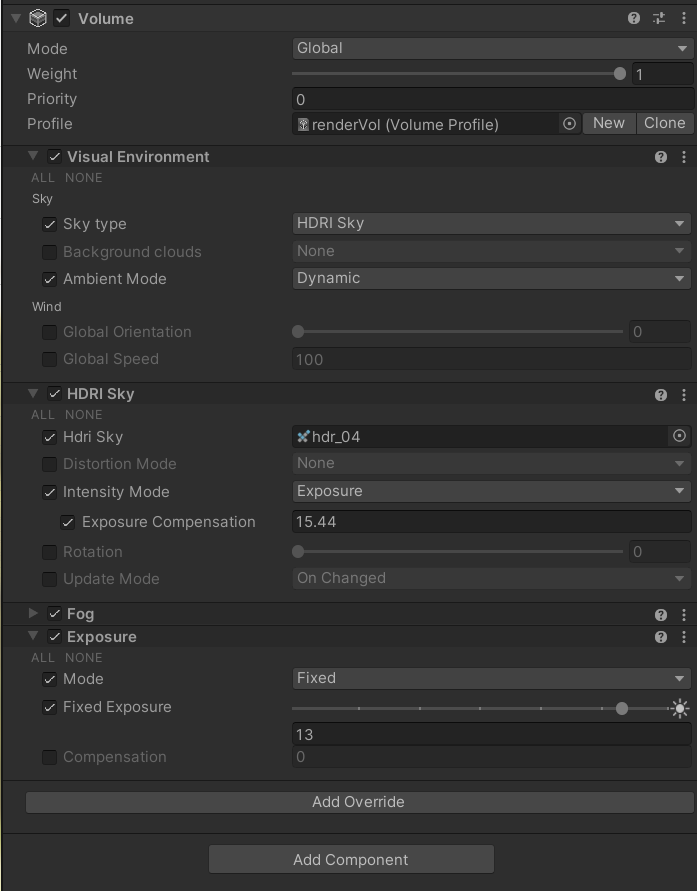
I have one volume in the scene with HDRI sky. in the main camera, everything is fine. but when I capture the second camera manually via code ( camera.render() ), the result render texture doesn’t have the HDRI sky ambient lighting.
The HDRI sky is visible in the background and the reflections but the ambient lighting or GI of the sky disappeared.
If I do the render in a coroutine and in the first frame set the camera to enabled, the render texture will have the same problem, but in the second frame, HDRI GI appears in the render texture and everything looks fine.
Unity: 2022.1.20f1
HDRP: 13.1.8
images:
First frame RT: (wrong sky lighting)

Second frame RT: (correct sky lighting)

Volume profile: