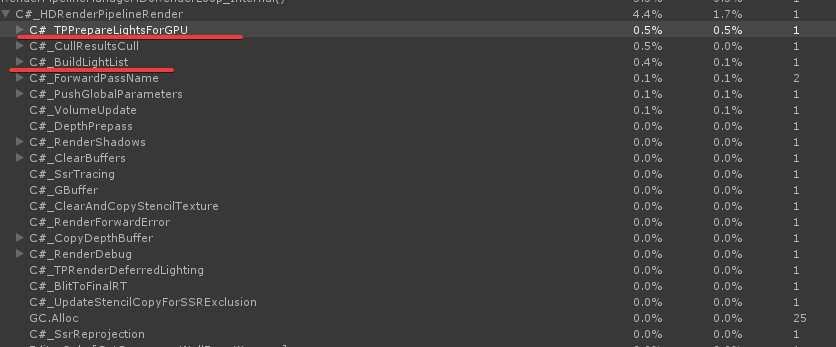
One of my cameras renders to RenderTexture some unlit objects with custom shader. The camera is in Forward I call manual Camera.Render(). Scene contains a lot of lights, but non of them are used in the RednerTexture rendering process.
They sort of fixed it, but a cam even with everything off still makes 27-30 DrawCalls.
The solution is to move to CommandBuffers. I just set view and projection matrices from a camera to a CommandBuffer, schedule with CommandBuffer.DrawRenderer() or CommandBuffer.DrawMesh() and then execute it.
CommandBuffers have their own problems with latest HDRP. Particles and trails don’t work in 2019.3.8f1
Thanks for the answer! I actually use particles in some cases but I would like to learn more.
I’m quite new to HDRP and CommandBuffers/custom rendering in general. Do you use the HDRP’s CustomPass or command buffers with the camera? There isn’t too much information around, if you could help me with some guidance, it would be much appreciated
CommandBuffers can be used in any rendering pipeline in unity. With a CommandBuffer you issue a sequence of commands to execute on a GPU and then use the result as you see fit. The result is a RenderTexture (RenderTarget). CommandBuffer does not need a camera. But you can use a camera to set up your command buffer’s matrices, so it renders your stuff from camera’s parameters. Please explore links below:
There are example projects on this page (a zip archive).
You usually use CommandBuffers to make custom procedural textures or in conjunction with custom PostProcessing. Information and examples on Custom PostProcessing in HDRP for can be found here:
@Lynxed Thank you! Good to know that they are working in all render pipelines. I thought they are only work in standard rp and for SRP I need to rely on the custom rendering features. But I didn’t do my research yet