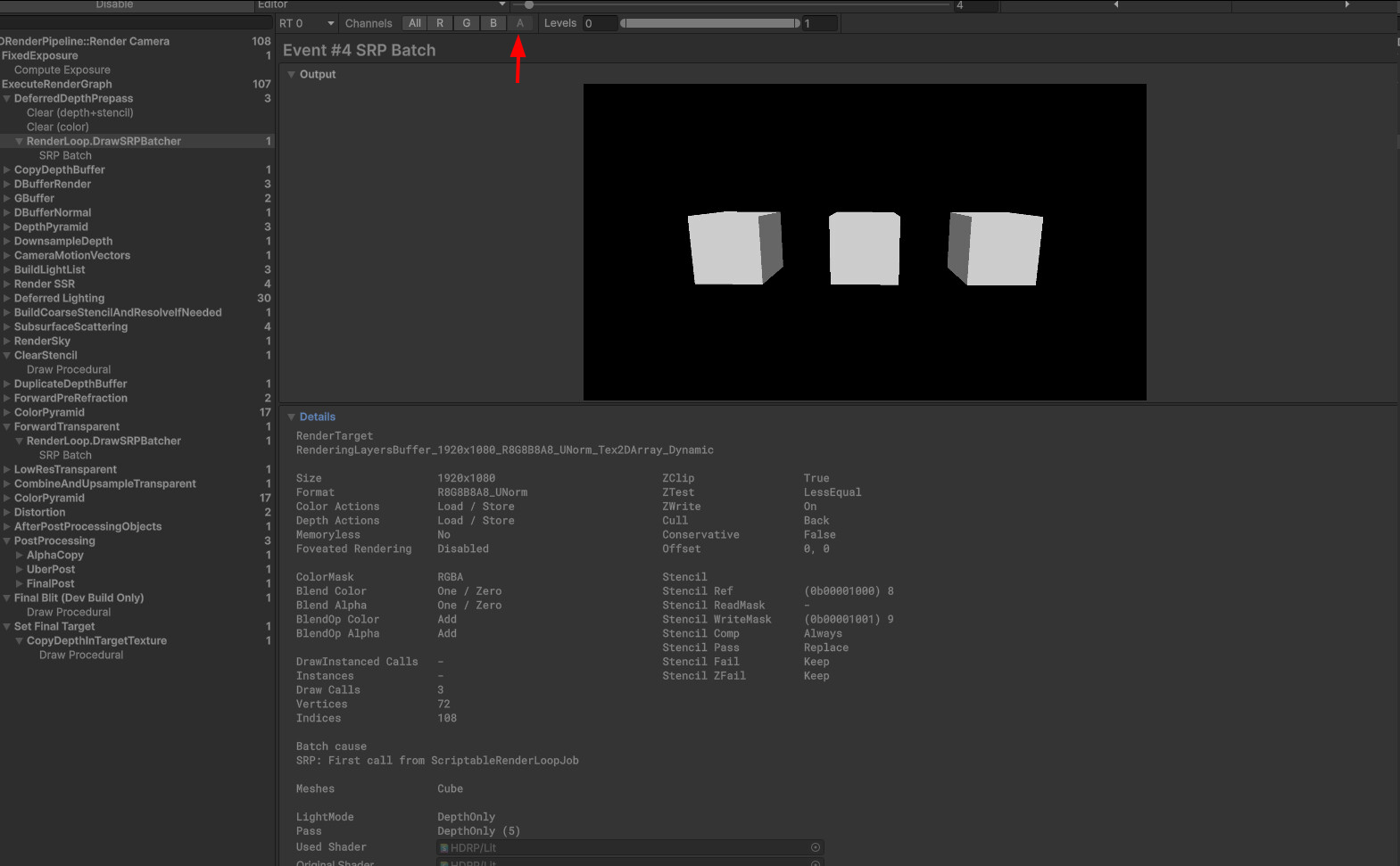
Frame debugger tells me that RenderingLayerBuffer is drawn
But when I try to sample in shader graph, _RenderingLayerMaskTexture always has 1x1x1 size and output is always black.
Layer Mask Buffer is enabled in hdrp asset. Black plane uses this shader graph. If sampling any other buffer like normal or smoothness, this setup works correctly. But rendering layer mask is always black.
I would also like to know what values in this buffer mean. How channels are used. How should I detect a specific layer from this. And why Blue and alpha channels appear to be shaded instead of solid color?
I’ve reported this bug: IN-107319
Reproduced in 6.0 and 6.1. Both Fullscreen and Unlit shader graph.
We figured it out, there are 3 requirements for it to work:
- Rendering Layer Mask Buffer enabled in HDRP asset
- Rendering Layer Mask Buffer enabled in Frame Settings
- You must add ANY custom fullscreen pass to your camera. Even just default blank one. It doesn’t need to utilize this buffer or do anything at all, it just needs to exist and affect your camera.
#3 is a bug: Unity Issue Tracker - HD Sample Buffer returns black for Rendering Layer Mask when Custom Pass Volume is not active
I could not find a way to use this float output of HD Sample Buffer node. And I don’t think it can be used at all considering it smashes 16 bit uint mask into a single float 0-1 value.
If anybody is looking for a real way to sample rendering layer in a shader graph, I made this simple custom function that is going to compare a certain layer index ignoring other bits in the mask.
void FUN_float(float2 uv, int layerIndex, out float Out)
{
    uint2 pixelCoords = uint2(uv * _ScreenSize.xy);
    uint mask = UnpackMeshRenderingLayerMask(LOAD_TEXTURE2D_X_LOD(_RenderingLayerMaskTexture, pixelCoords, 0));
    if ((mask >> layerIndex) & 1)
        Out = 1.0;
    else
        Out = 0.0;
}
This example will draw white pixels where models with layer number 5 were drawn. Ignoring any other layers that these models may also have.