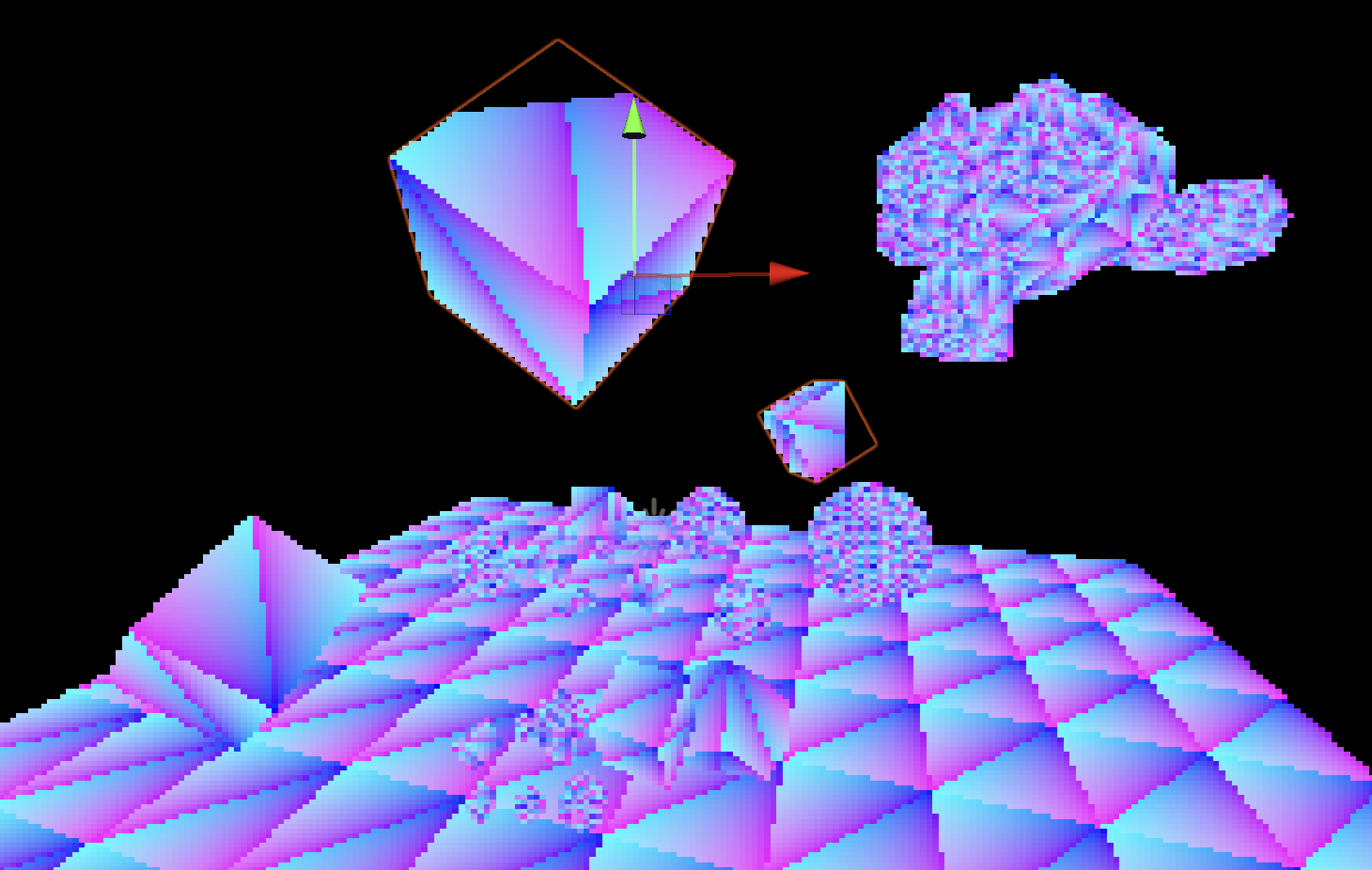
Available from version 6000.3.0a, we are introducing the UnifiedRayTracing API, a new library that enables ray tracing workloads on GPUs without dedicated hardware acceleration. Originally developed as part of an effort to modernize the Editor’s light baking backends, we realized this functionality could also be beneficial for our users, so we’re making it publicly available.
In order to accommodate a software fallback, the API is more constrained than Unity’s hardware ray tracing API. That said, it can work in both the Editor and the Player. It can, for instance, be used as GPU alternative to the Physics.Raycast.
Unified abstraction: it can use hardware ray tracing when available, or fall back to a compute shader-based implementation when it’s not.
Public C# implementation: The entire library is written in C#, making it easy to inspect, debug, or even modify. The code is located here, as part of the com.unity.render-pipelines.core package.
Runs in both the Editor and the Player.
Fine print about the API:
It does require the GPU to support Compute Shaders.
It does not magically bend the laws of physics which means performance will be slower compared to hardware-accelerated solutions. For real-time scenarios, you’ll need to be mindful of scene complexity and ray count to maintain acceptable performance.
It does not automatically handle animated skinned mesh renderers.
First congrats on the milestone, I have a few questions:
1- The documentation says it can use hwRT when available, what is the list of hardware supported? I’d imagine RTX GPU’s and RDNA 2+ GPU’s are obvious, but does it support MetalRT and AndroidRT and Nintendo Switch 2 etc…
2- Is this the API that is used by Unity’s graphics engineers to create this RTGI solution?
1- The documentation says it can use hwRT when available, what is the list of hardware supported?
The UnifiedRayTracing lib leverages Unity’s RayTracingAccelerationStructure for the implementation of its hardware backend. The support is therefore the same: mostly GPUs that expose their HW raytracing acceleration through DX12. For all other platforms the UnifiedRT API has to use the compute shader based fallback. That’s of course not ideal. The raytracing team is looking to extend that support to other graphics APIs but it’s a long-term undertaking.
2- Is this the API that is used by Unity’s graphics engineers to create this RTGI solution?
Yes
3- Can Alpha geometry be included in the BVH structure?
OMM are currently not supported by Unity’s RayTracingAccelerationStructure API, which a prerequisite for that to happen in the UnifiedRT API. As for the traditional way of supporting alpha geometry (AnyHit shaders), there is a way. It’s not documented, but the UnifiedRT shaders can support a AnyHit callback function. Instead of including “TraceRayAndQueryHit.hlsl”, you need to include “Packages/com.unity.render-pipelines.core/Runtime/UnifiedRayTracing/TraceRay.hlsl”.
Check this unit test shader for a code example.
Can you clarify this? Is there a way to manually add skinned mesh renderers?
And is ion possible to add animated mesh renderer? If yes, are they also updated every frame?
Do you have any loose numbers on the slowdown from using the computer backend instead of hardware accelerated ray tracing? I’m sure it’s wildly different by platform, but I’m curious if you have any gut sense or heuristics.
The API’s ray tracing acceleration structure can only be updated manually through its AddInstance/RemoveInstance methods. If you want to animate an instance every frame you’ll have to modify its Mesh (through a compute shader for instance) then remove the instance and add it again.
When comparing the API’s performance between its hardware backend and the compute one the slowdown can be as bad 10 times slower for the compute backend for a naive single kernel path tracer. Depending your specific shader and your acceleration structure build setttings, it can be anywhere in a 2-10x slowdown range. But of course the point is to only use the compute backend when hardware acceleration is not supported by the GPU.
It’s feasible , but it all depends on how many triangles that represents and the performance of a specific GPU. Speaking of performance, the compute backend is based on a port of this RadeonRays implementation that is growing old and leaves plenty of room for improvement.
In the meantime, the idea is to release what we currently have. Further enhancements will be guided by real-world usage and feedback on how the API is adopted.
I’ve been looking forward to seeing this made available ever since the light transport library package first started showing up. Congrats on taking these first steps towards publishing unified RT!
After some experimenting over the past couple of weeks with the API, there are a couple of thoughts I’d like to share. I have not tested this on anything other than macOS with Metal, so perhaps some of this might be a case of YMMV.
Firstly, it seems like we won’t be able to fetch geometry attributes (normals, uvs, etc.) until AccelStructAdapter is made public. Any timeline on this? As is, it feels like we aren’t able to do much until this is available.
Next, when using “useCPUBuild” in the AccelerationStructureOptions, it seems like something is incorrect with the transformation matrices of the instances. Queries do hit geometry, but not in world space.
Finally, while queries seem to work most of the time when “useCPUBuild” is disabled, in some cases I’m getting some misses that seem incorrect (see the edges of the selected cubes in the following screenshot). Any thoughts on what might be going wrong?
Thanks for the communication, and really looking forward to seeing this further developed! I’ve been wanting to deliver RT graphics features on platforms like WebGL for some time now, and would much rather use this over continuing to maintain my own compute RT and BVH solution.
Firstly, it seems like we won’t be able to fetch geometry attributes (normals, uvs, etc.) until AccelStructAdapter is made public. Any timeline on this?
Indeed, the UnifiedRT API is only providing functionality to trace rays against the triangles’ positions. Tracking and fetching geometry attributes is up to the user. But as you’ve noticed in the code, we have developed our own infrastructure to fill that gap with the AccelStructAdapter and its associated GeometryPool. We don’t have any short-term plans to make them public since they are a bit too tailored to our internal use cases. Whether we eventually decide to make them public depends on how mesh management and ray tracing will evolve in the Engine.
I recommend you use your own copy of these files for your project (with the classes declared a different namespace to avoid conflicts). Forking the whole com.unity.render-pipelines.core package to modify the code and make the classes you need public is also an option but that will make upgrading your project to later versions of Unity a headache as you’ll have to manually reconcile code conflicts between your changes and Unity’s.
Next, when using “useCPUBuild” in the AccelerationStructureOptions..
Could you send us a bugreport with your repro project attached (or share it here) ? I did a quick test and I’m not reproducing the issue.
Finally, while queries seem to work most of the time when “useCPUBuild” is disabled, in some cases I’m getting some misses that seem incorrect
That kind of issue is usually related to the tmin and tmax of your ray. You can try to check that they are propery assigned. Although in your specific case, the issue seems to happen in the bottom-level accel struct. You can check your the values of your instance transforms. but it’s most likely a bug, you can tie it with the other one in a bug report.
It’s admittedly a bummer to hear that the current scope of this API is so limited, but can appreciate any motivations to encourage DIY solutions to fetching geometry attributes. Practically, I’d appreciate some built-in support for this, but if the UnifiedRayTracing API doesn’t aim to be a swap-in replacement for the existing GPU ray tracing API (as is the case with managing instances and supporting skinned meshes), so be it. Thanks for the insight.
Please find attached a barebones reproduction project for the issues I’ve described. I’m happy to submit this as a bug report too, but perhaps it’d be worth holding off until you or someone else can confirm in this thread whether or not I’m just doing something naive. Everything seems fine to me regarding the implementation (instances are added correctly, rays are filled out with valid distances), but perhaps I’ve missed something.
So for both the issues you reported, there was indeed a bug stemming from incorrectly computed transforms. It had eluded us so far because typical scenes have transforms a bit less funky than in your test scene :). The fix is done, here is the link to the ticket in the issue tracker. It will get updated with the exact versions the fix will land on.
What will you loose if you still make them public? I think many internal APIs are too constrained in Unity, so often reflection is needed to access them. I even saw this in highly rated / popular assets in the asset store. Why not exposing everything which might be useful and let the user decide? You can still mark them as experimental.