when trying to create a project with Unity 5.6 BETA version
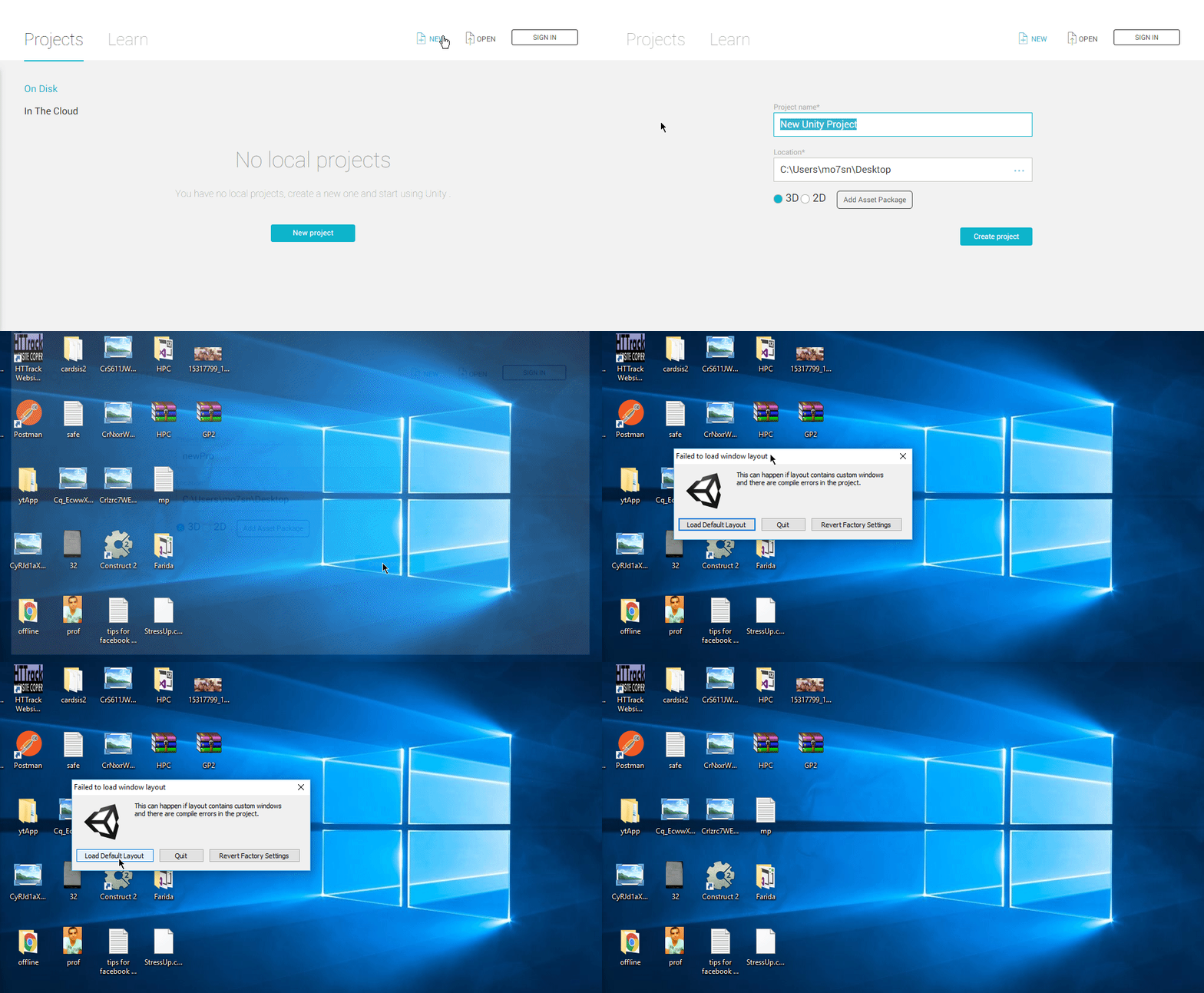
it always makes this error " failed to load window layout" , I have windows 10 64bit
this below image describes the problem
1 Like
@QA: I submitted a similar issue a while ago as:
(Case 825848) WindowLayout errors when switching between projects
Error messages are, but not limited to:
- Removed empty DockArea while reading window layout: window #11, instanceID=8856
- Removed unparented EditorWindow while reading window layout: window #19, type=UnityEditor.FallbackEditorWindow, instanceID=8872
- Error while reading window layout: window #9 is null
- Failed to load window layout: System.Exception: Exception of type ‘System.Exception’ was thrown.
- Failed to destroy editor windows: #7
- Failed to destroy views: #10
I don’t understand you --anyway
how to solve my problem ??
Hi frodoe7,
Could you please file a bug report for this issue and reply in here with the case #?
I had the same problem as @frodoe7 - when trying to open, or even create a new project (which means I couldn’t get into Unity at all).
What I tried and which did not help:
- Uninstalled Unity 5.6.0b4 again, reboot, reinstalled 5.6.0b4 - no change
- Deleted all Unity folders in %appdata%/subfolders - no change
- Start Unity as an Administrator - no change (when not starting as Administrator, I got another error message when trying to create a project: “Project folder or disk is read only”. It’s not.).
What I did next, which did help:
- Uninstalled Unity 5.6.0b4. Reboot. Reinstalled Unity 5.5f3. I could now create new projects and open existing without problems (in the same location where Unity 5.6.0b4 gave the above errors about read-only-ness during create, and on the same project about the window layout).
- Uninstalled Unity 5.5f3. Reboot. Reinstalled 5.6.0b4. SUCCESS!! I could now create new projects and open existing ones also with this version.
Conclusion: Uninstalling/reinstalling the beta as well as deleting folders/starting as Admin did not help, but installing 5.5f3 in between and then the beta again did work.
@LeonhardP I filed a bug report, the ID is #872008; not sure if this is worth following up on though.
Same thing happened to me. I won’t duplicate the bug report, but you’re not alone!