In ECS 1.0. I must be missing something here, is there a way to get pre baked entitles that you can dynamically instantiate into any loaded scene that you happen to be in? From my research it looks like the bake system only triggers from sub scenes? So it seems to me that I have to load a scene with a sub sene inside to then get access to the bake system inside a mono behavior inside that sub scene? And you cannot make a sub scene outside of a scene so I need to make a unique sub scene in every scene I want to access my prefabs in?
The concept of a scene is totally irrelevant to my game, everything is procedurally generated on the fly, I and just want some way to get a big inventory of all my entity prefabs so I can start the generation code and build my level.
There must be something I’m missing? Are we completely tied into manual sub scene creations for every ECS based level?
Hi, I’m in the exact same case as you are. Previously this was possible in older versions of ECS.
Currently, I’m having multiple assets downloaded from the network and the scene being put together without any other sub-scene.
I managed to get all the data inside the ECS but not on the actual scene.
First, you need an Archetype for your data in order to let ECS know what you will put in the memory.
var itemEntities = new NativeArray<Entity>(entitiesCount, Allocator.Persistent, NativeArrayOptions.ClearMemory);
World.DefaultGameObjectInjectionWorld.EntityManager.CreateEntity(ItemArchetype, itemEntities);
After you have them into the memory, you can fill them in:
            var entityPositionIndex = 0;
            foreach (var data in renderData)
            {
                var meshRenderer = new RenderMesh
                {
                    material = data.Material,
                    mesh = data.Mesh,
                    subMesh = data.SubmeshIndex
                };

                foreach (var localMatrix in data.Matrices)
                {
                    var itemEntity = itemEntities[entityPositionIndex];
                    SetupEntities(worldMatrix, itemEntity, id, localMatrix, parent, ref meshRenderer, 1);
                    entityPositionIndex++;
                }
            }
So the data is sent from MonoBehaviour to ECS. You could see them in the hierarchy but not on the screen.
This is where I blocked. If anyone has any suggestions please fill in the gaps.
If this is question about procedural generation in 1.0 - in that case for me works RenderMeshArray and RenderMeshDescription which i first fill with data after that i use RenderMeshUtility.AddComponents and after code above execute entity is visible (my ring world or halo entity) - though this is done from SystemBase class
using Unity.Collections;
using Unity.Entities;
using Unity.Jobs;
using Unity.Mathematics;
using Unity.Rendering;
using Unity.Transforms;
using UnityEngine;
using UnityEngine.Rendering;

public class AddComponentsExample : MonoBehaviour
{
    public Material Material;
    public int EntityCount;

    // Example Burst job that creates many entities
    [GenerateTestsForBurstCompatibility]
    public struct SpawnJob : IJobParallelFor
    {
        public Entity Prototype;
        public int EntityCount;
        public EntityCommandBuffer.ParallelWriter Ecb;

        public void Execute(int index)
        {
            // Clone the Prototype entity to create a new entity.
            var e = Ecb.Instantiate(index, Prototype);
            // Prototype has all correct components up front, can use SetComponent to
            // set values unique to the newly created entity, such as the transform.
            Ecb.SetComponent(index, e, new LocalToWorld {Value = ComputeTransform(index)});
        }

        public float4x4 ComputeTransform(int index)
        {
            return float4x4.Translate(new float3(index, 0, 0));
        }
    }

    private Mesh CreateCube () {
        Vector3[] vertices = {
            new Vector3 (0, 0, 0),
            new Vector3 (1, 0, 0),
            new Vector3 (1, 1, 0),
            new Vector3 (0, 1, 0),
            new Vector3 (0, 1, 1),
            new Vector3 (1, 1, 1),
            new Vector3 (1, 0, 1),
            new Vector3 (0, 0, 1),
        };

        int[] triangles = {
            0, 2, 1, //front
            0, 3, 2,
            2, 3, 4, //top
            2, 4, 5,
            1, 2, 5, //right
            1, 5, 6,
            0, 7, 4, //left
            0, 4, 3,
            5, 4, 7, //back
            5, 7, 6,
            0, 6, 7, //bot
            0, 1, 6
        };

        var mesh = new Mesh {vertices = vertices, triangles = triangles};
        mesh.Optimize ();
        mesh.RecalculateNormals ();
        return mesh;
    }

    void Start()
    {
        var world = World.DefaultGameObjectInjectionWorld;
        var entityManager = world.EntityManager;

        EntityCommandBuffer ecb = new EntityCommandBuffer(Allocator.TempJob);

        // Create a RenderMeshDescription using the convenience constructor
        // with named parameters.
        var desc = new RenderMeshDescription(
            shadowCastingMode: ShadowCastingMode.Off,
            receiveShadows: false);

        // Create an array of mesh and material required for runtime rendering.
        var renderMeshArray = new RenderMeshArray(new Material[] {Material}, new Mesh[] {CreateCube()});

        // Create empty base entity
        var prototype = entityManager.CreateEntity();

        // Call AddComponents to populate base entity with the components required
        // by Entities Graphics
        RenderMeshUtility.AddComponents(
            prototype,
            entityManager,
            desc,
            renderMeshArray,
            MaterialMeshInfo.FromRenderMeshArrayIndices(0, 0));
        entityManager.AddComponentData(prototype, new LocalToWorld());

        // Spawn most of the entities in a Burst job by cloning a pre-created prototype entity,
        // which can be either a Prefab or an entity created at run time like in this sample.
        // This is the fastest and most efficient way to create entities at run time.
        var spawnJob = new SpawnJob
        {
            Prototype = prototype,
            Ecb = ecb.AsParallelWriter(),
            EntityCount = EntityCount,
        };

        var spawnHandle = spawnJob.Schedule(EntityCount, 128);
        spawnHandle.Complete();

        ecb.Playback(entityManager);
        ecb.Dispose();
        entityManager.DestroyEntity(prototype);
    }
}
In theory, this piece of code should render me as many cubes as asked by the Inspector, but this doesn’t happen.
Even with a SubScene and the principal object inside it instead of using a single scene.
What am I missing here? The Mesh/Material is alright inside of the Render Mesh Array but still not in the scene.
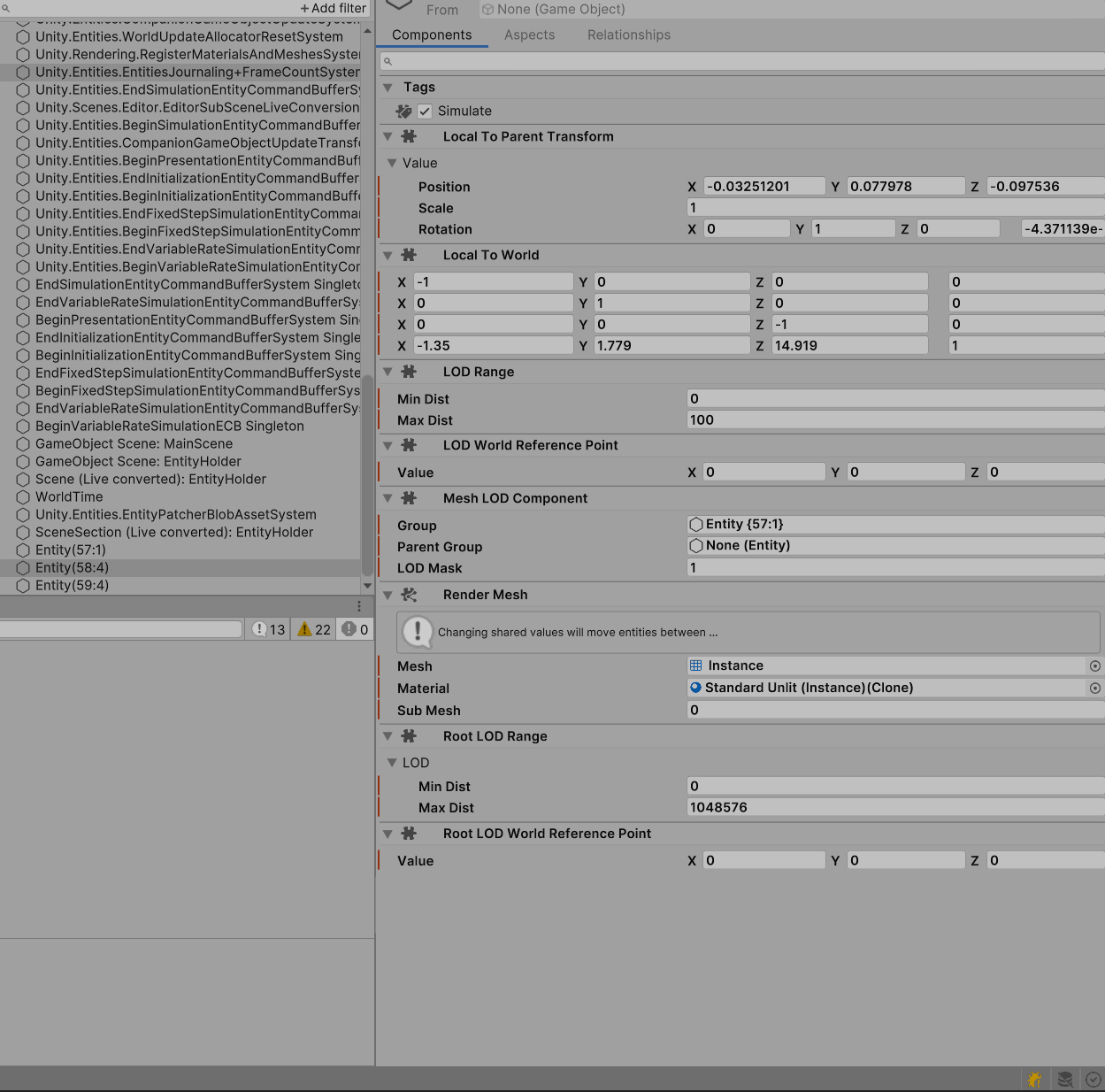
Did you maybe miss to add some components that entity should have like(can’t see it in code above) : typeof(LocalToWorld), typeof(RenderMesh), typeof(RenderBounds), typeof(LocalTransform)
i think this ^^^ is minimum required for entity with mesh to be visible(though not sure for LocalToWorld but at least this works in my case)?
Check that the scale and render bounds of the entities are set to something not 0 (which is the default). Check the render mask to, it is a mask so set it to int.MaxValue if u don’t use the feature. (I think the default for this value is not 0 as the others).
As for the original question, “entity prefabs” don’t exist, I don’t really understand why… prefabs is the “unity way”, I don’t get why they went an introduced such a weird concept as “sub-scene” instead of making a custom prefab type for entities (with baking and all the things a sub-scene does, but in a prefab).
Previous to 1 you could load a gameobject prefab and convert it but that use case was deprecated. Suck to be us T_T
Here is my very simple code that actually creates simple triangle(my first try in 1.0 procedural generation in order to create 25km radius ring world ). You need to add
bool meshCreated ; // as field of SB class
material RWMaterial into Resources folder
code is in SystemBase class
some things can be done better for example use simple c# arrays instead of List in RenderMeshArray etc
You can put this code in protected override void OnUpdate() method of SystemBase
In 1.0 this works in my case :
if (!meshCreated)
        {
            var em = EntityManager;
            var ea = em.CreateArchetype(
                typeof(LocalToWorld),
                typeof(RenderMesh),
                typeof(RenderBounds),
                typeof(LocalTransform)
            );
            var entity = em.CreateEntity(ea);
            em.SetComponentData(entity, new LocalTransform { Position = Vector3.zero, Rotation = quaternion.identity,
            Scale = 1});
            em.SetName(entity, new FixedString64Bytes("RING-WORLD"));

            Mesh mesh = new Mesh();
            mesh.MarkDynamic();

            var vertices = new NativeArray<float3>(3, Allocator.Persistent);
            vertices[0] = new float3(0, 0, 100);
            vertices[1] = new float3(100, 0, 100);
            vertices[0] = new float3(0, 100, 100);
            mesh.SetVertices(vertices);

            var normals = new NativeArray<float3>(3, Allocator.Persistent);
            normals[0] = normals[1] = normals[2] = new float3(0, 0, -1);
            mesh.SetNormals(normals);

            var triangles = new NativeArray<int>(3, Allocator.Persistent);
            for(int i=0; i<3; i++)
            {
                triangles[i] = i;
            }
            mesh.triangles = triangles.ToArray();

            var uvs = new NativeArray<float2>(3, Allocator.Persistent);
            uvs[0] = new float2(0, 0);
            uvs[1] = new float2(0, 1);
            uvs[2] = new float2(1, 0);
            mesh.SetUVs(0, uvs);

            var genMeshMaterial = Resources.Load("RWMaterial", typeof(Material)) as Material;
            if(genMeshMaterial == null)
            {
                Debug.Log("RWMaterial not found");
                return;
            }

            var desc = new RenderMeshDescription(ShadowCastingMode.Off,
                receiveShadows: false);

            var renderMeshArray = new RenderMeshArray(
                (new List<Material> { genMeshMaterial }).ToArray(),
                (new List<Mesh> { mesh }).ToArray()
            );

            RenderMeshUtility.AddComponents(
                entity,
                em,
                desc,
                renderMeshArray,
                MaterialMeshInfo.FromRenderMeshArrayIndices(0, 0)
            );

            //Debug.Log("after RenderMeshUtility");

            meshCreated = true;
        }
Thank you very much, guys. The piece from above wasn’t compiled due to entities being 15 and graphics being 12 versions of 1.0.0, even if I had them set as 15/15 in the manifest.json. So I started a new project in which I reimported com.unity.entities.graphics 1.0.0-pre.15 again, and that didn’t work either. I’ve removed from the cache unity all packages (AppData\Local\Unity\cache\packages), cleared the library folder for the project with the script from above, and retried the project. It seems to be fixed it somehow.
I had multiple versions of ECS, the project being on 0.1 and porting from that version to 0.51 and then to 1.0.0.
Also, another important thing is to use URP or HDRP, of course, for Entities Graphics. We never mentioned this in the topic, but this can be another reason why nothing is happening, you will not get any error/message if you call Entities Graphics functionalities from a built-in pipeline.
This use case is not to create the entity manually and then fill it in.
I generate a lot of simpler manual entities in runtime and use them right away.
Problem is that I want to be able to predefine and prebake prefabs that I can use anywhere.
I am fully aware that creating physics objects or rendering objects in ECS from scratch is a bit of a mess that you should probably avoid, so I want the pre baked prefabs.
The issue is getting access to the ECS prefabs in any scene and instantiate them into my own World in editor or in runtime, both are required for my use case. I’ve messed with the sub scene thing now for a few hours and I’m getting more and more convinced that it’s just not possible to do what I want.
With the sub scenes it seems like they are trying to make the conversion stage transparant to the “user”. But I need to bake my GameObjects on command through my generation code in the editor, or have them prebaked in the build. Or I guess I could do if the magic transparent bake system would actually bake the GameObject and give me an Entity I could use straight away in the editor. But that seems to not be intended at all. Just bake a premade scene.
Oh, so you would like to create an Entity prefab? I don’t know if this is possible right now with the DOTS, but in theory, you could access the graphics and tweak the bake.
Create and assemble definition references to Unity.Entities.Graphics and then inject your logic for this.
It’s not about graphics, and it’s not really about creating an entity prefab. I want to use the bake system to prebake (or bake on the fly when i create a new prop) all my GameObject prefabs into Entity prefabs and use them in any scene with my level generator. Instantiate in editor (not in play) and in runtime. But I don’t think the new bake system can do that. I think I will have to stay on 0.51 until something more flexible arrives.
Like I wrote in a previous message, that use case got deprecated in 1.0 so yes, you should stick with .50 if that works for u.
Baking is editor only and sub-scene only.
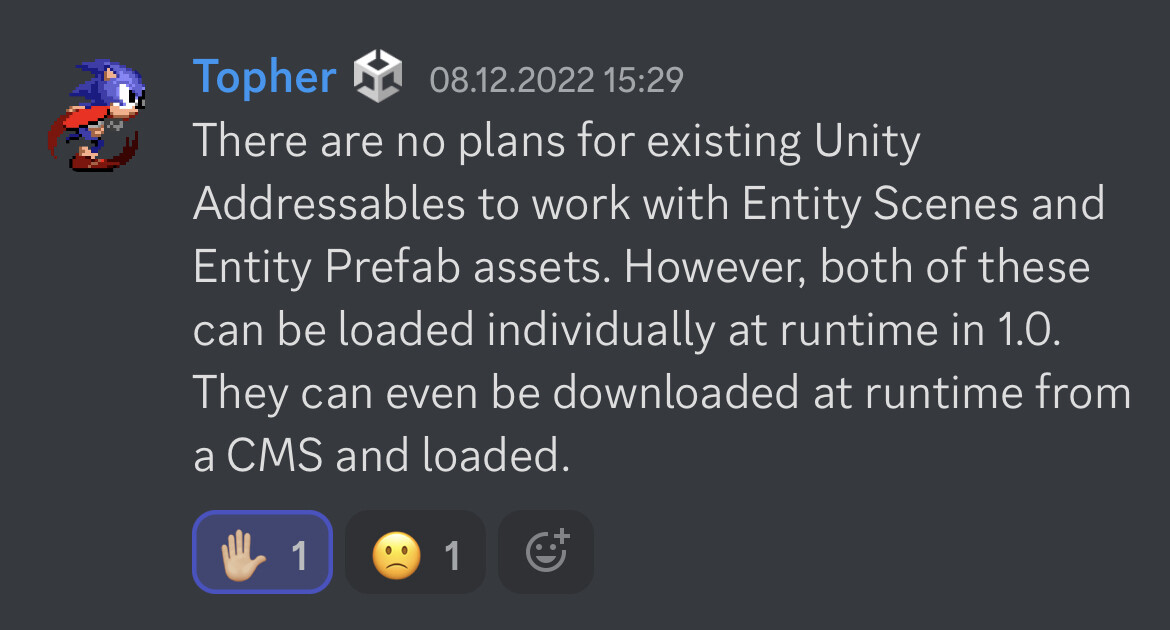
There is the promise of an “entities addressables” , soon… (unity version of soon…)
This is extremely important and yet I’ve seen zero info about it from the Unity team, just the “Entities Addressables coming soon” with no obligation. I hope we don’t end up having to recreate the runtime conversion system just to be able to use the latest Entities versions
There is wouldn’t be addressables for entities, there is Content Management and Content Archives developed (and continues) specifically for entity prefabs and subscenes loading from the network\disc\etc.
I feel your pain man, I’m trying so hard to be able to just bake all my entities at runtime so I can spawn them into world I create on the fly whenever I want, seems to be made as hard as possible. Did you ever get it working?

 ). You need to add