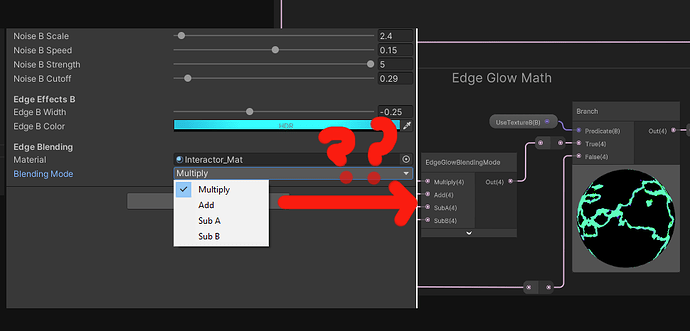
Hello, I have a problem with my shader graph enum keyword where I have exposed it to script and then I am using the script to change the enum. The problem is I can see the enum being changed real-time in the inspector whenever I change it by my dropdown UI in game but the shader doesn’t update and just stays as normal.
When I change it myself in the inspector, either on run-time or not, the shader works perfectly, but whenever I am trying to change the enum through code it refuses to work.
So I know my dropdown menu and the script attached to it works and that the enum gets the command to change but the shader it self doesn’t do anything. I also know by many different tests that the shader works on run time and in the editor. Where might the problem be?
Here is my code changing the enum itself:
namespace TPSBR
{
    public class SCR_ColourblindSettings : MonoBehaviour
    {
        [SerializeField] private Material shaderMaterial;
        private MeshRenderer[] allRenderers;
        private int dropdownValue;

        void Update()
        {

            allRenderers = FindObjectsOfType<MeshRenderer>();

            foreach (MeshRenderer m in allRenderers)
            {
                if (m.sharedMaterial.shader == Shader.Find("Shader Graphs/MixingColoursShaderTexture"))
                {
                    if (dropdownValue == 0)
                    {
                        m.sharedMaterial.SetFloat("_COLORBLINDNESS_MODE2", 0);
                    }
                    if (dropdownValue == 1)
                    {
                        m.sharedMaterial.SetFloat("_COLORBLINDNESS_MODE2", 1);
                    }
                    if (dropdownValue == 2)
                    {
                        m.sharedMaterial.SetFloat("_COLORBLINDNESS_MODE2", 2);
                    }
                    if (dropdownValue == 3)
                    {
                        m.sharedMaterial.SetFloat("_COLORBLINDNESS_MODE2", 3);
                    }
                }
            }

        }

        public void ChangeColourblindnessMode(int val)
        {
            dropdownValue = val;
        }
    }
}
Here is the shader and how it works: