I am working on an FPS that has a second camera that renders the object you are holding to avoid clipping through other meshes. The camera was set to Depth Only, with a Depth set higher than the regular one, and the Culling Mask set to the layer of the item. Everything was fine until I installed the LWRP. Now, instead of rendering just the item, it also render a solid color, so you can’t see that is behind the held item. I have tried adding the LW Additional Camera Data script, but there is nothing in its dropdown and and it doesn’t solve anything. How can I fix this?
1 Like
Not sure if I’m simulating your problem correctly, but the second camera works for me in LWRP. See if there’s any difference with yours…
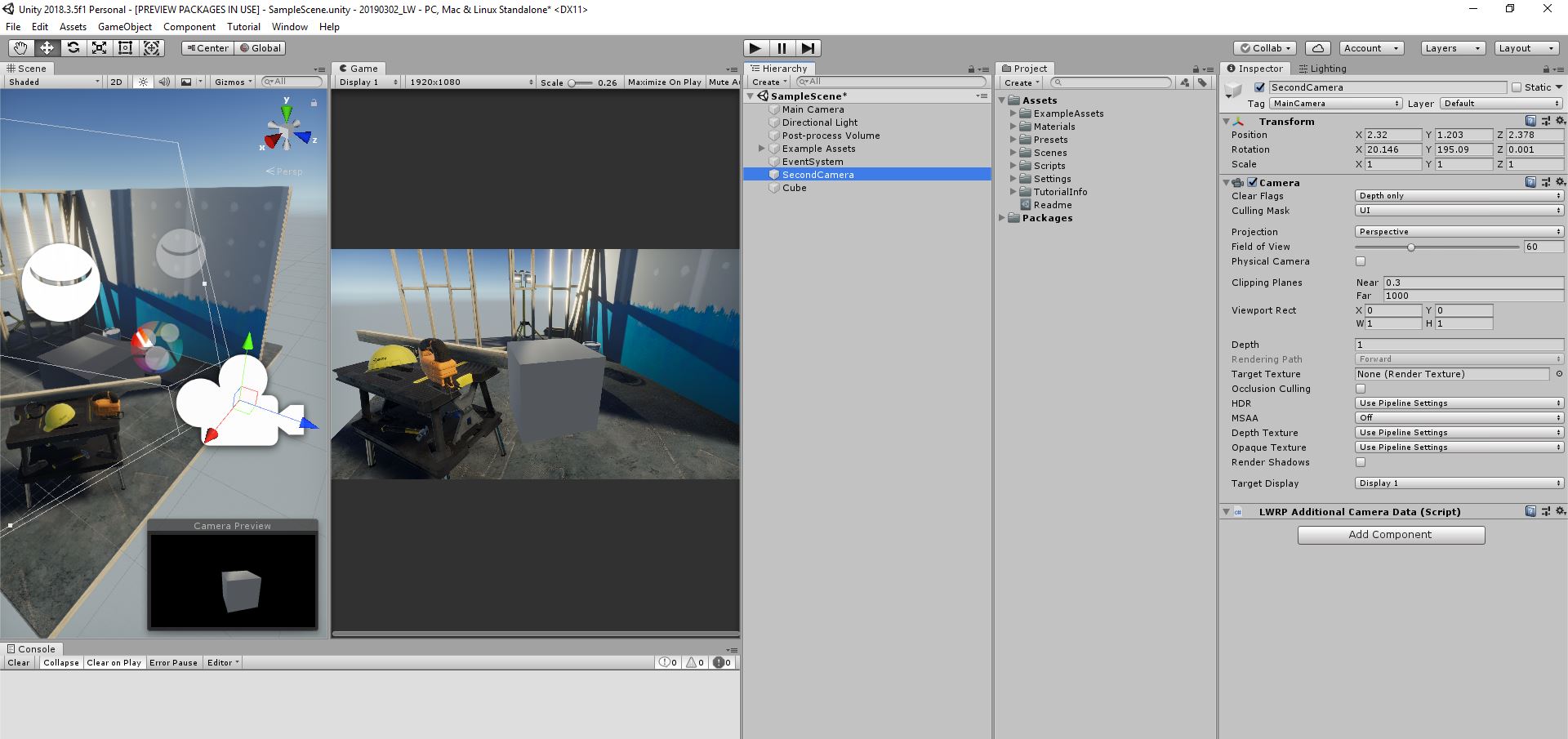
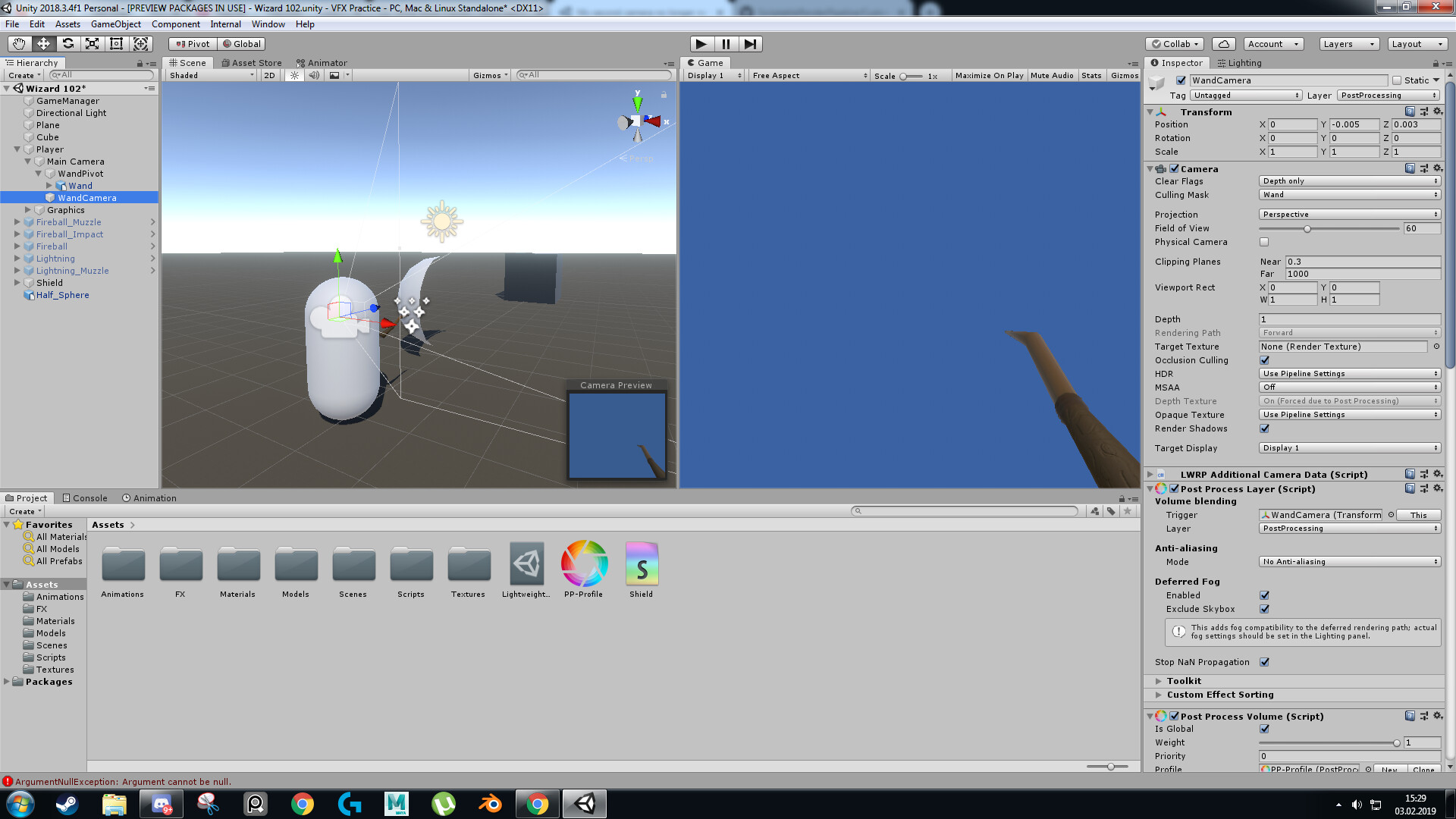
Without the post processing part, we have pretty much the exact same settings, yet in my case, there is a solid color rendered in empty areas
EDIT: Created a new camera, without any post processing, coped your settings, same result: solid color rendered instead of empty area
I give up at this point. I have searched everywhere on google, restarted unity 5 times and tried all the possible settings for the camera. I’m pretty sure this is a bug, since Solid Color, Depth Only and Don’t Clear all produce the exact same effect.
UPDATE: I have created a new project and creating a new camera with depth only works fine. I trully don’t understand why my in my current project it is not working.
I can reproduce your issue with LWRP version 4.9.0 & 4.8.0. I’ll report to LWRP team.
During the time you might downgrade the LWRP back to 4.6.0 (I’ve tested this problem doesn’t happen in 4.6.0 or below).
To downgrade, go to top menu > Window > Package Manager > Select Lightweight RP and there you can select a version and then click “Upgrade to”.
1 Like
Wow, you posted right when I was typing the same thing. Yeah, just figured out it’s a problem with the newer versions. Thanks a lot for the help!
1 Like
Isn’t it by design? I remember reading that since “depth only” and “don’t clear” have potential hidden costs that they are no longer supported and eventually another way will be introduced to be able to something like this.
Just confirmed with LWRP team. Yes you are right, and the new approach is coming very soon.
Hi @mingwai , do you have any insights about upcoming new approach? Do you know when will it become available?
For FPS games, a lot of the times a two camera setup is used, one for the gun and ‘FPS’ elements and another for the rest.
Any news on this front? I can’t seem to make a camera just pass through and render on top of whatever another camera rendered.
In fact, I can’t even put UI on top with an “UI Camera”, only Screen Space - Overlay is the one that seems to work, is there a work-around?
1 Like
I’m interested in this as well. I am having the same issue with the HDRP.
Would love to be updated when the new method becomes available. I need this for my 2d project.
@mingwai Any update on a method to achieve this? I’ve read on a few posts that a new method is being looked into. Thanks!
Hi guys, the new camera stacking system is under active development right now, it’s definitely coming but cannot guarantee when…
1 Like
Thanks @mingwai , that’s great to hear! I imagine there are lots of people like me just quietly waiting for more updates to Universal, like camera stacking, like multiple directional lights, etc
meanwhile just downgrading to 4.6 seems ok to fix, hope to see it working soon 
I tryed to convert the FPS Microgame and this is still not working it seems…
Someone knows which Version of PostProccessing will work with LightweightRP Version 4.6.0?
If you are in an existing project https://github.com/Unity-Technologies/ScriptableRenderPipeline/wiki/Configuring-LWRP-for-use try this, basically you have to create a LightweightRenderPipelineAsset an assing it in Edit > Project Settings > Graphics > Scriptable Render Pipeline Settings
PS: I’m playing too with the FPS Microgame, and i’m in unity 2018.4.14f LTS, and it is already working for me.
Also… in the FPS microgame in the prefab Player > Main Camera > WeaponCamera there is a post process layer script, try turning it off or removing it… i hope it helps.
i just had this issue too
but with universal render pipeline
i solved it buy making the weapon camera a overlay
and then on main camera i add to the stack the weapon overlay camera
and boom now i can see everything 
3 Likes