Greetings from the Unity Graphics team,
We are happy to share that Unity 6.1 introduces a new Shading Rate API, supported on DirectX12, Vulkan and compatible consoles. This API can be used to control the shading rate of renderer features, and balance between GPU performance and image quality:
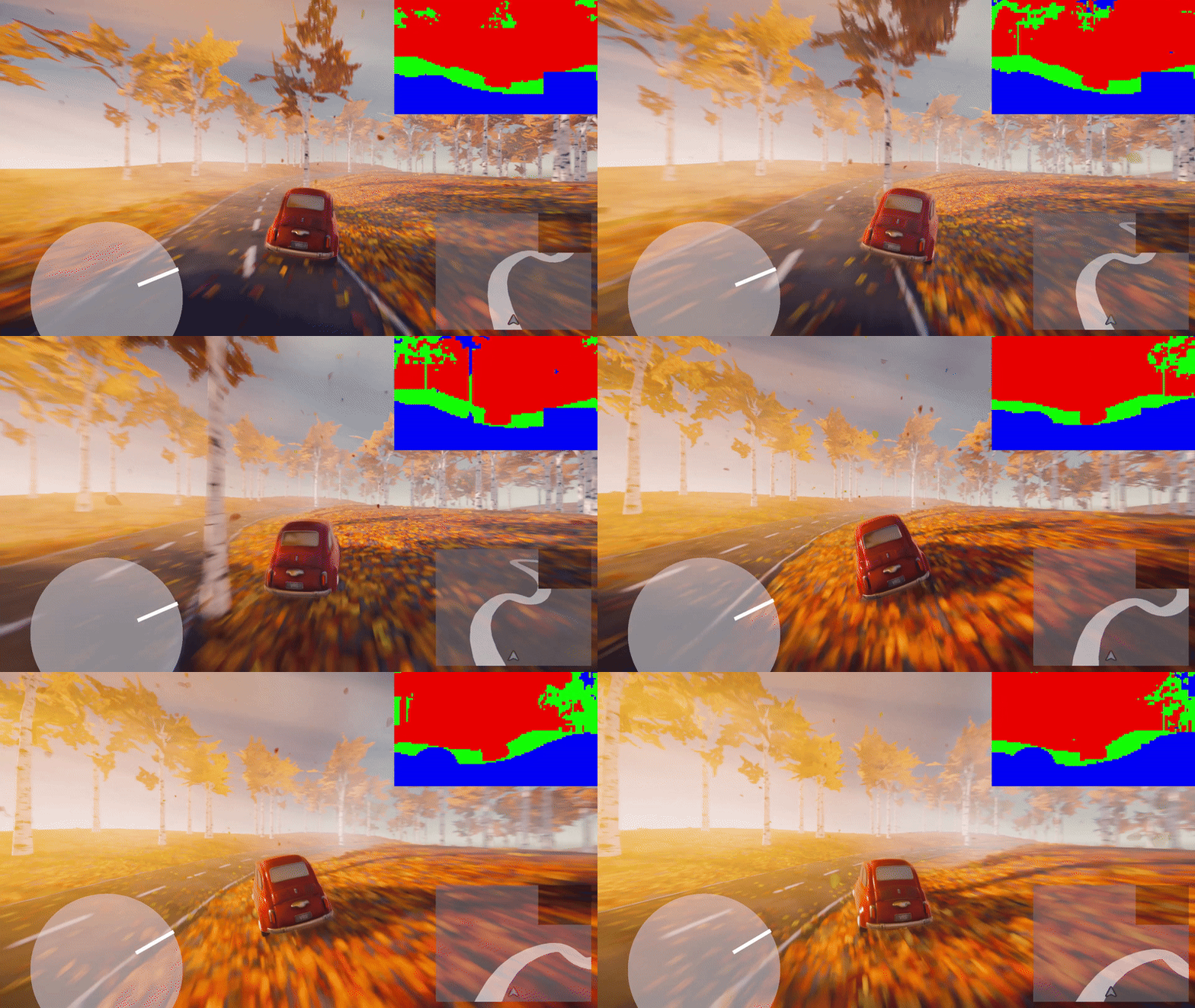
To get started, we recommend trying out the new Shading Rate sample project, which demonstrates how to set the shading rate of scriptable render passes for URP:
https://github.com/Unity-Technologies/shading-rate-demo
What is VRS?
Variable Rate Shading (VRS), also known as Fragment Shading Rate, is a technique which allows us to decouple the rasterization and pixel shading rate. When setting a lower shading rate, the pixel shader will execute at a lower frequency, which can drastically improve GPU performance:

For example, by applying a scalar 2x2 shading rate, we will only shade a 1/4th of the original pixels. In turn, we can observe a large reduction in pixel shading overhead.
Unlike traditional upscaling, VRS can vary the shading rate across the screen space. This is achieved using a Shading Rate Image (SRI), which encodes the shading rates for different regions of the screen:

With this simple UI-based shading rate, we see up to ~10% reduction in GPU time when targeting VRS-capable devices.
However, the SRI can be generated and applied in many interesting and more dynamic ways, to better fine-tune between shading performance and image fidelity.
Getting started with VRS
To get started, we recommend you check the new Shading Rate sample project, which demonstrates the use of VRS in the context of a driving mini game: https://github.com/Unity-Technologies/shading-rate-demo
The project utilizes a custom volumetric lighting pass, to render “god rays” and provide a better sense of depth. Volumetrics come with a high shading overhead, which can significantly affect our framerate:
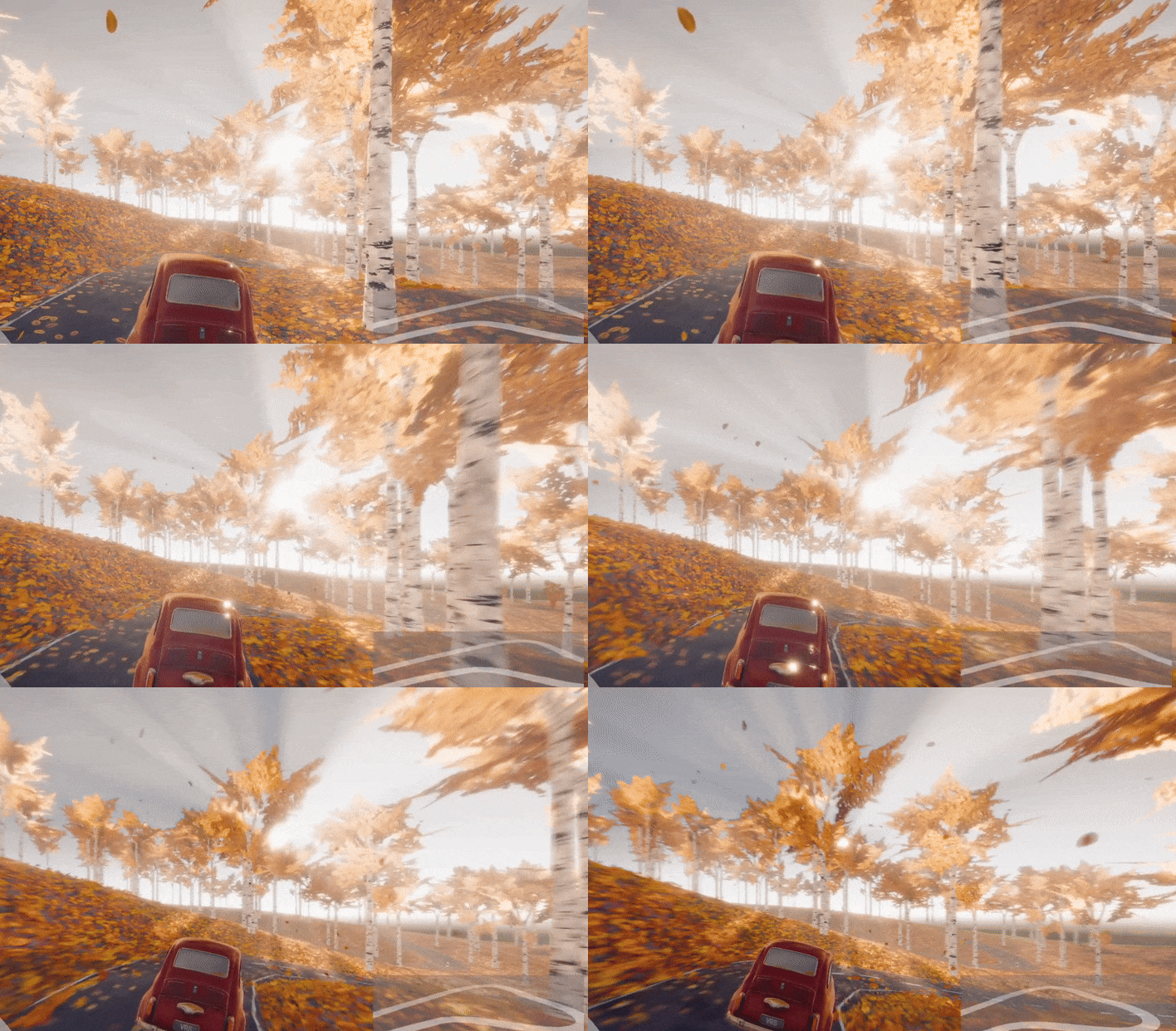

The volumetric pass was measured at ~6.3ms, with total GPU frame time of ~11.3ms. We can mitigate this overhead using various shading rate techniques.
In our example project, we are using a “Motion Blur” effect to emphasize the sense of speed while driving. This generates a motion-vectors texture, which we can access in our Shader Graph, and use to generate a velocity mask:

Reading motion vectors to generate a velocity mask - GenerateVRS.shadergraph
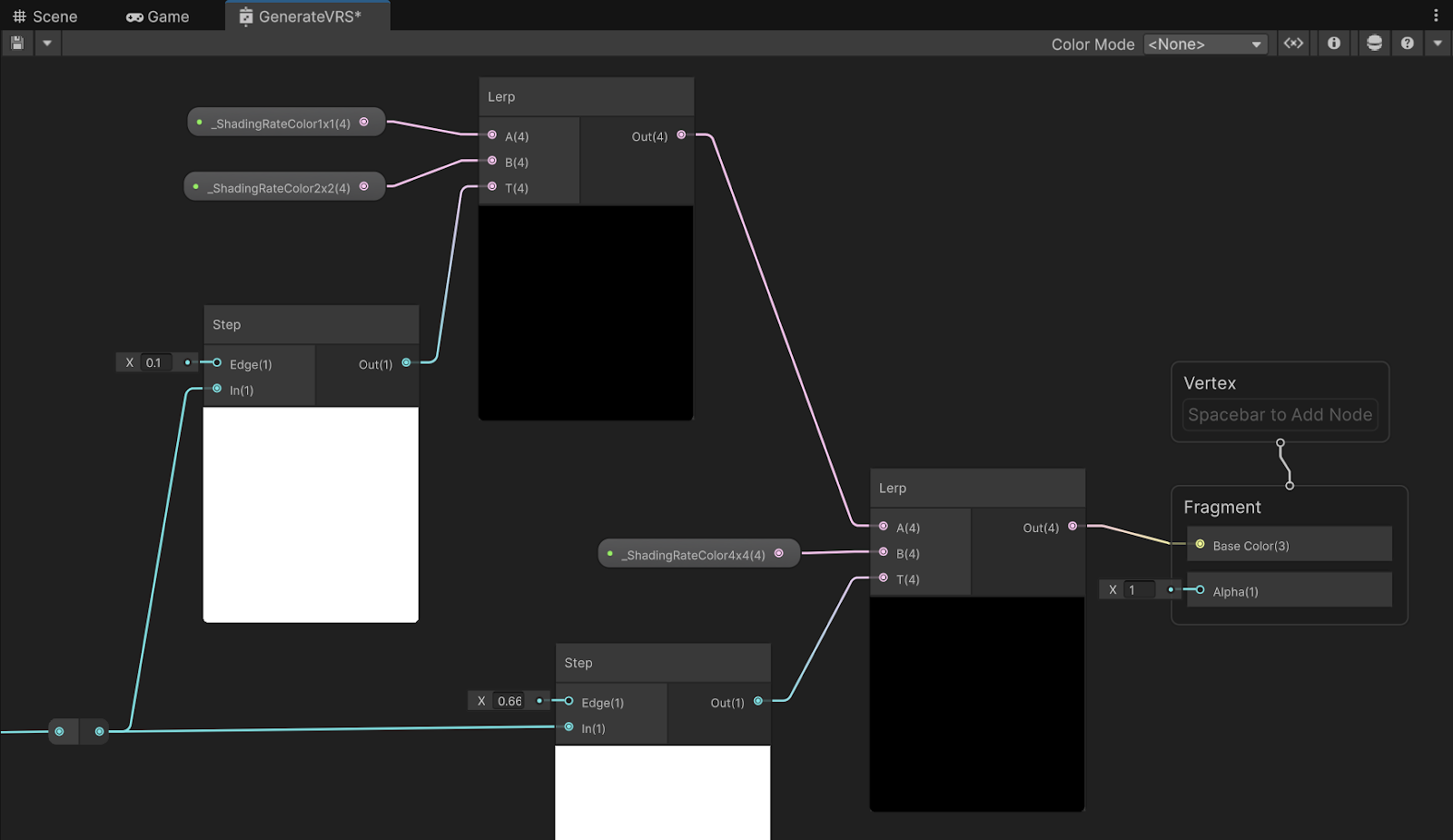
Computing the shading rate based on velocity - GenerateVRS.shadergraph
By using motion vectors, we preserve fidelity for our car model, centered in the middle of the screen. While reducing the shading rate for high-velocity pixels, already affected by motion blur:
| Shading Rate | Volumetrics GPU Time | Total GPU Frametime |
|---|---|---|
| Uniform 1x1 | ~6.3 ms | ~11.3 ms |
| Uniform 4x4 | ~0.5 ms (92% faster) | ~5.5 ms (51% faster) |
| Motion based | ~2.7 ms (57% faster) | ~7.5 ms (33% faster) |
You can also implement other generation methods, such as edge-detection. In the following example we use a Sobel filter to generate an edge mask from depth. The edge mask is then converted to an SRI:
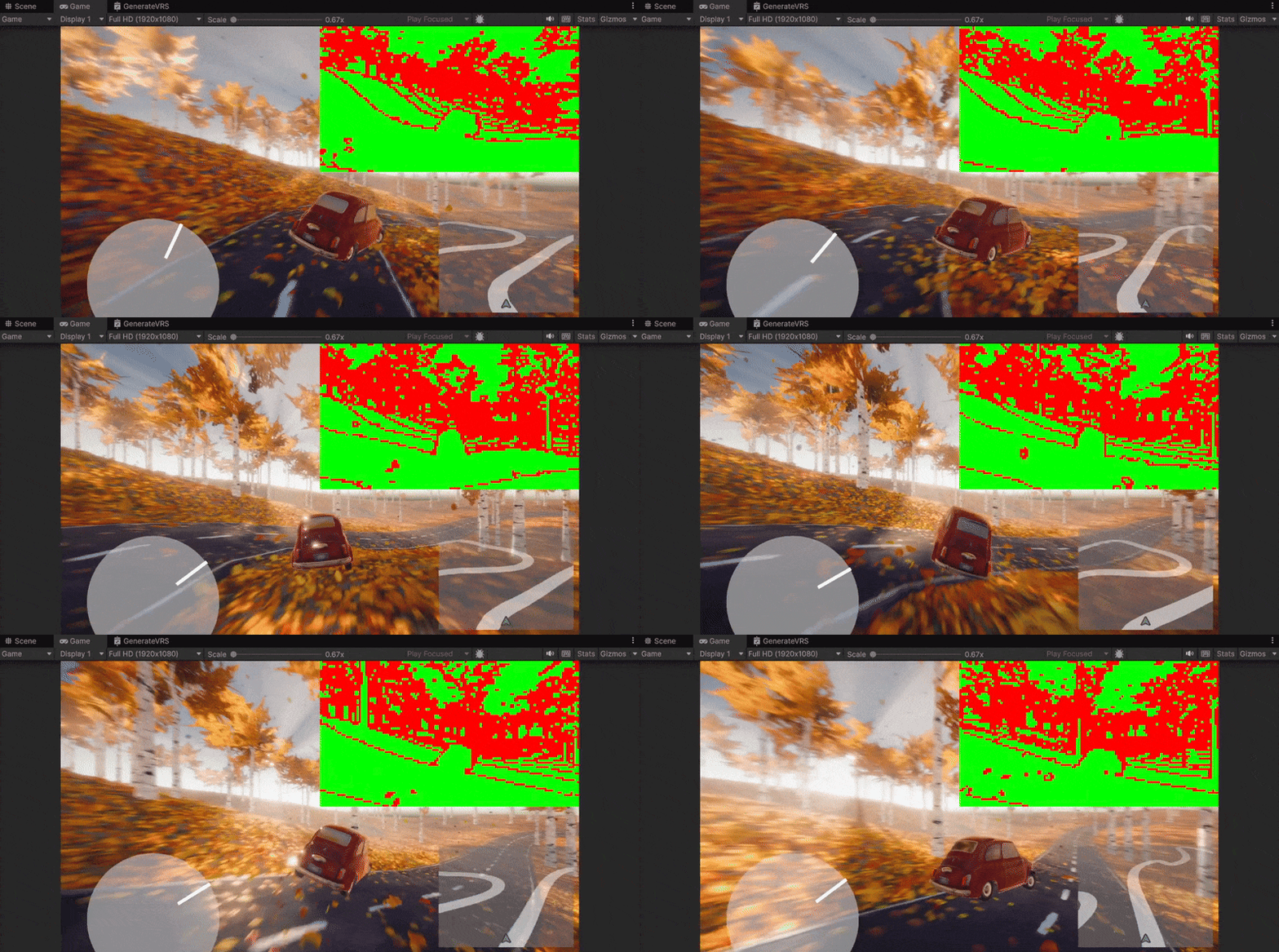
To learn more please refer to the Shading Rate sample project, which includes step-by-step instructions and scripting reference: https://github.com/Unity-Technologies/shading-rate-demo/blob/main/README.md
API Documentation
The Render Graph API was extended to allow setting and combining the shading rate:
- IRasterRenderGraphBuilder.SetShadingRateFragmentSize
- IRasterRenderGraphBuilder.SetShadingRateAttachment
- IRasterRenderGraphBuilder.SetShadingRateCombiner
The Command Buffer API was also extended to support setting, combining and resetting the shading rate:
- Rendering.CommandBuffer.SetShadingRateFragmentSize
- Rendering.CommandBuffer.SetShadingRateImage
- Rendering.CommandBuffer.SetShadingRateCombiner
- Rendering.CommandBuffer.ResetShadingRate
When setting a Shading Rate Image (and not just the base shading rate), make sure you configure the ShadingRateCombiner of the FragmentStage to either Override/Min/Max:
cmd.SetShadingRateCombiner(ShadingRateCombinerStage.Fragment, ShadingRateCombiner.Override);
“Override” will set the rate encoded in the Shading Rate Image. “Min”/“Max” will set the lower/highest rate between the Image and the base shading rate.
You can query support for VRS, along with shading rate image format and tile size using the new ShadingRateInfo class: https://docs.unity3d.com/6000.1/Documentation/ScriptReference/Rendering.ShadingRateInfo.html
The core SRP API was extended with the VRS class. It can be used to convert textures into a Shading Rate Image:
https://docs.unity3d.com/Packages/com.unity.render-pipelines.core@17.2/api/UnityEngine.Rendering.Vrs.html
The new VRS Look-up-table utility can be used to convert shading rates (e.g. 1x1, 2x2, 4x4) to color values, which you can use as shader properties:
https://docs.unity3d.com/Packages/com.unity.render-pipelines.core@17.2/api/UnityEngine.Rendering.VrsLut.html
Platform support
Shading Rate is supported on modern platforms and devices, which provide the necessary GPU capabilities:
- Windows Editors and Players targeting DirectX12 (1)
- Android Players targeting Vulkan (2)
- Linux Editors and Players targeting Vulkan (2)
- Compatible consoles (3)
(1) GPUs with support for DX12 Variable Rate Shading, (2) GPUs with support for Vulkan Fragment Shading Rate, (3) refer to console documentation.
Please try the new Shading Rate API and let us know what you think. Feel free to share your results, and any questions you might have!
You can follow our progress via the public roadmap. If you cannot find the feature you are looking for, feel free to submit a feature request, or contact the team directly in the graphics forum.


 ?
?