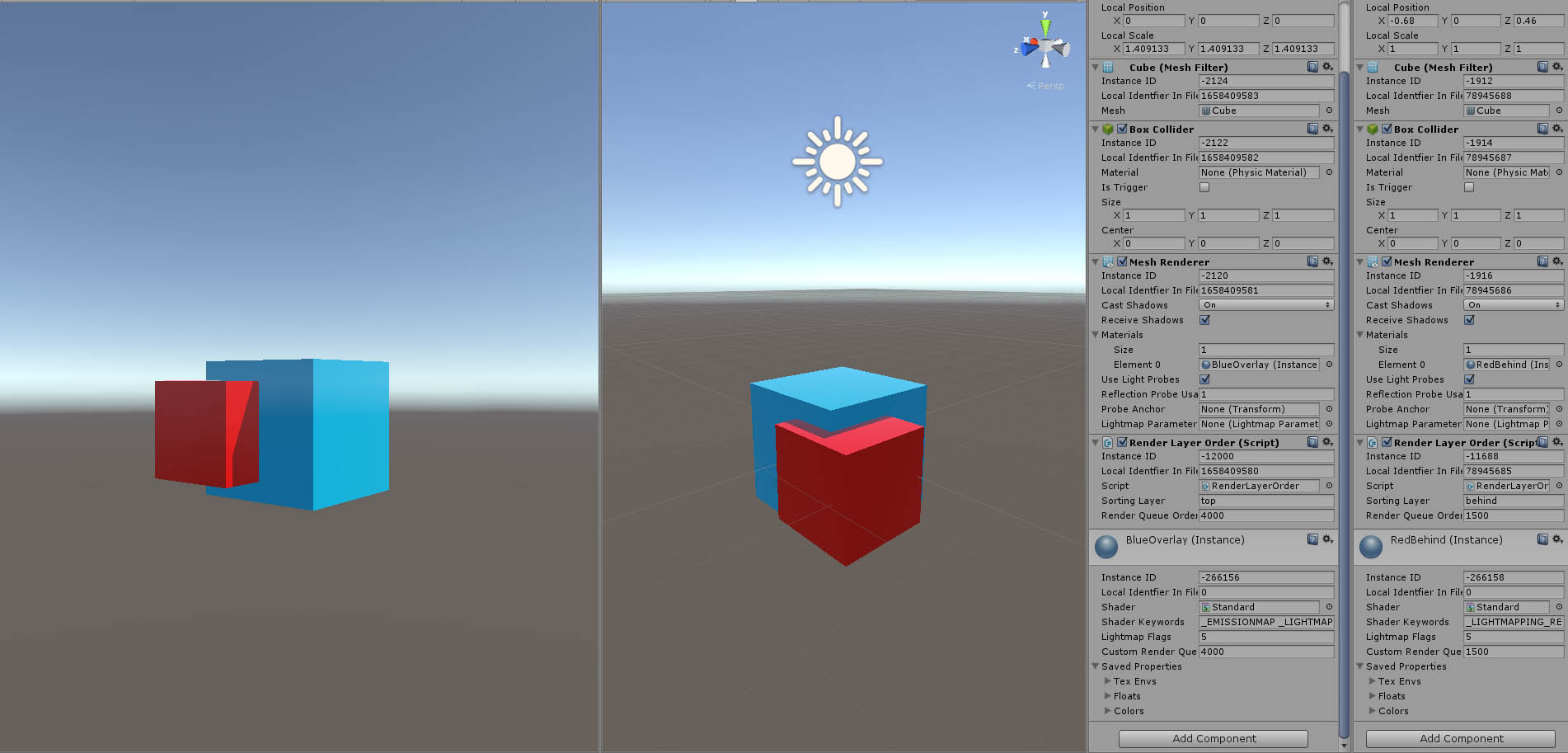
Hi all,
Im trying to render some geometry over all other geometry on scene. On other versions i would change shader render queue to overlay, but this is not working anymore on Unity 5 if standard shader is set on opaque.
Ive tryed Sorting Layers, changing material renderQueue on a scripts start, I’ve used a simple custom shader with render queue set on overlay but nothing but ui seems to render over standard opaque materials, not even changing render modes.
The Unity 5 standard shader uses its own customEditorGUI that will set the renderQueue whenever you switch modes or if Unity updates the shader/material.
In theory changing the renderQueue in Start() should work, if not then I would recommend downloading the ‘built-in shaders’ and adding the StandardShaderGUI.cs from it to your own editor folder in Unity. Then add your own blendmode to the code and add an overlay option to the ‘SetupMaterialWithBlendMode’ method, where it sets the renderQueue.
If that doesn’t work then I guess something else must be up with trying to use a standard shader as an overlay and that would require further investigation.
It was all the time my bad, I realiced I hadn’t check all other tags, for an overlay shader now I’ve set “RenderType” to Overlay, and ZTest Always in the pass. Now everything is working, including renderQueue.