Plastic SCM Stuck on a change set. Cant switch to new branch. Cant undo current changes.

basically the name says it all. im trying to check out a different branch on plastic scm

8383836--1105650--upload_2022-8-23_15-30-22.png
but I get an error because there are pending changes.

If i go undo the changes:
8383836--1105653--upload_2022-8-23_15-31-48.png
even after pressing undo, the change persists, and it won’t go away.

If I try to shelf the change:
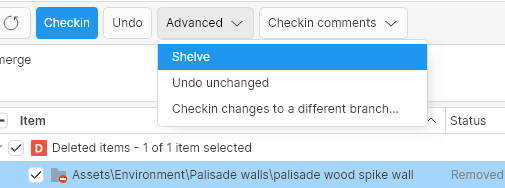
8383836--1105656--upload_2022-8-23_15-34-23.png

it gives me an error message:
8383836--1105659--upload_2022-8-23_15-35-12.png

So far, I can’t figure out how to get my project back to a clean state so I can change branches.

Is there a command to reset all changes and get the project to a clean point? what do you do when you have plastic giving error messages but resolving them doesn’t work?

Can you check if undoing the changes via CLI help? Please run this command in the root of the workspace path:

cm unco --all

2 Likes

Will that cause the changes to get lost? Asking for a friend. We’re seeing stuck repos like that a lot in every day Unity Dev, and also had that at our previous studio, since starting with Plastic there in 2019.

Yes, the changes will be undone but according to the explanation, this is what the user needs in order to switch to a different branch.

1 Like