Hy,
Im trying to use DrawMeshInstancedIndirect with the new render pipeline, a got a nice result for my grass sistem using dinamic batching.
Video:
https://www.reddit.com/r/Unity3D/comments/b1ysgp/thanks_this_is_the_result_of_all_of_that_feedback/

But is not so well performant, the CPU time is very high for this “little” amount of grass. So some friend suggested to use DrawMeshInstancedIndirect, but the exemple code in the forums are just for Legacy.
So i thought you guys could help me a little cos im really lost.
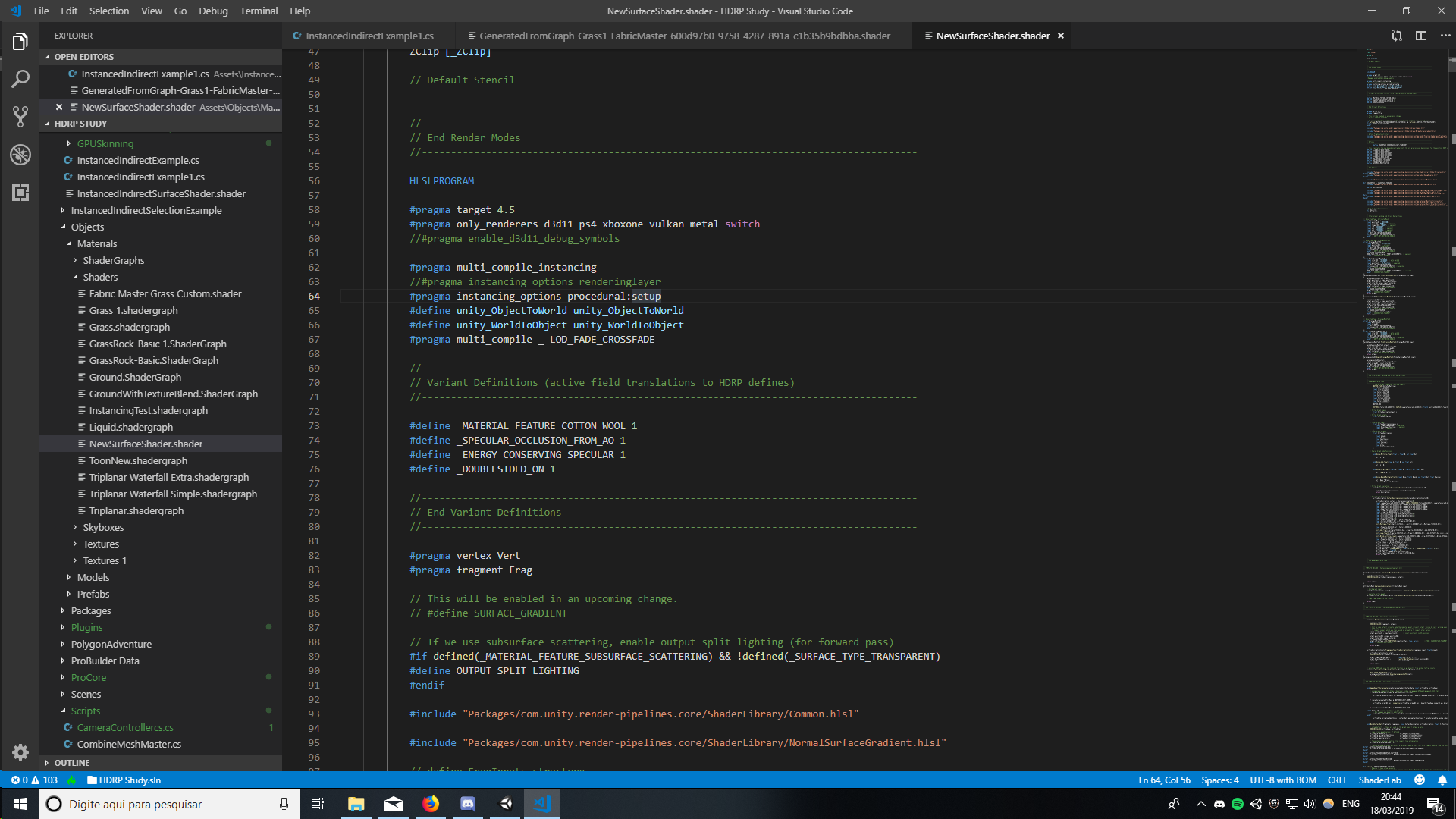
i tried to adapt a simple shader from shadergraph. I exported the master node to code, and it returned tha actual shader that unity uses, is a hude shader of 1800 lines.
Then i tried to adapt it doing some of the things there are on the docs : docs.unity3d.com/560/Documentation/ScriptReference/Graphics.DrawMeshInstancedIndirect.html,
This very very simple shadergraph structure:

Generates this *.shader file: Unlit Shader - Shadergraph Code - Pastebin.com. 1.8k lines.
So to implement something from the docs that i’ve mentioned before, i need to focus on
UNITY_PROCEDURAL_INSTANCING_ENABLED
and
#pragma multi_compile_instancing
#pragma instancing_options procedural:setup
The script works fine, only the positions are messed, something dont let the meshes go to the places where they are supposed to be, as you can see here:
This happens with the normal shaders of HDRP, and the customized one that i modified (added some things from the exemples docs of DrawMeshInstancedIndirect.)
I really liked how my scene looks, im impressed that i alone made everything (just the character from an asset). But im diving in the “performace wise” things, and for grass this really seems the way. Any other suggestion for good performace on thousand of grasses?
I could reduce the Drawcalls a lot by dynamic batching, but the CPU time was the same, and then someone suggested DrawMeshInstancedIndirect.