Shader Graph - How to interpret the Fog Node's density value?

Hi all,

I’m trying to add fog in an unlit shader graph but can’t work out how to interpret the Fog Node’s density value. The documentation states that the density value is in clip space, so I assumed it would be relative to the camera’s clipping planes? Is this incorrect?

For example, if I create a simple unlit graph that writes fog density directly to the color output…
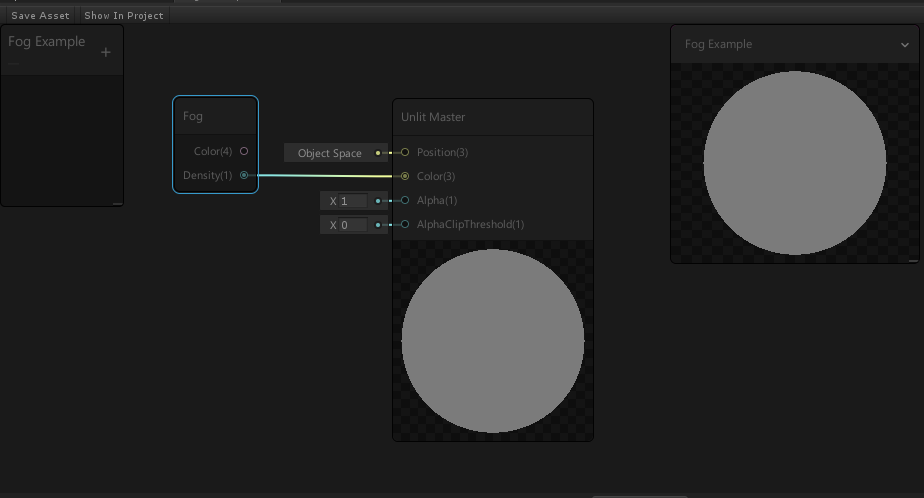
… and create a simple scene…
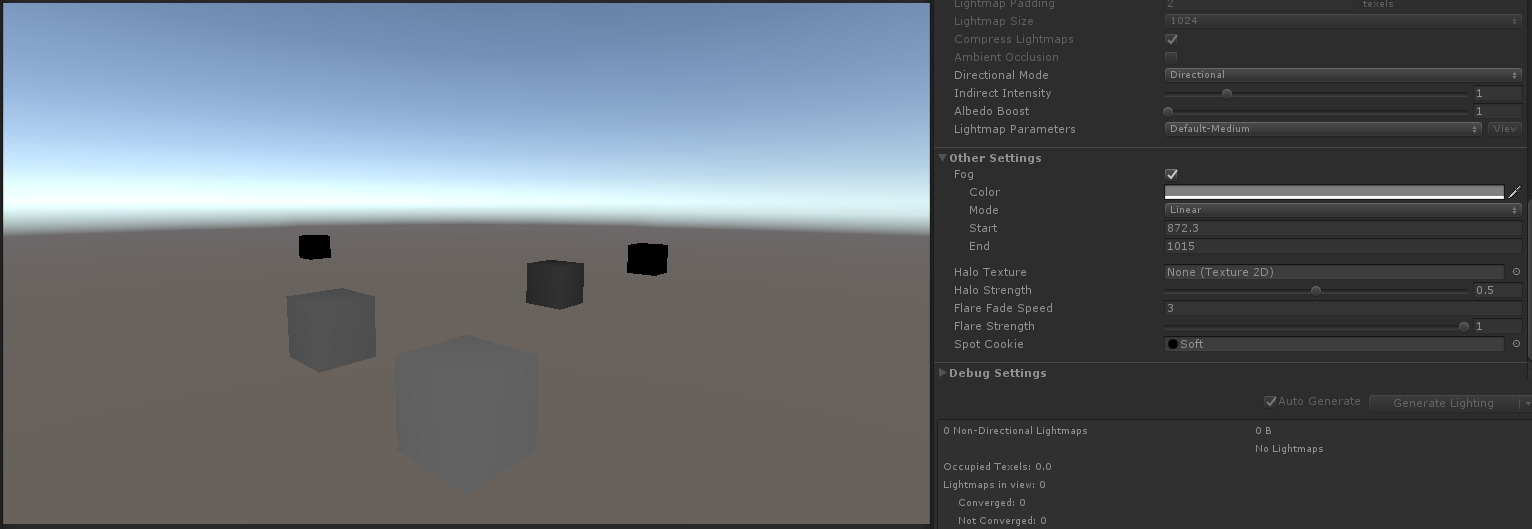
…If I move the cubes, the shader behaves in reverse to how I expected - they get darker (the fog density gets less) as they get further away.

And if I move the camera instead, nothing happens to the fog density value at all (cubes are colored the same as in the first image).

So I feel I’m clearly misunderstanding how this value is to be used. Any help is much appreciated!

Thanks.
-andy.

1 Like

Try

2 Likes

Thanks @StenCG . From your screenshot it looks like the Fog node now has an input – Position – so I’m expecting we can now feed the world position into the node to get world space fog.

I can’t seem to get @StenCG 's setup to work correctly - even though I have depth textures enabled in both my main camera and pipeline asset, the density value of the fog node never seems to be anything except zero, making the color always equal to the fog texture. Anyone know why this could be?

EDIT For anyone with the same problem, it appears they’ve logged it here: Unity Issue Tracker - [Shader Graph] Fog Node density returns 0 when it is connected to an Unlit Master Node

2 Likes

How to use Fog node: Using the Fog node with a unlit master - Unity Engine - Unity Discussions

2 Likes