Why on Earth is this white circle with transparent background displaying as yellow with a green background? This happens with any image that I choose as the _MainTex property. The blending mode is set to “alpha” if that helps.
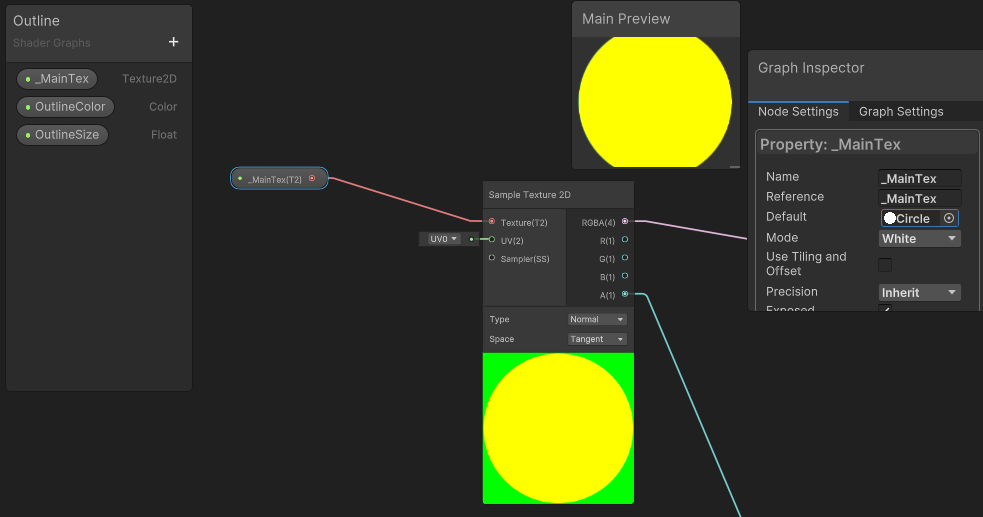
I’m trying to use the Shader-Graph for the first time so this is probably an easy fix.
Thanks in advance!
Edit: Apparently green does not display at all when it’s supposed to be green:

