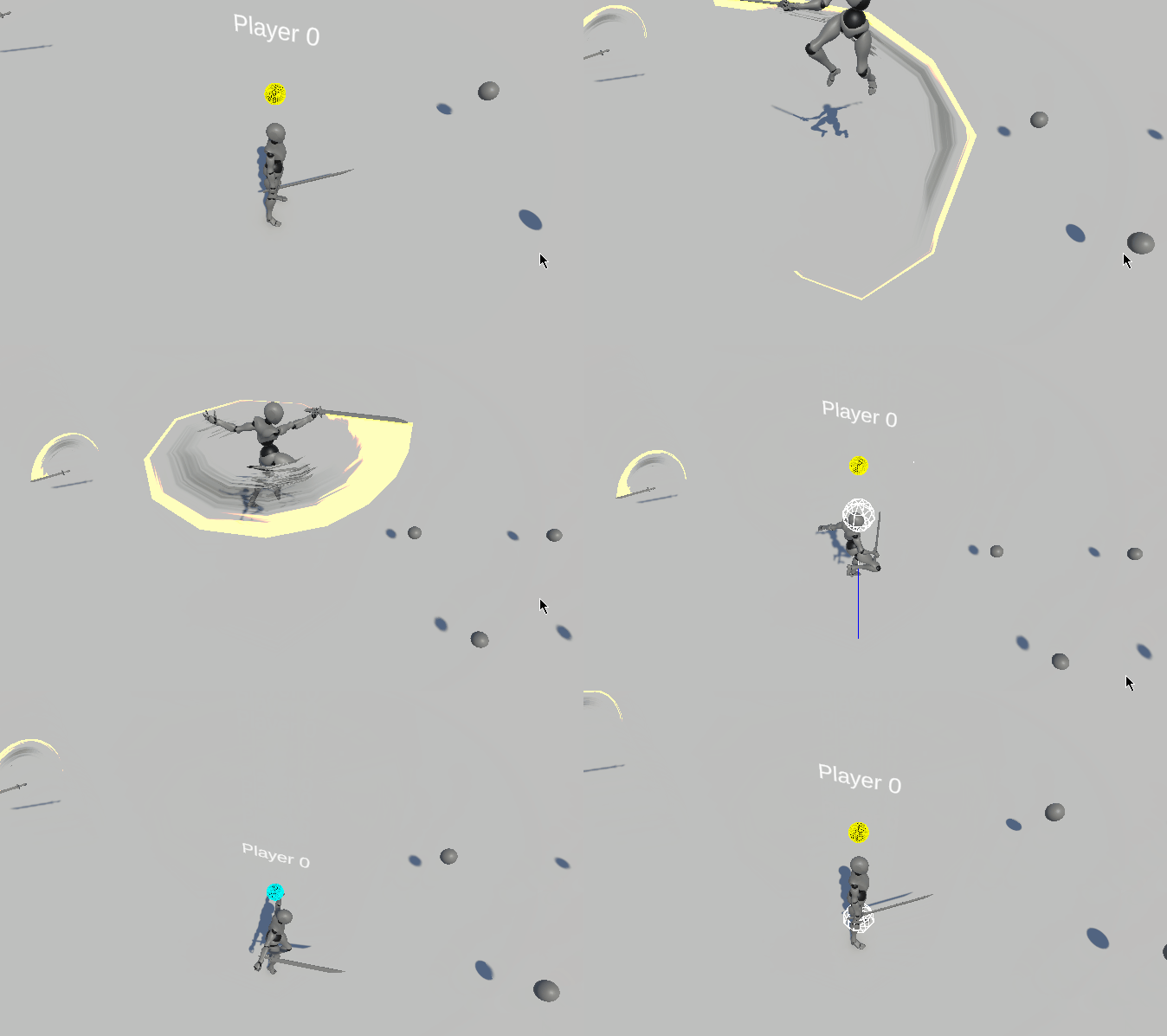
I followed the tutorials of this page to help me create the behavior I need for my VFX graph sword trail How to Vfx Graph | Qriva
Thanks to those ressources, I feel like I’m almost there.
But now I have an issue I struggle with, it’s the resolution of the strip along fast moving sword animation.
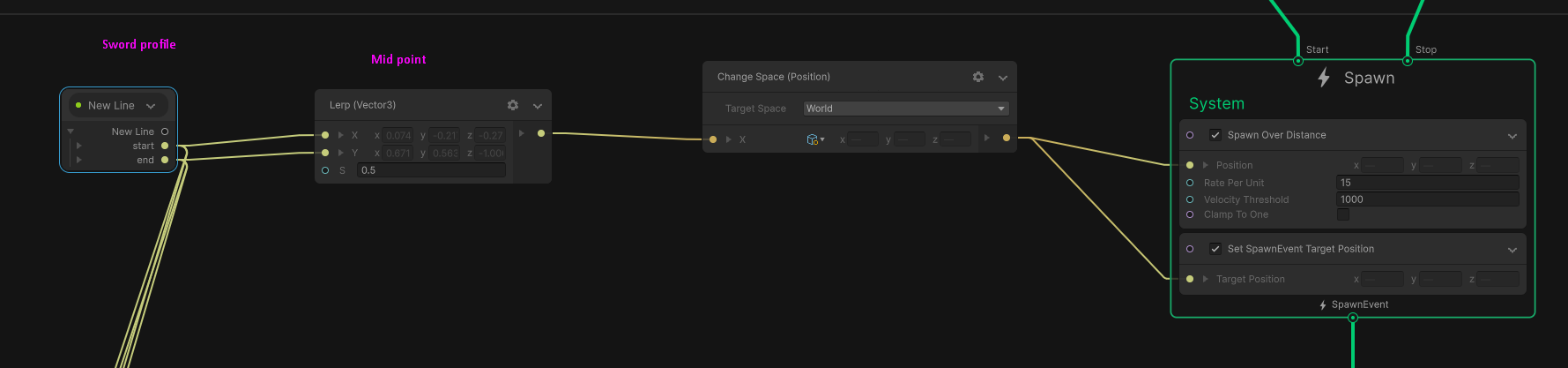
The current Spawn over distance settings I use give me one particle position per moving frame.
The best I was able to get is by removing the Clamp To One in Spawn over distance node.
But it give me a Linear Interpolation from the position of two frames.
I tried to use some bezier curve to have a smooth curve along the movement, but the VFX Graph works in a parallel way. So I don’t think particles can access positions from other particles. Which would allowed me to use the position of the past two frames to extract curve point position. I started looking at GraphicsBuffer, but it seems to be an over-engineered road to take
Tried with Shuriken Trails/Ribbons. But was unable to set the rotation of the spawned trails.
Tried with Trail Component, but was unable to set the resolution of the curve in-between frames.
Only add resoution to edges, which is not the target result.
So I’m starting to feel out of options.
Did found this thread talking about an already prototyped smooth trail spawner at Unity Staff side. So I guess a smooth trail is possible ?
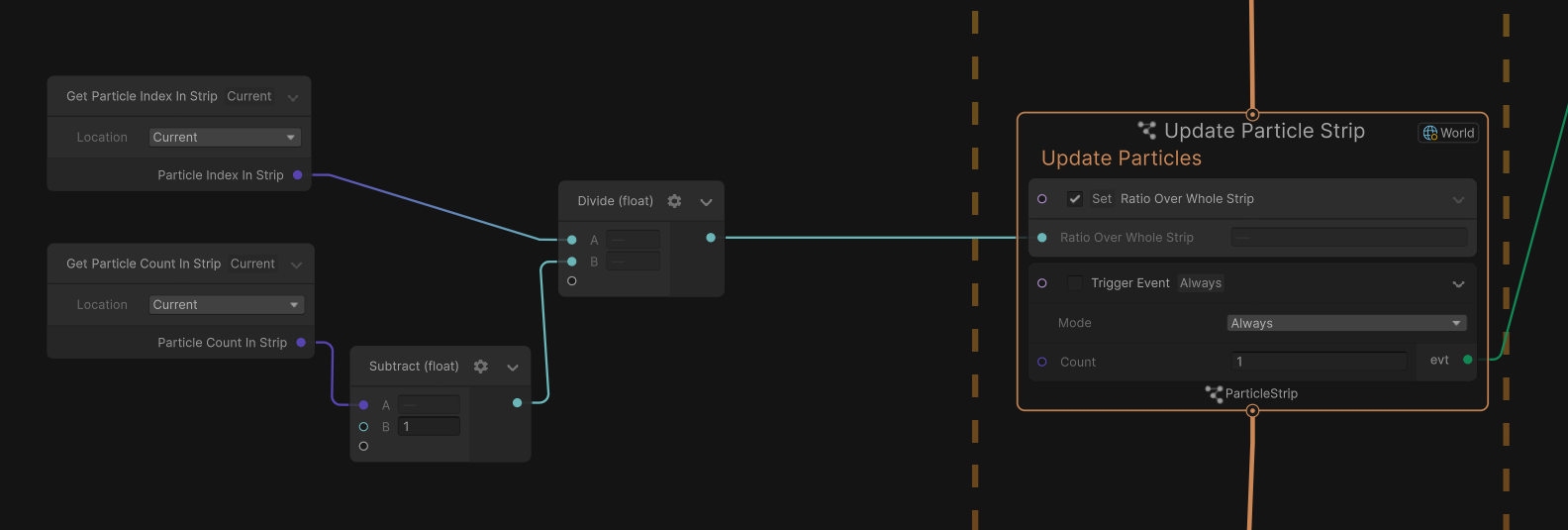
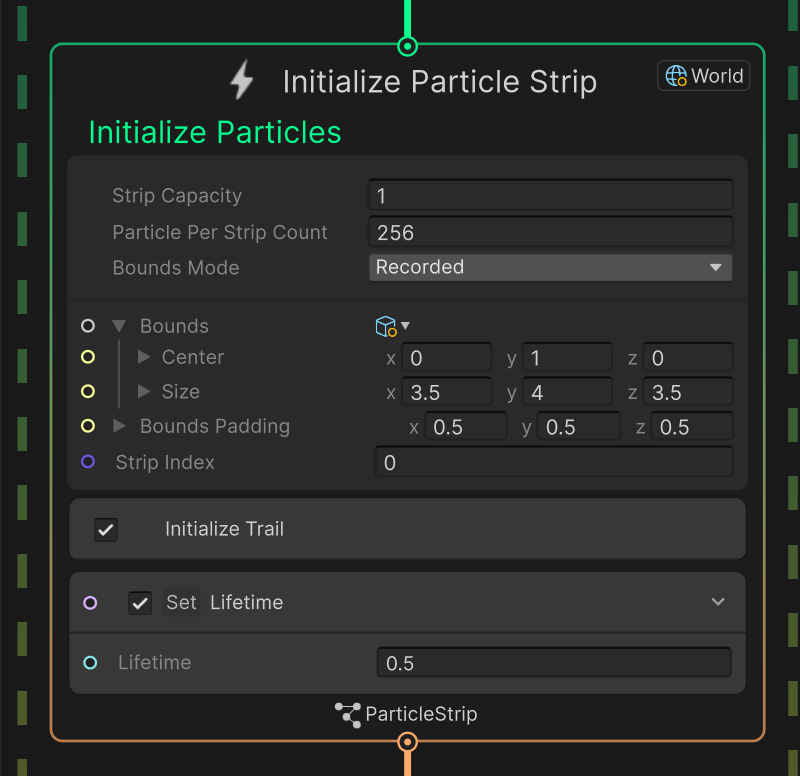
This is the date I’m able to understand in my strip ids :
I never tried to implement smooth trails with curves, so I am not sure what is the best way, but I think options you mentioned are valid. As far as I know you can access custom buffers or particle data, but you can’t read other particles, so this might be not what you want, however you can use custom attribute to store additional data for curve.
The general idea is to find some curve between two frames. I don’t know what method gives the best results, but I would use quadratic bézier curve with 3 points. First point and last point is currect and old position of sword, but you need one more - the middle one. I guess you could take velocity of last position and extrapolate movement based on that by half of frame, so in short you need to find position of red dot.
Now, I am not sure what is the best way to find it, but following my example, you either need to know oldVelocity, or “oldOldPosition” and calculate previous velocity using euler integration (what you already mentioned).
By default you can’t access it, and I think it’s not as easy as slaping new block in spawn context, so I guess you need to write your own spawn over distance behaviour, where you write not only oldPosition, but the previous one too, or even better - velocity for last position. However, if you somehow know velocity of your sword and it can be passed to your vfx, then you could probably use that instead, because you can take current position and subtract half of current velocity to find similar point.
I don’t know how smooth it will be or if there is better/easier method, but if you are stuck I think that will be good start.
Hello. Creating some bezier curve is a viable solution to achieve a smooth trail. Now we don’t have a built-in solution. As you already saw, a prototype was made but never got released. It was relying on custom spawner callback, which didn’t reach the desired quality and scalability standard.
At the time, Direct Link also didn’t exist at the time. So I took the old prototype and made some changes so that it use Direct Link instead of Custom Spawner callback.
I’m joining a small unity package with a small scene where everything is properly set up.
The package contains two scripts, some Subgraph and a VFX that makes use of it all.
SmoothTrailUtilsDL is a helper script which is responsible for all the Bezier/tangent computation and store the needed information into EventAttributes.
The Event Attribute payload is created by SpawnSmoothTrailDL script. This script needs to be attached to a Game object in your scene. It allows you to specify your VFX, and the smooth trail properties.
To make it work:
Attach your VFX to Motion Source (Sword/Spears/Bones etc…).
Create an Empty Game Object and Drag and Drop the SpawnSmoothTrailDL script.
Create another Empty Game Object and Put it at the Tip of your Motion’s source (Sword Tip).
End VFX → Reference the Game Object Transform that represents the Tip of your Source Motion.
Curvature/Rate/…-> Those properties allow you to modify how your Bézier curve is being computed. Tooltips are provided to provide additional information.
VFX→ The VFX component with the Trail/Strip system.
Create an Event node and directly connect it to your Initialize Context.
Name your Event the same as in the Script component.
Add the Initialize Trail subgraph in your Initialize Context. This block will get and read all the needed Source attributes, coming the Event Attribute payload for you.
With this setup, you should have a smooth trail when moving your VFX instance. If using Timeline, you can use an Activation Track with the Script Component to control when to Start/Stop the trail emission.
Given two positions, this solution should give you a smooth curve with a uniform tessellation based on its length. One thing to note it that it doesn’t support split trails. This means that if you stop the emission and start emitting again, particles will be connected to previously alive particles.
Now, if you are targeting a very low-end platform or if you want even more artistic control, you could also try another approach and rely on Baking the Trail. This is often done in games, although it requires some tools or DCC used and makes the workflow less flexible. In Unity, the TrailRenderer or the Spline package could be usedto bake such a trail mesh.
I hope that it will help you achieve some smooth results. Have a great day.
Thank you for this extensive answer and for the package.
I’m studying it and it works great. Although very complex and a bit over my current level.
I didn’t expected so much computation be done in C# side.
Do you think that could be a good addition to the samples package ? As an advanced use case.
I think others users might benefit from having it an example on how all those systems can be tied together to make that kind of behaviors.
Never thought about using Spline package or a DCC to pre-make the curve attached specifically to the animations.
I considered spawning generic particles per animation but not specific spline meshs. Might explore that too.
As a temporary solution, I went with using “Mini Trails” package from “Mini Games”.
But I’ll gladly use a GPU based approach and try to integrate the SmoothTrailDL to have a consistent implementation.
I started to try implementing it that way, but hit few roadblocks and gave up to use a temporary solution of using a C# trail generator. Before @OrsonFavrel gave his package using vfx graph.
The thing I struggled the most was how to communicate with VFX graph to actually make that kind of bezier context.
Well, assuming my idea is decent enough it should be possible all inside graph (with custom spawning behaviour) on GPU, without any additional C# scripts.
I think on my page there was link to Pauls thread about creating custom spawning.
Thank you for your answer and glad to know that you found a solution to suits your need.
With the provided package, the only thing that you have to do is imply put the C# component and add the Smooth Trail block in the Initialize. Now, I agree with you that it could be even simpler and actually, it should be simpler, especially for something that is so common/needed in VFX workflow.
Actually, as @Qriva mentioned, it’s possible to do it entirely inside the Graph. The old prototype was a built-upon custom spawner that allowed to make everything inside the graph. Now custom spawner isn’t ideal as the implementation involves some back and forth between C++/C# which doesn’t scale well.
I hope that will be able to deliver a better solution in the future.
Actually I meant something like this: Spawn Over Distance is causing GC spikes
I think it runs entirely on GPU. In any case, to be very honest this interpolation/extrapolation feature is also something I wanted to see, sad the prototype was not finished.
To answer my own question, this does work in 2022.3 with a couple of changes:
The Compute Smooth Trail Normals block does not work because it uses attributes that aren’t in 2022.3. Just don’t use it unless you work around it. You’ll need to remove it from the example graph even though it disabled by default.
The Custom Attributes completely missing in the Initialize Trail block because they changed in Unity 6.x. Manually re-create and hook them up.