Hey guys! So I got riged and animated model in blender, wanted to export it as fbx to unity, and so I did, but object in Unity appears to be transparent. I tried flipping normals in blender but it didnt work. Any suggestions how to fix it?
In Blender, ensure you’re including the meshes when you export to FBX.
In the Unity project tab, find the FBX file “Prefab”, and click the little > expander. There you should be able to see one or more meshes, an armature, and an avatar.
Copy over any texture image files necessary from your Blender working folders into your Unity Assets folders.
If you click the main FBX file “Prefab” itself, you can adjust many features of how Unity is importing the mesh. One section is Materials, and you can extract the materials from the FBX or make your own.
Show us a screenshot of your Blender export options, and your Unity import options, and the > expanded FBX file “Prefab” which Unity loaded.
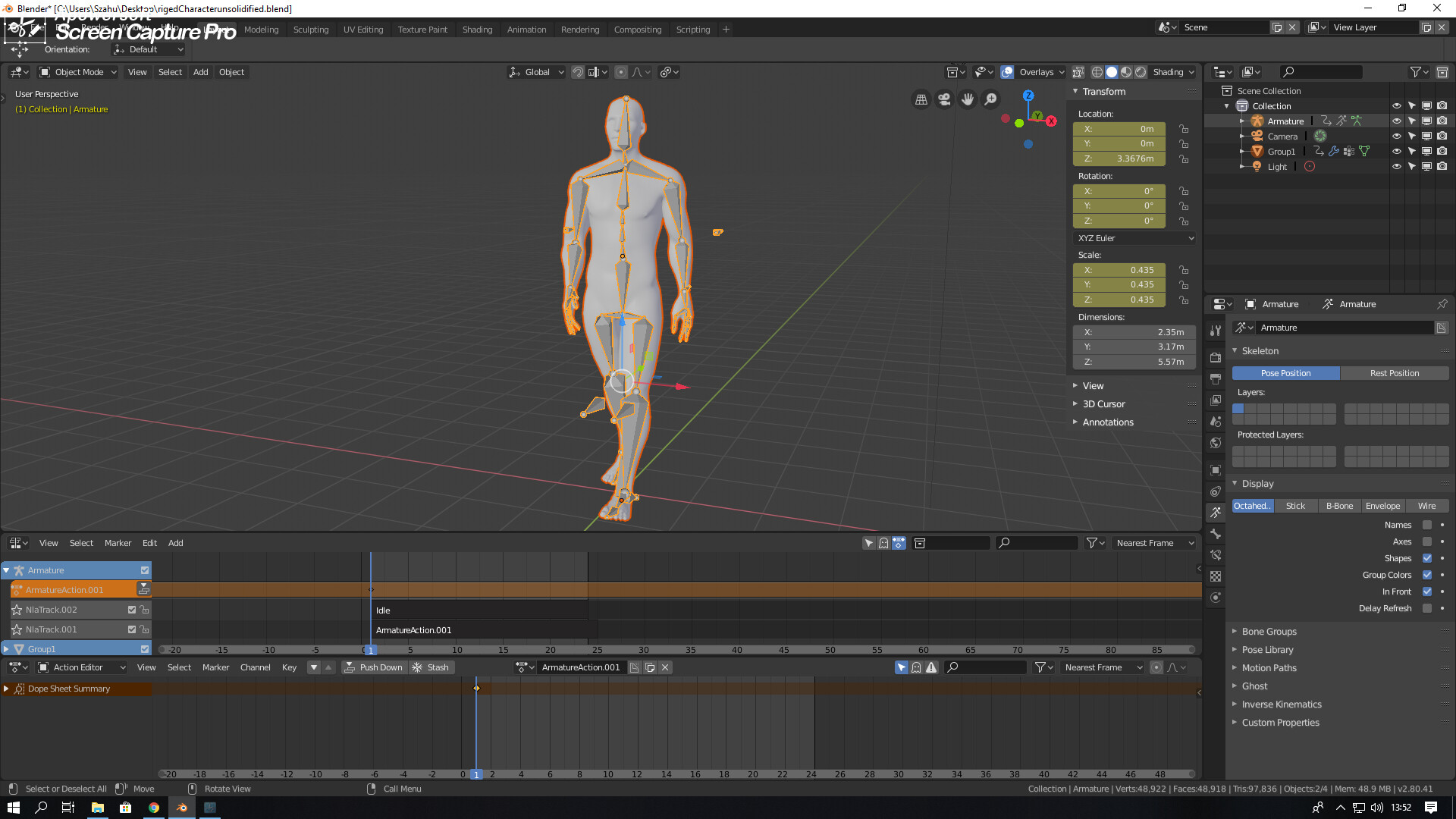
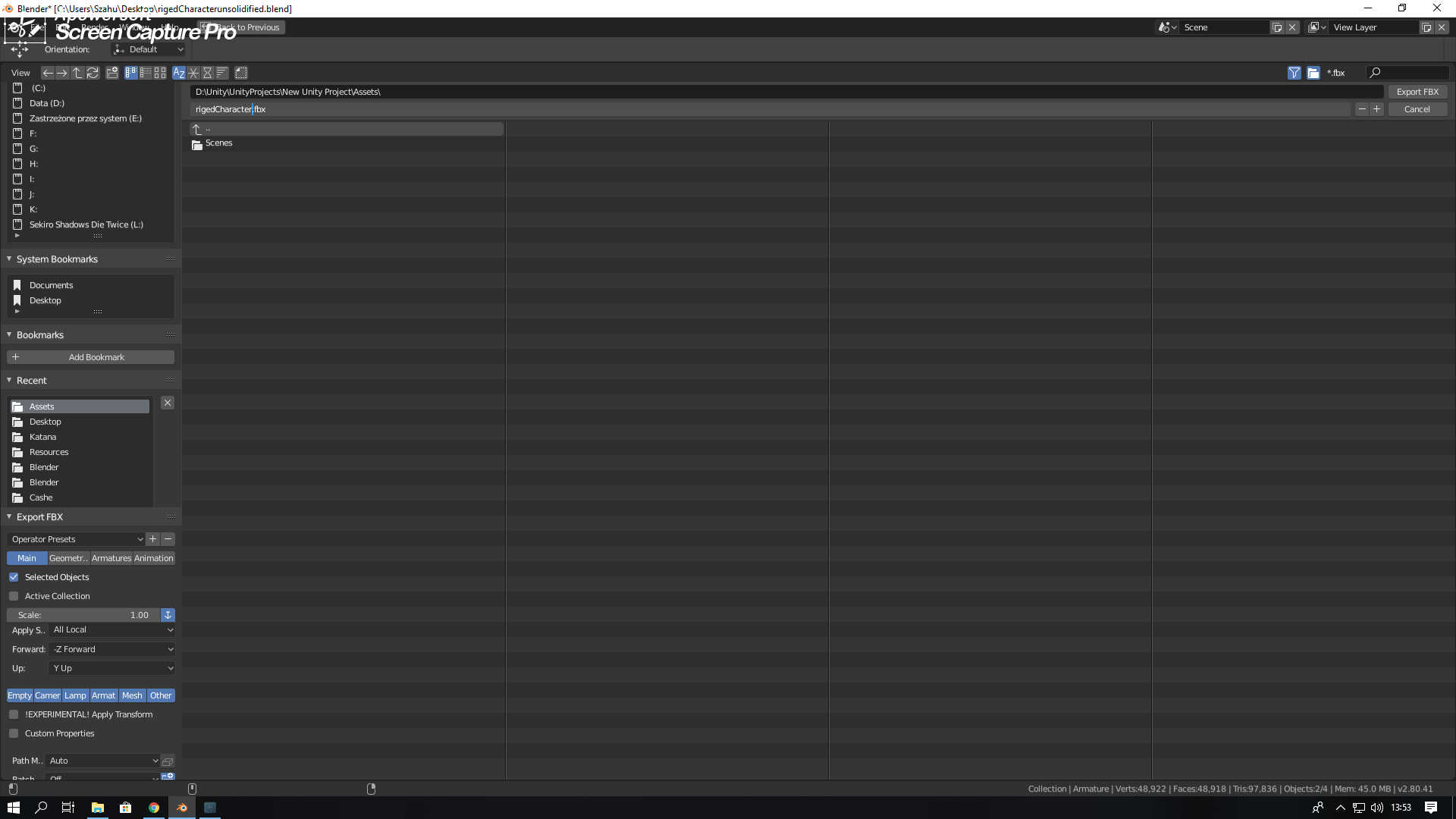

And when I export simple cube from the same blender project it all works fine
Looks like it has a transparent material. If that’s so, you can just change the material properties in Unity.
So chnaging material actually helped but that means i cant export object with material implemented
So it actually says ''transparent" there but i cannot edit this settings. Is tehre any way i cant get to those settings and just change that parameter?

Go to the model’s import settings and under the materials tab there should be a button that says “Extract materials” button. That will bring the models materials into the Unity editor and allow you to modify them.
Alternately, you can also opt to not import materials. In that case, you can create a material from scratch and assign it to the model.
1 Like
Okay, Thansk for help!
There is another similar problem I had. I was joining body parts on my 3d model in Blender and when I was scaling the head part (or the body part perhaps) I accidentaly went into negative scale which inverted all the faces and vertices on one of the models. After I exported the model, I had body mesh facing one way and the face mesh vertices facing the other which made my model in Unity and mixamo look like part of it was transparent. I went back into blender and rescaled the head to invert it again and exported it and now it works.
2 Likes
Hi zilkin1 i have the same problem but my material isn’t transparent and i can access it, i read your solution but i didn’t understand it well, can you explain me how to scale it? and what negative scale means? thanks

this is how my character looks in unity
1 Like
Your model looks inside-out. I think you simply need to flip all of the face normals in Blender or whatever 3D modelling app you’re using. In Blender you would go into edit mode, select all of the faces and then choose Mesh->Normals->flip in the drop-down menu.
4 Likes
this suggestion fixed my bottle model, thanks
Same, thx @kdgalla
The best solution.
Steps:
- Select the object
- Change to Edit Mode (Tab)
- Select all vertices, edges or faces (A)
- Select Mesh > Normal option or Alt+N
- Finally select Flip
It’s all.
3 Likes
For me this one did it for me, thank you, but instead of flip in the final step i had to select: “Recalculate outside”.
My transparent materials in Blender Fbx file is not imported in Unity 3D,what should I do when I export file in Fbx?