Is it possible to modify the build in fog in a way, that it doesnt affect lit parts of objects as much as the shadows?
Im not sure if this is possible, but its certainly a feature that would be awesome! Volumetrics are real expensive, but if the default fog would act more like a blend mode or take the brightness of each pixel into account, it would create a better effect, without having full volumetrics in the scene.
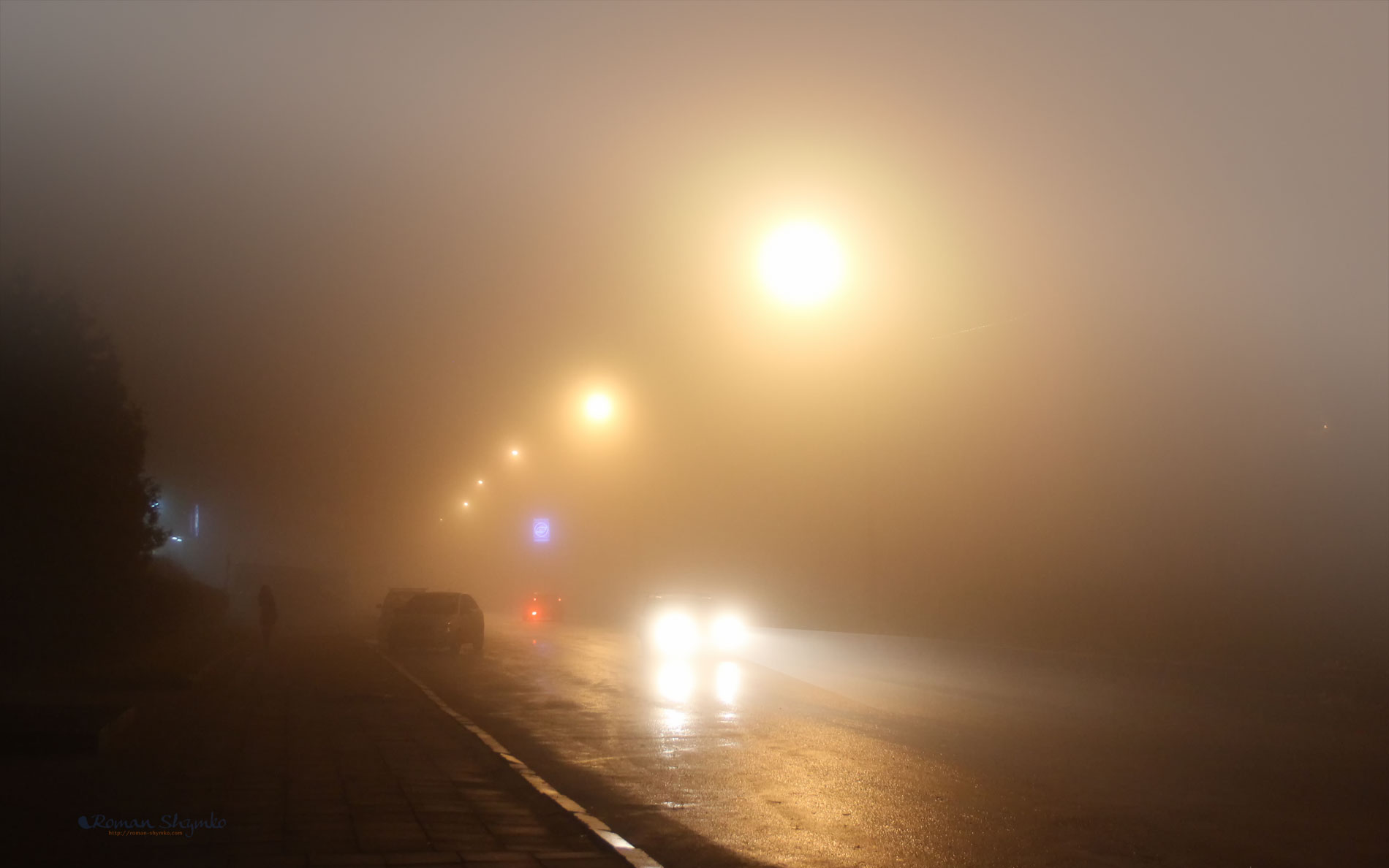
Here’s an example- as you can see, the light in the back still are glowing really intense, eventhough they are way deeper in the fog.
I think you can intercept the result of the fog using the built function and blend it like you want (here it would be emissive surface, but you won’t get the nice halo without cheating).
So i found out how to render the fog first and after that the emission. It would be nice tho, if general bright spots lit by the sun, would also be excluded (or atleast less affected). Im working with shadowmask here, so is there a way to sample the shadowmask inside of a shader? It could probably be used to achieve this. (Atleast thats the only way i can think of to get information, where shadow and where light is)
Ah never mind, i think i found a solution! Im still working on it, but basically I’m adding the color of all the objects onto the fog color (and by adding, only the brighter parts of the environment will be having the default color, while the darker parts get the foggy colored tint) Im gonna upload the solution later, when it works fine-
So the Fog basically changes the color of objects based on the distance to the camera by lerping fogCol (Color of Fog set in the lighting window) and the (col).rgb (which is the overall color, that the standard shader produces. So all I did was adding the (col).rgb to the fogCol. This way, only colors lighter than the fog color show up, resulting in having fog coloring only in the shadows. I also tried to get in some multiply in after that, to maybe just decrease the fog and not eliminate it at all, but i couldn’t get it to work…
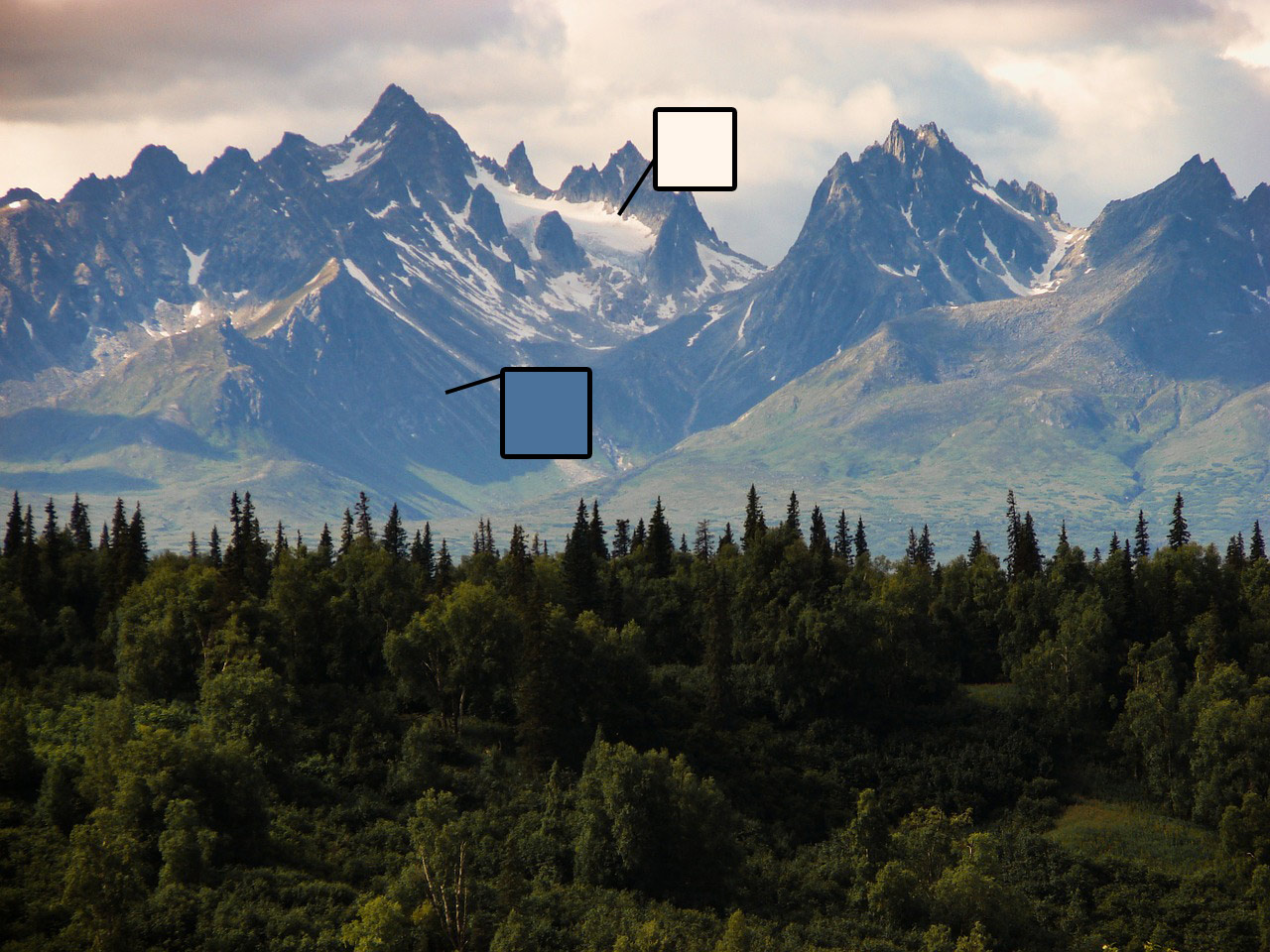
If your asking why this would even be useful, check the first image of the mountain scenery and look at the mountain.
Eventhough the rocky shadow parts are clearly foggy and have the light scattered from the blue sky, the snowy parts appear still very light and glowing. Unitys default fog would just put the fog layer over those and steal the image light.
(Note: If you made your own custom variant of the standard shader, remember to change the inculded references in the other shader files too)
I’m not sure if this a perfect solution, but it works atleast! If you have questions or suggestions to make it better, go ahead~