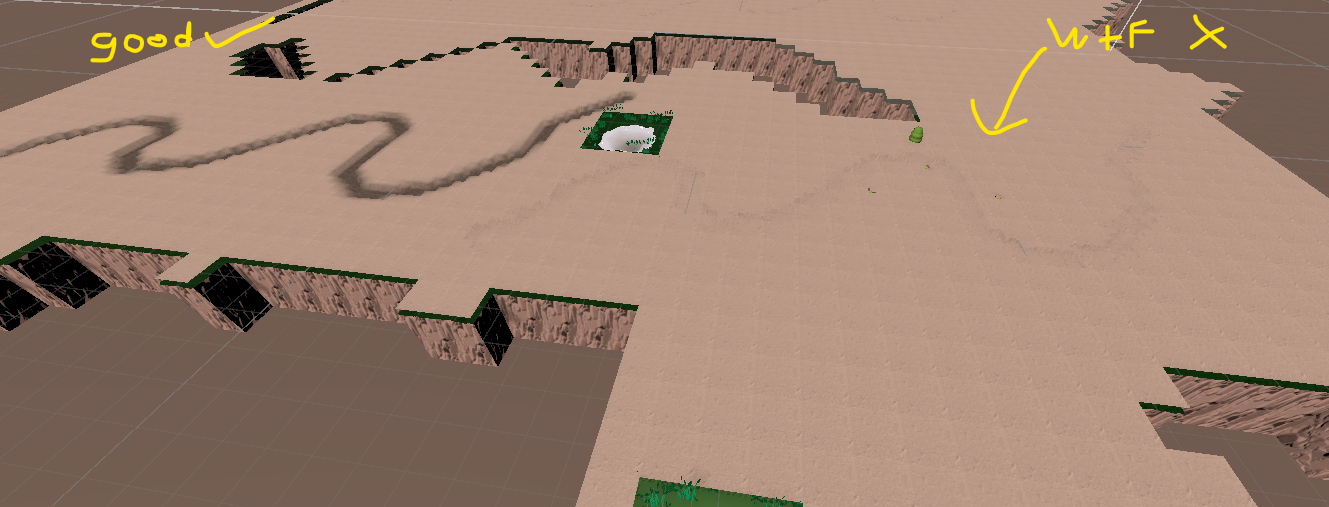
I’ve built a randomly generated tile world. Each tile has a (snow) plane that will deform when the player walks on it. What Ive done to achieve this is I created a large plane under the ground that is the splat map. Each tile (1x1) is mapped to the splat maps UV based on its location. What I dont understand is why my deformation repeats/mirrors (it shouldnt), but my trail/track texture works perfectly as intended. I think that if my math was wrong my snow track texture would also be repeating/mirroring but all my other code related to UVs works fine. Theres something I’m not understanding that maybe somebody can help me with. The “trail texture” graph is just an example of how my input numbers work for that… but my vertex displacement graph takes the same numbers and gives me a different result.

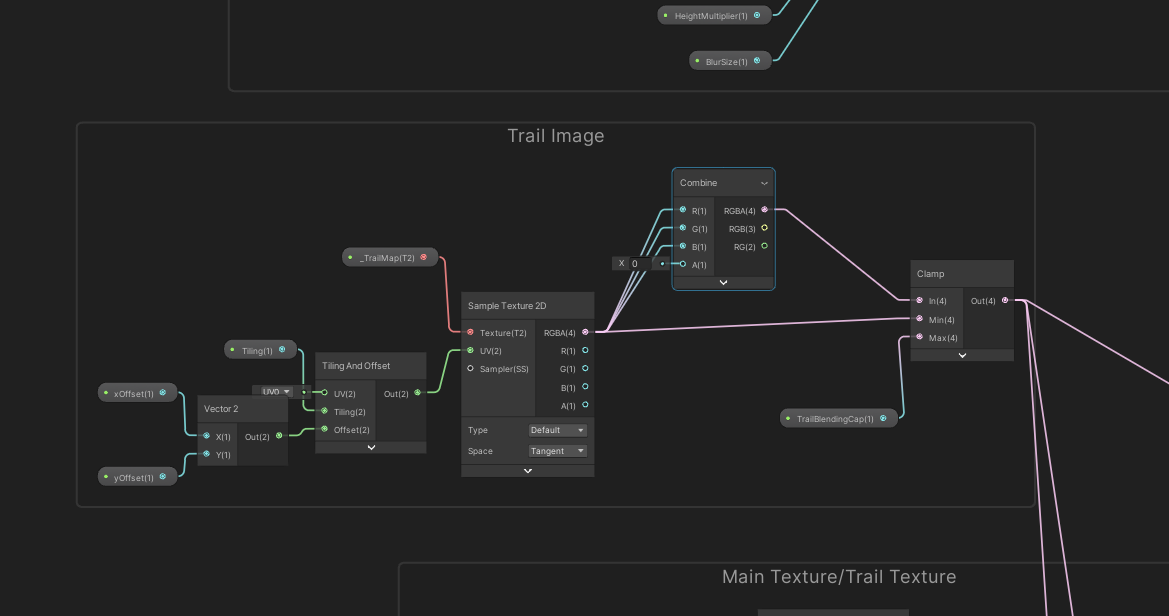
Still looking for some ideas… this ones really got me stumped. Heres the code feeding world to UV coords of the splat map.
using System.Collections;
using System.Collections.Generic;
using UnityEngine;

public class SplatMap : MonoBehaviour
{
    [HideInInspector] public float worldSize = 701; //700? 701?
    //world end at +350x +350z, -350x, -350z. giving us 700 plus the zero positions add +1.
    //World bound will be 700*700 giving us 49,000 tiles. 0,0,0 will be the center. range(-350/ + 350)
    private void Start()
    {
        float x = transform.position.x;
        float z = transform.position.z;
        //Get the % that the coordinate is between 0 & 350. That % is only half of total UV.
        //Add or subtract depending on position to set proper UV.

        if (x > 0 || x < 0)
        {
            x = (x / (worldSize/2)) / 2;
            x = 0.5f - x;
        }
        else
            x = 0.5f;

        if (z > 0 || z < 0)
        {
            z = (z / (worldSize/2)) / 2;
            z = 0.5f - z;
        }
        else
            z = 0.5f;

        //Set UV offset in shader:
        UnityEngine.Material snowMat = GetComponent<MeshRenderer>().material;
        snowMat.SetFloat("xOffset", x - (1 / worldSize)/2);
        snowMat.SetFloat("yOffset", z - (1 / worldSize)/2);
        snowMat.SetFloat("Tiling", (1 / worldSize));

        StartCoroutine(DelayedStart());
    }
    IEnumerator DelayedStart()
    {
        yield return null;
        //Find the splat map render texture.
        UnityEngine.Material snowMat = GetComponent<MeshRenderer>().material;
        RenderTexture splatmap = DrawTracks._splatMap;
        snowMat.SetTexture("_TrailMap", splatmap);
    }
}
It seems that the mirroring starts 20 tiles away
SOLVED: its seems the custom function was the problem. I replaced the custom function with a regular sampleTex2d_lod node the issue went away. I cant control the blur anymore but im happy with the level of blur I’m getting now anyway.