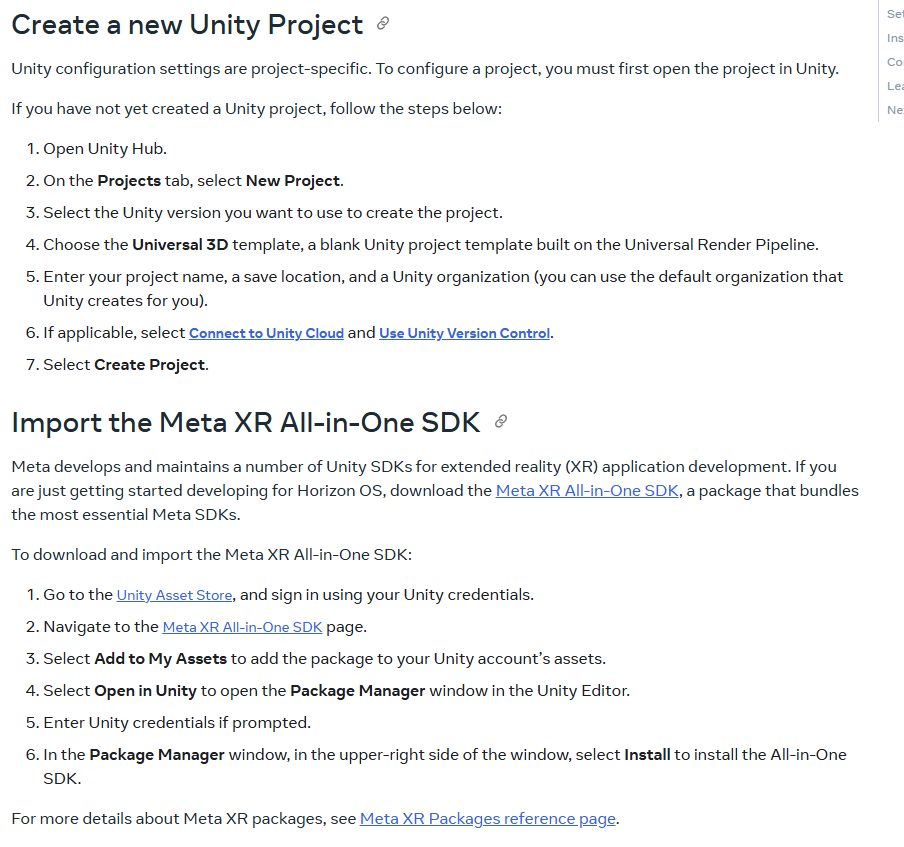
The Unity setup guide on Meta Developers says to use the Universal 3D template, and it even mentions Unity 6 and makes a distinction to use the Oculus plugin before and Open XR plugin after, which to me seemed like a good sign that the documentation is well maintained.
However, if you keep following the documentation you will quickly run into errors caused by Meta XR SDK not being designed for anything other the the built-in RP. First I thought it was just the Interaction SDK samples not having been updated to URP, there are lots of broken built-in RP shaders like the water or mirror material in the locomotion example. That wouldn’t be a big deal, but it’s also coming straight from the core building blocks that you need to use. Even the most basic thing, the camera rig, immediately raises a red flag by causing this warning in the console:
Your project uses a scriptable render pipeline. You can use Camera.stereoTargetEye only with the built-in renderer. UnityEngine.Camera:set_stereoTargetEye (UnityEngine.StereoTargetEyeMask) OVRCameraRig:EnsureGameObjectIntegrity () (at ./Library/PackageCache/com.meta.xr.sdk.core@e9f929748630/Scripts/OVRCameraRig.cs:611) OVRCameraRig:Awake () (at ./Library/PackageCache/com.meta.xr.sdk.core@e9f929748630/Scripts/OVRCameraRig.cs:196) UnityEngine.GUIUtility:ProcessEvent (int,intptr,bool&)
And sure enough, if you build those examples scenes and run them on a Quest 3, you will get horrible performance even though there is barely anything to render. It’s stuttering constantly unless you turn on passthrough to reduce rendering load to an absolute minimum. I don’t think the URP configuration is to blame for this, the documentation makes no mention of changing the default URP settings by yourself and Meta’s own project setup tool already made all the changes it was supposed to and shows no further errors or warnings.
If you set up the exact same project in the built-in RP, the console warning from the camera rig script no longer appears and the build runs fine even without passthrough. I don’t get it though, why would Meta explicitly tell you to use the URP if their own SDK does not support it? It literally tells you to install that SDK package right in the next paragraph of that exact same documentation page.
I would really appreciate some input from someone working with the Meta XR SDK. I already tried on the Meta Developer Forums but did not get any response.
Yes this is crazy. My project was working fine until I upgraded to Unity 6, now I get the warning all the time. I really don’t want to go back to using the built in renderer and I want to keep using Unity 6. Meta should fix this.
No, I don’t think there really is a solution here. Meta simply has to update the documentation the reflect that the URP is not actually supported as of v72.
Not sure how something like this even happens, this is not a small mistake that can happen by accident. The only way I can make sense of is that there is no communication between the people developing the SDK and the people writing the documentation.
The current best practice is to use OpenXR with Unity 6+ and definitely to use URP. Your problems are stemming from trying to use the OVRCameraRig instead of the new OpenXR camera rig, etc.
All ongoing investment from Unity is in URP/HDRP not BiRP, and both Unity and Meta are leaning into OpenXR, so it wouldn’t make sense for you to invest in BiRP on a new project.
You still use the Meta SDK for things like authentication and Meta Horizon platform features, but not OVRCameraRig and friends for XR.
I should add that out-of-the-box, sample scenes and such for URP run terribly because they have expensive postprocessing like ambient occlusion enabled, which tank performance on Quest. So you need to do a proper setup of your URP assets to get decent perf on the Quest.
Ideally, you render directly to the backbuffer and not use intermediate textures that require a final blit to the backbuffer. For this, you need to configure URP to use the Forward(+) renderer , turn off HDR, not copy the opaque or depth texture, not use post processing and render scale is 1.0.
Which sound like there is no reason not to use it.
On top of that I had the following warning in my project:
Entities.Graphics should be used with URP Forward+. Change Rendering Path on UniversalRenderPipelineAsset_Renderer for best compatibility.
Now in URP 17 this much more differentiated:
Deciding on which rendering path is most suitable for your Universal Render Pipeline
(URP) project depends on the type of project, and on the target hardware.
Use the default Forward rendering path if you don’t have many lights in the scene or you’re rendering on a mobile or low-end platform, because Unity limits both the number of lights and the number of per-pixel lights.
Choose the Forward+ rendering path in the following cases:
You have many lights in your scene, and the Deferred rendering path renders too slowly on the platform you build for.
Now this leaves me confused. I am using Entities Graphics for a Quest project which I guess counts as mobile or low-end platform. I only have one light and I don’t use reflection probes. So should I use Forward or Forward+?
From what I read in the URP 17 documentation at https://docs.unity3d.com/6000.2/Documentation/Manual/urp/rendering/forward-rendering-paths.html it sound like a bad idea for me to use Forward+, because dividing the screen to see how many lights affect each GameObject is completely pointless if there is only one light. Additionally as you mentioned I want to render directly to the eye framebuffer to avoid unnecessary copies which are expensive on the tiled GPU (how do I even know if I achieved this goal). But I am worried about the entities package. What is the reason Forward+ is recommended for entities? Is it because of the GPU Resident Drawer?
The GPU Resident Drawer automatically uses the BatchRendererGroup API to draw GameObjects
with GPU instancing, which reduces the number of draw calls and frees CPU processing time. For more information, refer to How BatchRendererGroup works.
The GPU Resident Drawer works only with the following:
Otherwise, Unity falls back to drawing the GameObject without GPU instancing.
So it sounds like the Resident Drawer is only for GameObjects not Entities, but uses the same underlying tech. But why does it only work with Forward+? Neither the documentation for BatchRendererGroup nor the documenation for SRP Batcher mention Forward+ at all and if I remember correctly they predate Forward+ anyways.
If you could shine a bit of light onto this and answeer some of my many questions I’d be very grateful
I just realized you can also render to the backbuffer with Forward+. For some unknown reason, in the editor we add the intermediate textures when using F+. However, they are not added in the Player. So in the player (on Quest), you can render directly to the backbuffer with F+.
Although I indeed expect F+ more expensive than Forward with a very low amount of lights, the Forward renderer is indeed not supported with Entities so you need F+ in your project.
try using openXR instead of oculus loader i did that and I got a pretty 20% performance upgrade at least, oculus doesn’t recommend using oculus plugin anymore, so uninstall oculus xr plugin (not the SDK folders) and use OpenXR instead
@AljoshaD thanks for the clarification. Do you by any chance know why entities and the GPU Resident Drawer require Forward+?
I seems like a weird restriction, especially when considering that ECS used to work with Forward. What should I expect when combining entities and plain Forward rendering in Unity 6? Will it just not render or is it just that some features like Reflection Probes don’t work?
In the latter case it may actually be better for me to use plain Forward, because I don’t use reflection probes anyways. And I only have 1 light, way less than the 6 or so you need to benefit from F+.
For others reading this: while researching I stumbled upon this documentation from Oculus: Forward+ Rendering
Apparently Oculus made a fork of URP for Unity 6 that patches the Forward+ implementation to avoid some Quest/Mobile performance issues.
@AljoshaD do you know if Unity plans to incorporate the changes made to Forward+ in Oculus fork? Or has that maybe happened already?