I use Unity Version 2021.3.1f1.32
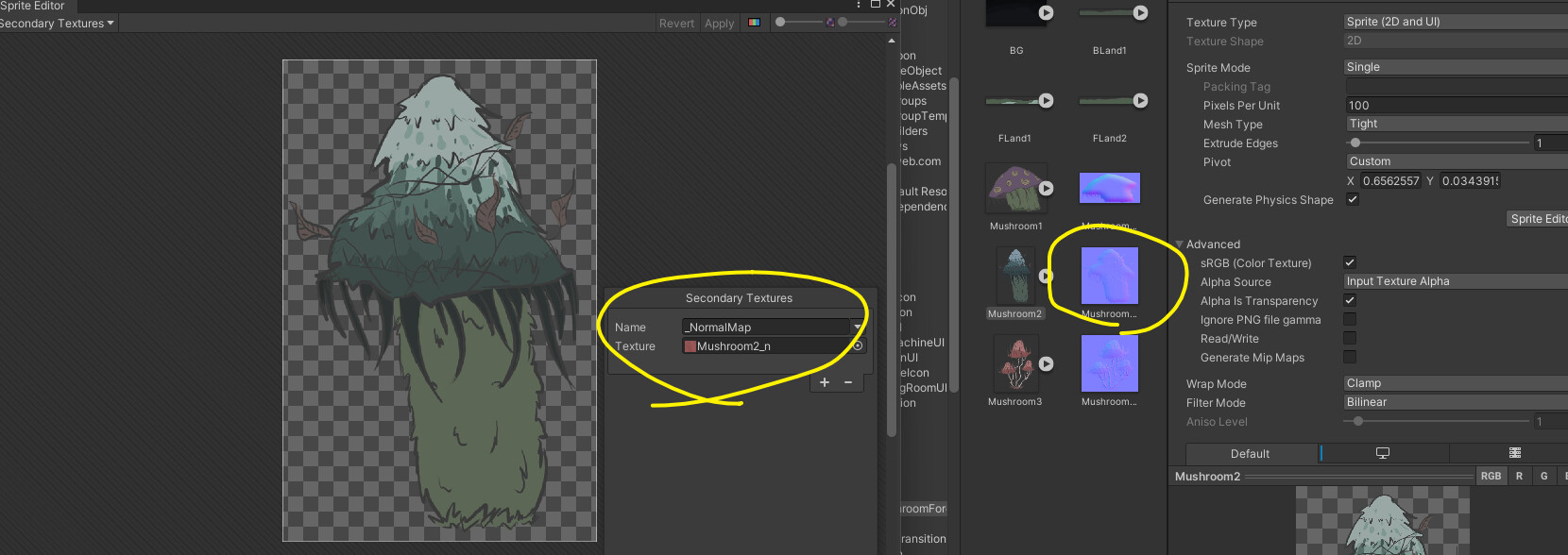
When I set secondary sprite for normal map and press Atlas Pack preview, it shows Warning Log
“There is a mismatch in secondary textures of sprites wasting texture space and potentially break draw call batching.”
After that, I play the game, and the sprites with secondary normal maps are broken(got black lines).
How can I fix it, thanks!
This indicates that some textures packed into the Atlas do not have Secondary Textures set. If this is not the case, could you please submit a bug report with a repro project ? Will take a look asap.
Does the issue occur only when using SpriteAtlas ? We are backporting a fix for a related issue (Unity Issue Tracker - Lighting is incorrect when Sprite Atlas uses secondary Texture Normal Maps in Linear Color Space) Will post an update once the backport for 2021 is available. Thanks.
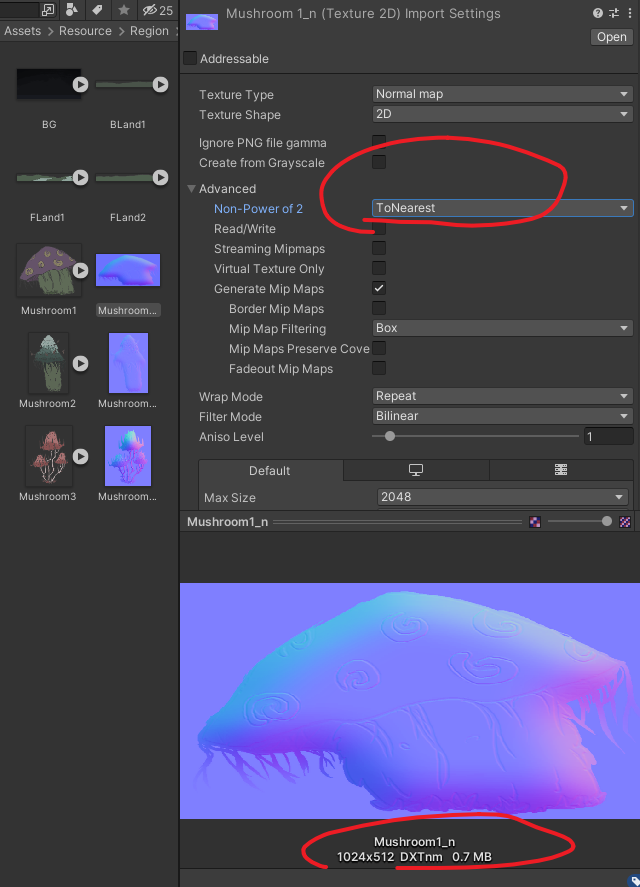
Sorry, It turns out that sprite imports into Unity and set Texture Type to normal map, the Non-Power of 2 marks as ToNearest I need to set to None so the texture size won’t go wrong and cause some issue. Didn’t know that before
Didn’t know that before.